
Ever wanted to send a LinkedIn voice note from your laptop… and realized you can’t?
Text messages are usually fast and convenient, but they are also cold, easy to ignore and often come across as impersonal.
Voice notes change that. They are more personal, human and memorable.
Even a 30–40 second recording can turn a routine message into something people actually pay attention to.
But there’s just one problem.
LinkedIn only lets you send them from mobile. And for most professionals, mobile is not where real work happens.
In this guide, we’ll show you how to include voice messaging in your LinkedIn desktop workflow. Using Crono, you can record and send voice notes directly from your desktop – no phone switching, no interruptions, just a smoother and more natural way to communicate.
Voice Notes: What They Are and Why They Work?
LinkedIn voice notes are short audio clips, usually under a minute, that let you communicate in a way text simply can’t.
They add a human touch to your messages, letting your personality and tone come through naturally. Here’s why including voice notes can make a real difference:
-
Explain ideas more clearly than text alone
-
Make messages easier to digest, since people often prefer listening over reading
-
Show effort and personalization, making your outreach feel intentional
-
Build trust faster, especially in one-to-one conversations
On a platform where most messages look the same, hearing someone’s voice immediately stands out. That’s why voice notes often get higher reply rates compared to cold or templated messages.
Used strategically, voice notes can elevate your workflow, turning routine exchanges into more engaging and memorable interactions.
The Challenge with LinkedIn
Despite their effectiveness, LinkedIn voice notes come with a clear limitation: they’re mobile-only. Desktop users can read and play voice notes, but creating them on a computer isn’t possible natively.
This creates friction for people who:
-
Work primarily from desktop
-
Manage conversations at scale
-
Want to stay focused without switching devices
Switching between phone and desktop disrupts your workflow, breaks focus and slows you down, especially when voice is part of a structured outreach or follow-up process.
Two Ways to Send LinkedIn Voice Notes from Desktop with Crono
That’s where Crono comes in.
Crono removes that friction by allowing you to record and send LinkedIn voice messages directly from your desktop, keeping your workflow smooth and uninterrupted.
You can do that in two different ways: manually or automatically.
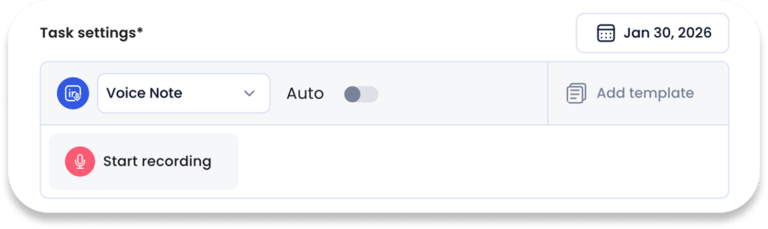
Method 1: Manual
-
Log in to Crono
-
Find the contact you want to send the voice note to
-
Create a new task
-
Select “LinkedIn Voice Note” as the task type
-
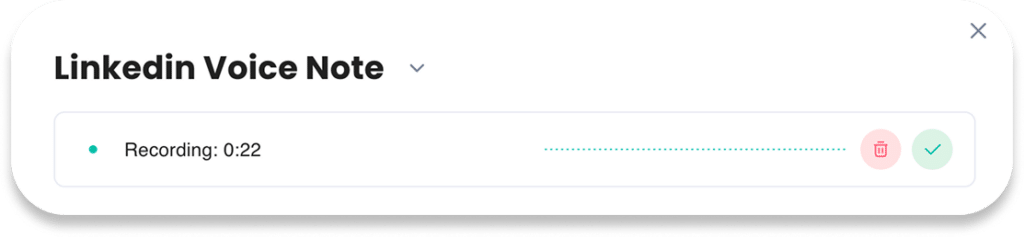
Record your message using your desktop microphone
-
Listen to it and make sure it’s exactly what you want to send
-
Send it – the contact will receive it directly in their LinkedIn messages
This method is perfect for one-off messages or personalized follow-ups. No phone, no extra steps, just a smoother way to communicate.
Method 2: Automated
-
Log in to Crono
-
Go to “Sequences” in the dashboard
-
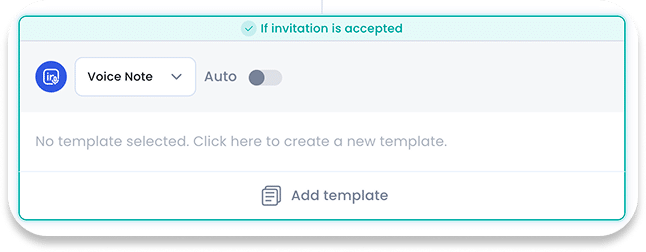
Add a new step to your sequence
-
Select “LinkedIn Voice Note” as the step type
-
Record or upload your voice message
-
Set the timing for when it should be sent
-
Activate the sequence – Crono will automatically send the voice note to the contacts in your sequence
When to Use Voice Notes
Voice notes are powerful, but they’re not universal.
They work best when:
-
Following up after a first interaction
-
Clarifying something nuanced
-
Responding to a message that already feels conversational
-
Re-engaging a warm lead or connection
They’re less effective when:
-
Sending a first cold message
-
Communicating long or complex information
-
Replacing documentation or links
Think of voice as a complement to text, not a replacement.
5 Tips for your LinkedIn Voice Notes
Make your LinkedIn voice notes stand out and actually get noticed by following these simple tips:
Keep it short. 25–35 seconds is enough. Respect your audience’s time.
Plan before you record. Know exactly what you want to say, rambling kills impact.
Sound natural. No need for a “radio voice.” Calm, clear, and human works best.
Give context. Start with a quick reminder of why you’re reaching out.
Don’t overuse it. Voice notes are rare, which makes them powerful. Use them sparingly.
Final Thoughts
LinkedIn voice notes aren’t just a gimmick – they’re a reflection of how digital communication is evolving.
Being desktop-first doesn’t mean being impersonal. With the right approach, it means communicating more consistently, more intentionally, and more humanly, all without breaking your workflow.
When used thoughtfully, voice notes can transform routine messages into real, memorable connections that stand out in a crowded inbox.
Not sure where to start? Let's talk.
Schedule a session with one of our specialists and get our exclusive Sales Playbook 2026 for free.
