
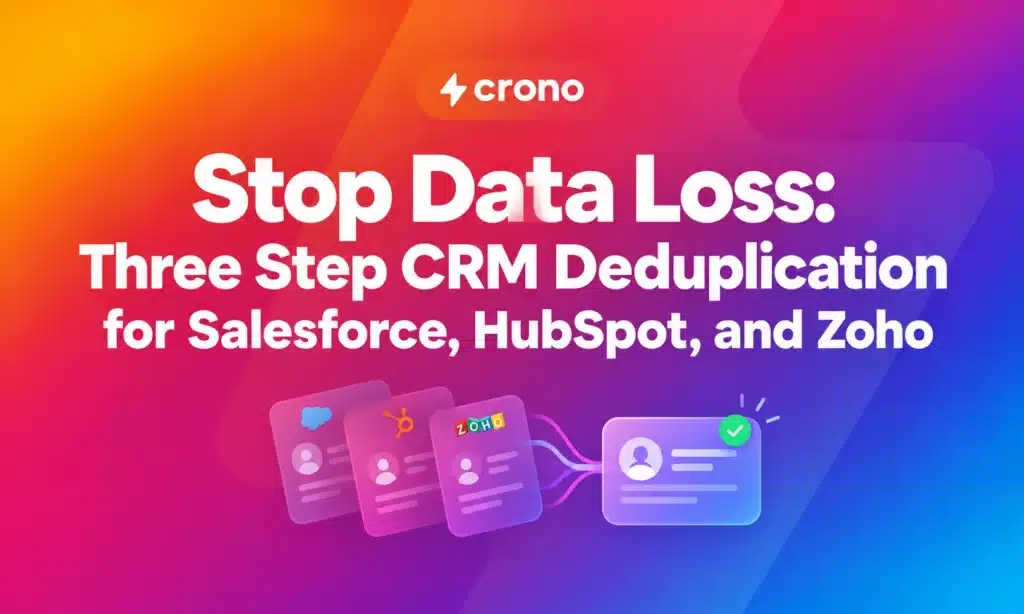
CRM deduplication works best as a three-step discipline: match records with the right algorithm, decide which values survive at the attribute level, then merge in an order that protects account and contact history. Before touching production data, back up your CRM, run the process in a sandbox, and merge a small sample batch first. That sequence catches bad rules before they touch your real pipeline.
TL;DR:
- Matching algorithms based solely on exact keys miss about 30 to 40% of real duplicates, especially when typos or formatting inconsistencies are involved.
- Survivorship rules should be attribute-level and based on source trustworthiness, recency, completeness, or quality to preserve accurate data during merges.
- Merging large batches requires thorough preparation, including backups, sandbox testing, and merging parent records first to prevent orphaned related data.
- Native platform limits, such as Salesforce’s active rules cap and Zoho’s automatic exact merges, necessitate supplemental tools or manual review for comprehensive deduplication.
- Ongoing data hygiene involves consistent normalization at data entry points and scheduled duplicate scans to prevent reaccumulation of duplicates over time.
Table of Contents
- What Is the CRM Deduplication Process, Step by Step?
- Exact Match or Fuzzy Match? Choosing the Right Algorithm by Field
- Which Value Wins? Setting Survivorship Rules That Protect Data Quality
- How Do You Merge CRM Records Without Losing Related Data?
- What Are the Platform Limits on Bulk Merging?
- How Do You Stop Duplicates From Coming Back?
- How This Maps to Salesforce, HubSpot, and Zoho in Practice
- The Governance Gap Nobody Talks About
- A Different Way to Keep Records Clean Without Fighting Your CRM
- Sources
- FAQ
What Is the CRM Deduplication Process, Step by Step?
Deduplication breaks into three distinct jobs, and treating them as one job is where most cleanup projects go wrong.
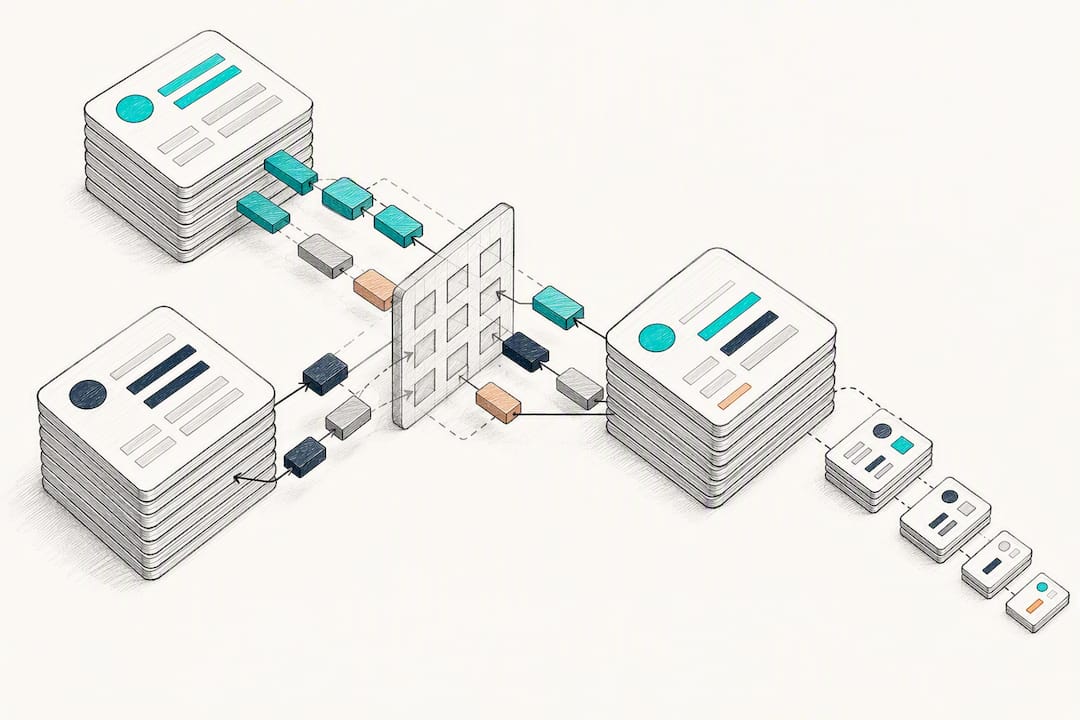
Matching finds records that likely represent the same person or company. Survivorship decides, field by field, which value wins when two records disagree. Merging executes the combination and reroutes every related record, deal, activity, and attachment to the surviving record.
Most teams over-invest in matching and barely think about survivorship, which is backwards. Matching just flags candidates. Survivorship is where you either improve your data or quietly destroy good information, because a bad rule can overwrite a verified phone number with a blank field from a stale import.
Exact-key matching alone, checking only email or record ID, misses an estimated 30 to 40% of real duplicates, mostly from typos, nicknames, and inconsistent formatting across data sources.
The three jobs, in order:
- Matching: flag likely duplicate pairs using deterministic and fuzzy rules
- Survivorship: choose the winning value for every field on the surviving record
- Merging: combine records and reattach related deals, cases, and activities
Get the order right and each step becomes a checkpoint. Skip straight to merging and you lose the chance to catch a bad match before it becomes permanent.
Exact Match or Fuzzy Match? Choosing the Right Algorithm by Field
Not every field deserves the same matching logic, and using one algorithm for everything is how you end up with either a flood of false positives or a pile of missed duplicates.
Exact keys work best where the data is naturally unique and clean: email addresses, record IDs, tax numbers, domain names. These matches run fast and rarely produce a false positive, which makes them ideal for real-time ingestion gates that block a duplicate before it ever gets saved.
Fuzzy and phonetic algorithms earn their keep on messier fields. Jaro-Winkler distance handles name variations well (“Jon” vs. “John,” transposed letters in a last name). Levenshtein distance suits short strings like postal codes or account numbers where a single digit typo is common. Phonetic codes such as Soundex or Metaphone catch spelling variants that sound alike but look nothing alike on paper, like “Catherine” and “Kathryn.”
Before applying any fuzzy rule, normalize the input:
- Strip formatting from phone numbers (parentheses, dashes, country codes) down to digits only
- Lowercase and trim whitespace from email addresses before comparison
- Standardize company names by removing suffixes like “Inc,” “LLC,” and “Corp” during comparison, not in the stored value
Fuzzy matching without normalization compares noise, not names.
To calibrate thresholds, pull a sample set of known duplicates and known non-duplicates and run your proposed rule against both groups. Adjust the similarity threshold until false positives (unrelated records flagged as duplicates) and false negatives (real duplicates missed) both sit at a level your team can live with. There is no universal threshold. A B2B sales database with common company names needs tighter tolerances than a consumer list with unique full names.
Pro Tip: Build your test set from real support tickets and merge requests, not synthetic data. The duplicates your team actually complained about are the ones your matching rule needs to catch first.
Which Value Wins? Setting Survivorship Rules That Protect Data Quality
Survivorship rules decide, field by field, which value survives a merge, and that granularity matters more than most cleanup projects admit. Choosing an entire record as the “winner” and discarding the other wholesale is how you lose a correct phone number just because the rest of that record was outdated.
Six patterns cover most survivorship needs:
- Source priority: values from a trusted system (your ERP billing address, for example) always win over CRM manual entry
- Most recent: the value with the newer last-modified timestamp survives
- Most complete: the record with a populated field wins over one with a blank field, regardless of which record is “primary”
- Quality score: values that pass validation (verified email, formatted phone) beat unverified ones
- Conditional: rules like “if source equals marketing, prefer the CRM email; otherwise prefer the ERP billing email”
- Hybrid chains: combine two or more patterns in sequence, falling back to the next rule when the first doesn’t apply
Attribute-level rules are safer than whole-record selection because they let you keep the best version of every field independently. A lead captured through a web form might have the most current job title, while an older ERP-synced record has the only verified billing address. Whole-record selection forces you to lose one or the other. Attribute-level survivorship keeps both.
Document every survivorship rule before running a bulk job, test it against a sample of ten to twenty known duplicate pairs, and confirm the output matches what a human reviewer would choose. Keep an audit trail, ideally an exported list of every merge with before and after values, so you can trace and reverse a bad decision without guessing which records were touched.
How Do You Merge CRM Records Without Losing Related Data?
Merging is where irreversible damage happens if you skip steps, so treat this sequence as non-negotiable rather than optional caution.
- Back up first. Export a full snapshot of the object you’re about to merge, and confirm the export includes related record IDs, not just the top-level fields.
- Test in a sandbox. Run your matching and survivorship rules against a copy of production data before touching anything live.
- Merge parents before children. Combine duplicate accounts before you touch duplicate contacts underneath them. Merging a contact first, while its parent account is still duplicated, can orphan deals and activity history that never reattach correctly.
- Preview related records. Before confirming any merge, check that open deals, cases, notes, and attachments are shown as reattaching to the surviving record.
- Run a small batch first. Merge five to ten records, not five hundred, and manually inspect the results before scaling up.
- Audit and monitor. Spot check surviving records against your documented survivorship rules, and keep a rollback plan ready in case a batch behaves unexpectedly.
Pro Tip: Never run your first bulk merge on a Friday afternoon. If something reattaches incorrectly, you want your full team available Monday morning to trace it, not scrambling over a weekend.
What Are the Platform Limits on Bulk Merging?
Every major CRM caps how much deduplication you can do natively, and planning around those caps saves you from discovering them mid-project.
Salesforce limits the number of active matching rules an org can run simultaneously, and its standard UI merge tool only combines a handful of records at a time, which makes large backlogs a multi-session project rather than a single click. HubSpot’s duplicates manager supports review, rejection, and bulk merge, but bulk tooling and audit log depth vary by subscription tier. Zoho’s de-duplicate tool auto-merges exact matches automatically but has no native fuzzy matching, so near-miss duplicates slip through untouched unless you catch them another way.
A practical pre-merge checklist covers the gaps native tools leave open:
- Full backup exported and verified
- Sandbox test completed with sample records
- Survivorship rules documented and reviewed
- Record ownership and territory mapping confirmed
- Batch size set conservatively for the first run
- Audit logging enabled and confirmed working
- Merge timing scheduled outside peak business hours
- Stakeholders (sales, support, marketing) notified in advance
- Rollback plan written down, not just discussed
- Post merge verification steps assigned to a specific person
- Merge history exported for the audit trail
- Follow-up audit scheduled for one to two weeks later
How Do You Stop Duplicates From Coming Back?
Cleaning up existing duplicates without fixing ingestion just buys you a few months before the same mess rebuilds itself.
Enforce unique keys and normalization everywhere data enters the system, not just on the main CRM form. Web forms, CSV imports, and API integrations all need the same rules, because a lead form that skips normalization while your import tool applies it creates two different standards feeding one database.
- Apply identical matching logic to forms, bulk imports, and API-created records, not just manual entry
- Normalize phone and email formatting at the point of entry, before the record ever saves
- Block creation outright on exact-key matches (same email, same domain and company name) rather than warning after the fact
- Warn instead of block on fuzzy matches, and route those to a manual review queue with a same-week SLA
Aligning every ingestion path to the same keys and normalization rules is the difference between a one-time cleanup and a system that stays clean. Pair that with a weekly pipeline hygiene check and a scheduled monthly duplicate scan, and new duplicates get caught within days instead of accumulating for another quarter.
How This Maps to Salesforce, HubSpot, and Zoho in Practice
Each platform handles the mechanics differently, which changes what you can automate versus what needs a manual process.
Salesforce splits the job into matching rules and duplicate rules: matching rules flag potential duplicates, duplicate rules decide whether to block, warn, or allow. The catch is a capped number of active matching rules and merges that happen manually, a few records at a time. HubSpot auto-detects duplicate contacts by email and companies by domain, and its duplicates manager handles bulk operations, though larger jobs and deeper audit logs depend on your subscription tier. Zoho’s tool auto-merges exact matches and prompts manual resolution when fields conflict, but it has no fuzzy matching layer at all.
None of the three close every gap alone. Middleware, enrichment tools, or a staged manual review process usually fill what native features miss.
The Governance Gap Nobody Talks About
Most dedupe projects treat cleanup as a one-time event instead of ongoing governance. Assign a named owner with a hygiene SLA, pair prevention automation with scheduled cleanups, and document survivorship rules where sales and RevOps can both see them. Trust in the data outlasts any single merge.
A Different Way to Keep Records Clean Without Fighting Your CRM
CRM-native dedupe tools handle the mechanics of matching and merging, but they don’t stop bad data from entering your pipeline in the first place. That’s a gap sales execution layers aim to close. These platforms enrich contact and account data at the point of capture, so records arrive with standardized fields instead of raw, inconsistent entries that trigger false matches later.
Such platforms don’t replace your CRM’s duplicate rules. They work alongside them, automating the enrichment and hygiene tasks that keep your matching logic accurate in the first place, so survivorship decisions have better data to choose from. If your team spends more time untangling duplicate accounts than closing deals, see how Crono’s sales engagement approach fits into your existing stack, or explore B2B contact database enrichment to see what clean ingestion actually looks like before a record ever reaches your CRM.
Sources
- Salesforce Trailhead: Duplicate management (matching & survivorship guidance)
- CRM Deduplication 2026: A Merge & Match Methodology — Digital Applied
- De-duplicate records (Auto-merge duplicates) — Zoho CRM Help
- Deduplicate records in HubSpot — HubSpot Knowledge
FAQ
What Is CRM Deduplication?
CRM deduplication is the process of finding duplicate records in a CRM, deciding which field values should survive, and merging them without losing related deals, cases, or activity history.
How Much Does Fuzzy Matching Actually Catch?
Exact matching alone misses an estimated 30 to 40% of real duplicates, mostly typos and name variations that fuzzy or phonetic algorithms catch instead.
Should I Merge Contacts or Accounts First?
Merge parent accounts before child contacts. Merging contacts first risks orphaning deals and activity history tied to the still-duplicated account.
Can Salesforce, HubSpot, or Zoho Auto-Merge Duplicates?
HubSpot and Zoho both auto-merge exact matches on specific fields, while Salesforce relies on matching and duplicate rules that flag candidates for a manual merge. None of the three offers full native fuzzy matching without added configuration or outside tools.
How Often Should I Scan for New Duplicates?
Run a scheduled duplicate scan monthly at minimum, paired with a weekly hygiene check on high-value fields like owner, stage, and contact email to catch issues early.
