
For B2B revenue teams sending outreach at any real volume, AI email personalization is worth adopting now, and the right approach depends on how deep you need it woven into your stack.
Teams that need CRM-driven, one-to-one personalization across thousands of contacts should choose an integrated sales execution platform like Crono over standalone point tools.
Smaller teams with simple sequences and limited data can get by with a lightweight writing assistant. Either way, the deciding factor is never the AI model. It’s the quality of the data feeding it and how tightly that data connects to your CRM.
TL;DR:
- AI email personalization works best at high volumes and with integrated platforms connected directly to your CRM, not standalone tools.
- Generative content and decisioning models rely on high-quality, live data feeds such as job titles, recent activity, technographics, and intent signals for effective customization.
- Personalization yields the highest returns when applied to large-scale cold outreach, account-based sequences, onboarding, churn prevention, or upsell campaigns targeting high-value accounts.
- When selecting a solution, prioritize CRM connectivity, editable guardrails, human review, outcome-based reporting, and a pricing model aligned with your send volume expectations.
- Pilot your AI personalization by auditing your data for completeness, defining specific data-to-message mappings, and running a controlled test segment for at least three weeks.
How AI Email Personalization Works: Generative Content and Decisioning
AI email personalization runs on two distinct engines working together, and understanding the split matters because most buyers evaluate only one of them.
The first is generative content: the part that writes subject lines, opening lines, and full email variants based on recipient data. The second is decisioning, sometimes called send-time or variant optimization: the part that decides which version of that content goes to which recipient, and when. Braze’s explanation of AI email personalization frames this combination as the real upgrade over static merge tags, which only ever swapped in a first name or company field and called it personal.
Generative content models pull from a set of inputs to draft something specific to the recipient rather than generic to the segment. Those inputs typically include:
- CRM fields such as job title, industry, deal stage, and account owner
- First-party behavioral data, like which pages a prospect visited or which email they opened last
- Enrichment data covering company size, funding stage, and recent news
- Technographic signals showing which tools a prospect’s company already uses
- Recent activity, such as a LinkedIn post, a job change, or a support ticket
Decisioning models work differently. Rather than generating text, they learn from outcomes. A system sends variant A to one segment and variant B to another, tracks opens, replies, and meetings booked, then adjusts future sends based on what performed. Some platforms extend this to per-recipient send-time optimization, learning that a given contact tends to open email at 7:15 AM rather than blasting the whole list at 9:00 sharp.
The mechanism underneath both is a feedback loop: send, measure outcome, update the model, send again. This is why AI personalization tends to get better the longer a team runs it, and also why a cold start with thin data produces mediocre results in the first few weeks. A tool with no send history to learn from is just an expensive template.
Dynamic content blocks are the clearest example of generative personalization in practice. Instead of one static paragraph, a block conditionally rewrites itself based on the recipient’s industry or recent activity, so a prospect in fintech sees a different value proposition than one in logistics, without a rep manually drafting either version. Some platforms now expose which specific fields are driving that rewrite, letting a marketer see, in real time, that a line changed because the model picked up a “recent Series B” signal from enrichment data rather than guessing. 6sense’s documentation on AI personalization blocks shows this kind of field-level transparency, which matters more than it sounds because it’s the difference between trusting an output and having to double-check every send.
Subject line generation works on a smaller scale but the same logic: instead of one subject line for a thousand recipients, the model produces variants tied to role, industry, or pain point, and the decisioning layer routes accordingly. Vue describes this two-part structure, generation plus real-time decisioning, as the core architecture behind most modern personalization claims, regardless of vendor.
Where AI Personalization Delivers the Most Value in B2B Outreach
The honest answer is that AI personalization pays off unevenly. It helps most where volume and stakes intersect, and it barely moves the needle on emails that were already highly personal because a rep spent 20 minutes researching one account.
The adoption context: Gartner projects that more than 80% of enterprises will have used generative AI APIs or deployed generative AI applications by 2026. Personalized outbound email is one of the most common entry points for that adoption, because the return on a working pilot is immediate and measurable in reply rates.
Given that a vast number of emails move through inboxes every day, even a modest lift in relevance per message compounds fast across a full outbound program. That’s the practical case for treating email as high-leverage: small percentage gains apply to enormous volume.
The use cases where teams see the clearest lift:
- Cold outreach at scale. Sequences to hundreds or thousands of net-new prospects benefit most because manual personalization simply isn’t feasible at that volume.
- Account-based marketing sequences. ABM campaigns targeting a defined list of high-value accounts justify deeper personalization per contact, since the audience is smaller and each reply carries more revenue weight.
- Onboarding and activation emails. Personalizing based on product usage data (what a new customer has and hasn’t tried) tends to outperform generic drip sequences.
- Churn prevention outreach. Messages that reference actual account behavior, like a drop in login frequency, read as attentive rather than automated.
- Upsell and expansion emails. Referencing a specific feature gap or usage pattern makes an expansion pitch feel earned rather than templated.
Personalization tends to deliver the biggest return on high-value accounts run through multi-touch sequences, where a rep would have spent real time customizing anyway. The AI isn’t replacing effort that wasn’t going to happen. It’s replacing effort a human was already spending, at a fraction of the time cost, which is a very different value proposition than personalizing low-value, high-volume spray sequences where no human would have customized regardless.
Understanding the broader case for personalization in sales helps frame why this matters beyond email specifically: relevance is what earns a reply, and relevance requires actually knowing something true about the recipient.
What to Prioritize When Choosing a Personalization Solution
Most evaluation frameworks for this category focus too heavily on how good the writing sounds in a demo. That’s the wrong axis. The output quality is only as good as the inputs and the guardrails around it, so evaluate in this order.
- Data connectivity first. Check whether the tool pulls live data from your CRM, enrichment providers, and intent or event tracking, or whether it relies on a static CSV upload that goes stale within a week. A personalization engine with no direct CRM connectivity is working from a snapshot, not reality.
- Editable guardrails. Confirm you can edit the underlying prompts, set tone and word count limits, and block specific claims or topics the AI shouldn’t touch. A tool that hides its prompt logic makes review nearly impossible.
- Human-in-the-loop review. Look for a built-in approval step before sends go out, at least during a pilot, so a rep or manager can catch a hallucinated detail before it reaches a prospect.
- A/B testing infrastructure. The decisioning layer needs a real testing framework, not just a manual toggle between two static templates.
- Pricing model fit. Understand whether the tool charges per credit, per user, or per generation, and map that against your expected send volume before you commit budget.
- Playbook and workflow automation. Check whether personalization plugs into existing sequences and multichannel workflows, or whether it’s a bolt-on that requires exporting lists elsewhere.
- Reporting tied to real outcomes. Reply rate and meeting-booked data matter more than open rate, which is increasingly unreliable due to Apple Mail Privacy Protection and similar features.
- Security and compliance basics. Confirm data handling policies, retention terms, and whether recipient data used for personalization is stored or shared beyond the immediate send.
Pro Tip: Ask any vendor to show you a rejected or edited AI output during the demo, not just a polished success case. How the tool handles being wrong tells you more than how it handles being right.
The comparison of AI sales engagement platforms is useful context here, since personalization rarely lives as a standalone tool in a mature stack. It’s usually one function inside a broader execution layer that also handles enrichment, sequencing, and pipeline tracking. Buying personalization in isolation often means re-buying integration work later.
How to Pilot AI Personalization: A Step-by-Step Rollout
A pilot succeeds or fails based on setup, not on the sophistication of the model. Here’s a sequence that avoids the most common failure mode, which is launching before the data is ready.
- Audit your data first. Pull a sample of 50 to 100 contact records and check completeness on job title, company size, recent activity, and any intent signals you plan to use. Gaps here become gaps in every generated email.
- Map fields to personalization blocks. Decide explicitly which data point drives which part of the email. Job title might drive the opening line, recent funding news might drive the value proposition, technographic data might drive the specific pain point referenced.
- Pick a pilot cohort with real stakes. Choose a segment large enough to produce a meaningful reply-rate comparison but not so large that a bad batch causes real damage. A few hundred contacts across a defined ICP segment works well.
- Build a guardrail document before writing prompts. List what the AI can reference (public company data, CRM fields, behavioral signals) and what it cannot (assumptions about personal circumstances, speculative claims about a prospect’s problems).
- Draft template prompts and review them as a team. Before automating anything, write out the actual instruction the AI will follow.
A workable template prompt for a cold intro might instruct the model to reference the recipient’s job title and one specific, verifiable data point (a recent product launch, a technographic detail, a hiring trend), state the value proposition in one sentence, and end with a low-friction question rather than a hard ask for a meeting. A follow-up template should reference the specific point from the previous email rather than restating the whole pitch, since follow-up templates that acknowledge prior context consistently outperform generic “just checking in” nudges.
Track these during the pilot:
- Reply rate compared to your existing manual or templated baseline
- Meetings booked per 100 sends, not just per email opened
- Rate of manually edited or rejected AI drafts (a high edit rate signals a data or prompt problem, not a model problem)
- Negative replies or opt-outs, which flag overreach before it becomes a pattern
Run the pilot for at least three to four weeks before drawing conclusions, since the decisioning layer needs enough send volume to learn anything useful.
Integration and Key Data Fields That Improve Personalization Quality
Output quality tracks almost perfectly with input quality. Teams that skip this step and expect the AI to compensate for thin data are consistently disappointed with results that read as generic despite the “personalization” label.
The fields that move the needle most:
- Job title and seniority. Determines tone, level of technical detail, and which pain point gets surfaced first.
- Company keywords and industry. Shapes the framing of the value proposition without requiring a rep to research each account manually.
- Recent activity. A website visit, a content download, or a LinkedIn interaction gives the AI something concrete and current to reference.
- Intent signals. Third-party intent data showing a company is actively researching a category adds urgency that a generic template can’t fake.
- Technographic data. Knowing what tools a prospect’s company already runs lets the AI position around integration or replacement rather than guessing at their current setup.
Combining these practically means layering your CRM as the system of record, an enrichment provider for firmographic and technographic gaps, and a behavioral tracking layer for real-time signals, then feeding all three into the same personalization engine rather than treating them as separate exports. 6sense’s documentation shows this kind of field selection working in practice, where a marketer can choose exactly which fields drive a given rewrite and preview the result before it reaches a real inbox.
Data hygiene deserves more attention than most teams give it. A CRM field that says “VP Sales” for a contact who left that role eight months ago produces an email that’s confidently wrong, which damages trust worse than a generic email ever would. Previewing outputs before a send batch goes out, ideally against a sample of at least 20 to 30 records, catches this kind of stale-data error before it reaches a prospect’s inbox.
Privacy, Consent, and Avoiding Creepy Personalization
Personalization that references data a recipient didn’t expect a vendor to have crosses from impressive into unsettling fast, and the line moves depending on the data source. Referencing a prospect’s LinkedIn post reads as attentive. Referencing their home address inferred from a data broker reads as surveillance, even if the underlying intent was to be helpful.
Common overreach patterns to avoid:
- Referencing personal social media activity unrelated to their professional role
- Mentioning specific behavioral tracking (exact page visit timestamps, session duration) in the email copy itself
- Using inferred personal details, like family status or health information, that weren’t voluntarily shared in a professional context
- Personalizing based on data that would require the recipient to wonder how you got it
The operational fix isn’t avoiding personalization. It’s keeping it grounded in professional, publicly available, or first-party context, and applying data minimization as a default rather than an afterthought. Braze’s guidance on personalization at scale recommends human review specifically to catch this kind of overreach before it ships, since a model optimizing purely for relevance has no built-in sense of what feels invasive to a human reader.
Consent and applicable data protection requirements vary by jurisdiction and by the specific data sources involved, so confirm your legal or compliance team has signed off on your data sourcing and retention practices before scaling any personalization program.
Pro Tip: If you wouldn’t say the personalized detail out loud on a cold call without feeling awkward, don’t put it in the email either. That gut check catches most overreach before a guardrail policy even needs to.
Build in opt-outs that are honored immediately, keep a human reviewing at least a sample of AI output during any new campaign, and default to conservative templates until you’ve validated that your data sources and prompts consistently produce output you’d stand behind.
Pricing Shapes and How to Estimate ROI
AI personalization tools price in a few recognizable patterns, and understanding which one you’re buying into changes how you budget for scale.
- Credit-based pricing charges per AI generation or enrichment lookup, which scales cleanly with usage but requires forecasting volume carefully to avoid mid-month overages.
- Per-user pricing charges a flat seat fee regardless of send volume, which works well for teams with a stable headcount and predictable output per rep.
- Per-generation or usage-based pricing sits between the two, charging incrementally as content gets produced rather than bundling it into a seat.
A simple ROI formula for scoping a pilot: take your expected incremental meetings booked (compared to your current baseline), multiply by your average pipeline value per meeting, and compare that to total pilot cost, including credits, enrichment fees, and any integration time from your RevOps team. If a pilot costs $2,000 in credits and enrichment over a month and produces even a handful of incremental meetings that convert to pipeline worth multiples of that spend, the math justifies scaling. If it produces marginally better open rates with no change in meetings booked, that’s a signal the data quality, not the AI, needs work.
Given that enterprise generative AI adoption is projected to exceed 80% by 2026, budgeting for this category isn’t really optional anymore for teams competing on outbound volume. It’s a question of when, not if.
Budget beyond just the credits or seat fee. Enrichment data sources often carry their own per-record cost, and integration work connecting your CRM to a new tool takes real RevOps time even when the vendor markets it as plug-and-play. Underestimating that setup cost is the most common reason pilots run over budget in month one.
How Crono Implements AI Email Personalization
Crono approaches personalization as one function inside a broader sales execution layer rather than a standalone writing tool, which matters for teams tired of stitching together five point solutions to run one outbound motion.
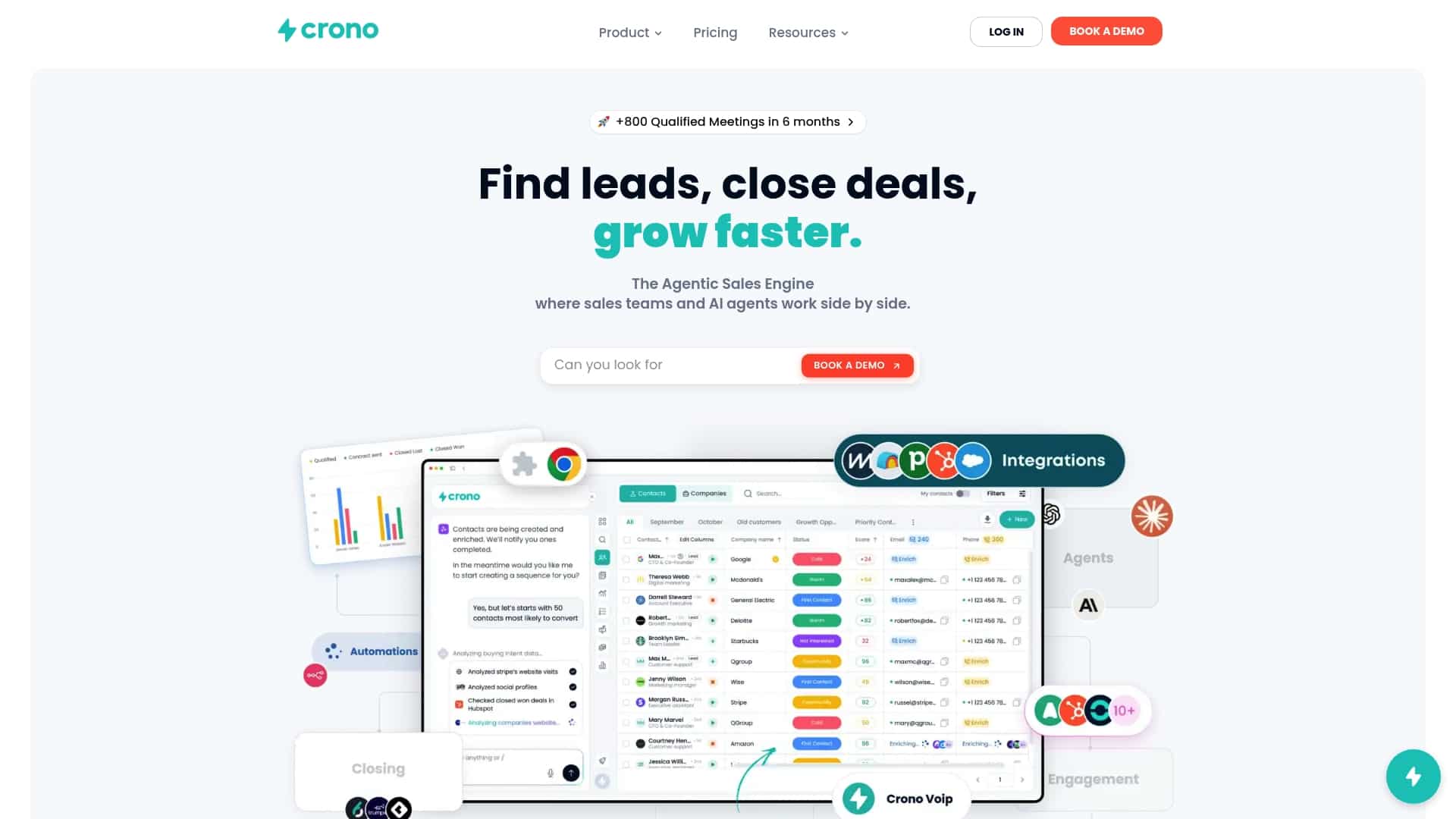
The platform’s AI rewriting feature generates and refines email content directly from CRM and enrichment data already inside the platform, rather than requiring a separate export and import cycle. Because Crono connects CRM records, enrichment data, and multichannel engagement (email, LinkedIn, calls) into one workflow, personalization pulls from the same data set a rep already sees on the account, closing the gap between what the AI knows and what’s actually true about the prospect.
For a team piloting Crono specifically, the roles and settings worth configuring upfront include:
- Credit limits per user or team, to control spend during the pilot phase without capping output entirely
- Template ownership, deciding whether sales enablement or individual reps control the base prompts and guardrails
- Review workflow, setting whether AI-generated drafts require manager approval before sending during the first weeks
- Data field selection, confirming which CRM and enrichment fields feed the rewrite engine for your specific ICP
This maps directly onto the evaluation checklist covered earlier: CRM connectivity, editable guardrails, human review, and reporting tied to actual pipeline outcomes rather than vanity metrics.
What Actually Matters When You Move From Research to Pilot
The rule of thumb worth internalizing: choose an integrated platform when personalization needs to operate across your full sales stack, not just inside a single campaign tool. A standalone writing assistant can produce a good sentence. It can’t tell you that the contact changed jobs last week, because it doesn’t own that data.
RevOps or sales enablement should own the pilot, not individual reps experimenting on their own accounts. Ownership at that level ensures consistent data mapping and guardrails across the team rather than five different interpretations of what “personalized” means. Success after 30 to 90 days looks like a measurable reply-rate lift against your baseline, a manageable edit rate on AI drafts, and zero negative feedback tied to overreach.
The practical next step this week: pull a sample of your CRM data and check how complete your job title, industry, and recent-activity fields actually are. That audit will tell you more about your realistic personalization ceiling than any demo will.
— Alex
Try Crono for AI-Driven Personalization at Scale
Crono is built for exactly the buyer job this guide describes: a revenue team that needs personalization pulling from live CRM data, not a disconnected writing tool bolted onto a spreadsheet export. Because enrichment, CRM sync, and multichannel outreach live in one execution layer, the same data driving your pipeline view also drives what gets written in every email.
Before requesting a demo, pull together a sample of your CRM data, a clear picture of your current reply-rate baseline, and a short list of the fields (job title, technographics, recent activity) you’d want driving personalization. That prep turns a generic walkthrough into a conversation about your actual pipeline. Plans start at $79 per month per seat on the Pro tier, and teams that want to test the AI-driven side specifically can start with the Agentic Sales Engine credit packages before scaling usage. If you’re also evaluating how personalization fits into a wider automated outbound motion, the guide on building a scalable sales engine is a useful next read before your demo call.
Sources
For deeper background beyond this guide, a few sources are worth a direct read. Gartner’s forecast on generative AI adoption frames the enterprise adoption curve you’re pricing your pilot against. Braze’s writeup on AI email personalization explains the generative plus decisioning architecture in more technical depth. 6sense’s product documentation shows field-level personalization controls in an actual product interface. For a broader perspective on why personalized content drives engagement, see this partner analysis.
- Gartner: Enterprises and generative AI adoption (press release)
- Daily number of emails worldwide — Statista
- AI email personalization at scale — Braze
FAQ
Can ChatGPT write my sales emails?
Yes, ChatGPT can draft email copy, but it has no live connection to your CRM or prospect data, so every personalization detail has to be manually pasted in. That works for occasional one-off emails but doesn’t scale across hundreds of contacts the way an integrated platform does.
Is there a free AI email assistant for Outlook?
Microsoft offers limited AI drafting features inside Outlook through Copilot, but these focus on writing assistance rather than CRM-driven personalization at scale. For B2B outreach that needs account and contact data feeding the copy, a dedicated sales platform typically outperforms a general email client add-on.
Can AI organize and manage my inbox automatically?
AI can sort, prioritize, and flag emails based on sender, keywords, or urgency, and most major email clients now include some version of this. That’s a separate function from AI email personalization, which focuses on generating and optimizing outbound content rather than managing an inbox.
How can I personalize my sales emails effectively?
Start by pulling accurate CRM data (job title, company, recent activity) and using it to drive at least one specific, verifiable detail per email rather than a generic greeting. Platforms like Crono automate this by connecting CRM and enrichment data directly to AI-generated content, so the personalization stays current without manual research for every send.
What does Crono cost for AI email personalization?
Crono’s Pro plan starts at $79 per month per seat, with the Ultra plan starting at $119 per month per seat, and separate Agentic Sales Engine credit packages available starting at $99 per month for 10,000 credits. Enterprise pricing is available on request directly through Crono.
