
The best CRM integrations start with a decision, not a connector: which system owns each piece of data, which direction it flows, and who is accountable when a sync fails. Get those three answers down before you connect anything, then choose an architecture that survives your fifth, sixth and tenth tool. This guide walks through the practices that matter most for B2B sales and RevOps leaders, from strategy and architecture to field mapping, security and ongoing maintenance.
TL;DR
- Define goals first: which system is the system of record for each object, and whether each field syncs one way or two ways.
- Prefer a hub-and-spoke design over point-to-point links once you pass three or four connected systems.
- Sync only the objects and fields your team uses, map them deliberately, and test with real records before going live.
- Treat security and data minimization as design requirements, with service identities and least-privilege access.
- Plan for upkeep: integrations change as fields, APIs and teams change, so audit sync health on a schedule.
Table of Contents
- What a CRM integration strategy actually decides
- Choose an architecture before you choose tools
- CRM versus sales engagement: who owns what
- Field mapping and sync rules
- Security and data governance
- Keep it healthy after launch
- Where we stand on this at Crono
- Connecting your execution layer to the CRM with Crono
- A pre-launch checklist
- FAQ
- Sources
What a CRM integration strategy actually decides
A CRM integration strategy is a short document that answers a few uncomfortable questions before an admin opens a settings page. Industry guidance describes a six-phase roadmap: assessment and requirements, architectural planning, data mapping and transformation, user training, continuous monitoring and testing, and scaling. The same guidance points to skipping the first phase, especially choosing one-way versus two-way sync, as a primary cause of project bloat.
For a sales organization, we would make the strategy concrete with five decisions:
- Business outcome. “Reps stop re-keying activity” is a goal. “Connect everything” is not. Pick two or three outcomes, such as cleaner pipeline reporting, faster lead routing or automatic activity logging.
- System of record. For every object (accounts, contacts, leads, opportunities, activities), name one system that wins in a conflict. In most B2B teams this is the CRM.
- Sync direction per field. Some fields should flow one way only. Owner and stage usually belong to the CRM. Enrichment fields such as verified email or job title may flow in from another tool, but only into blank fields or under a stated rule.
- Ownership. One named person (often in RevOps) owns the integration layer, its documentation and its error alerts.
- Sequence. Integrate in stages. A widely shared integration whitepaper puts it bluntly: don’t try to boil the ocean, and deliver value in increments rather than connecting everything at once.
If you are planning the project itself, a step-by-step checklist for automation rollouts is a useful template for breaking the work into owners, dates and checkpoints, even though it was written for marketing teams.
Choose an architecture before you choose tools
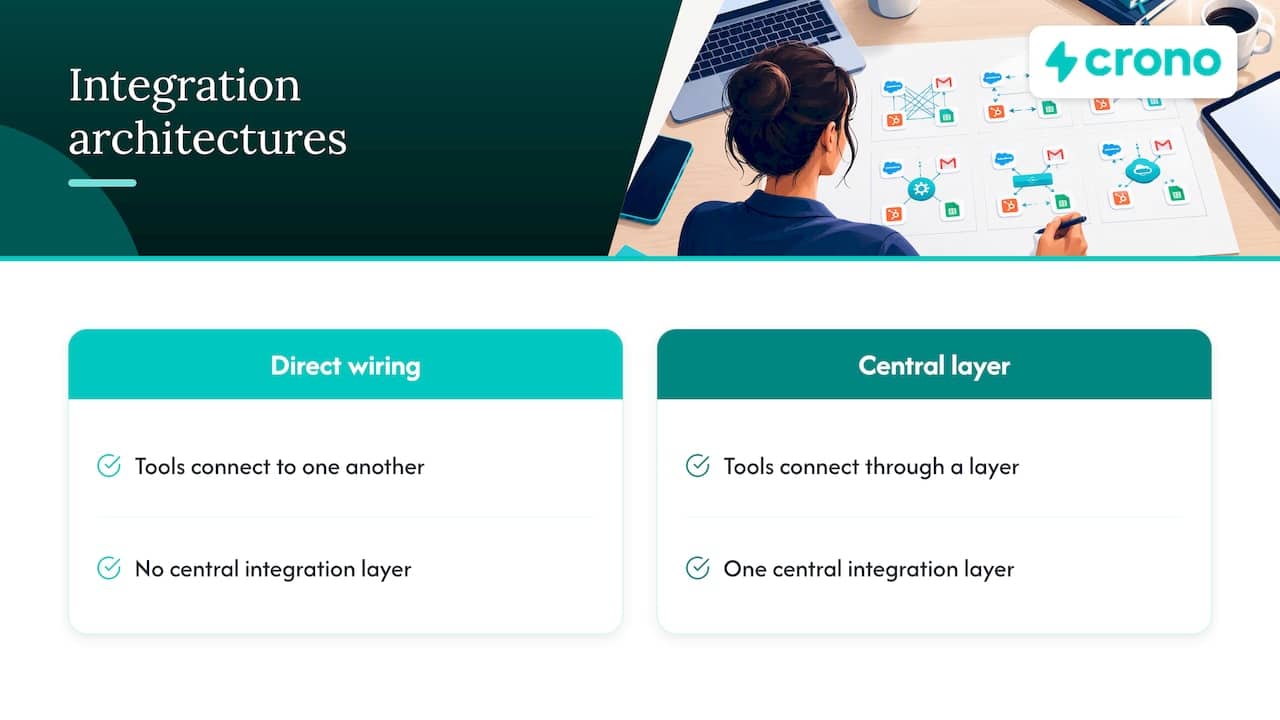
When readers search for CRM integration architecture, they are usually asking one question: do we wire tools to each other, or through a central layer?
Point-to-point versus hub-and-spoke
Point-to-point connects each tool directly to every other tool it needs. It is quick for a single link. It scales badly: five systems wired together produce ten separate integration points, each with its own maintenance and error handling. The same source argues that hub-and-spoke, where systems connect to a central layer that handles governance, transformation and security, becomes the sensible standard once you pass three or four integrated systems.
| Criterion | Point-to-point | Hub-and-spoke |
|---|---|---|
| Speed for the first connection | Fast | Slower to set up |
| Connections to maintain at 5 systems | 10 | 5 |
| Where transformation rules live | Scattered across links | One place |
| Security and access control | Configured per link | Centralized |
| Best fit | One or two tools, short horizon | Growing stack, multiple teams |
Avoid copying data you do not need
More copies mean more places for data to drift. Salesforce’s own architects advise avoiding unnecessary data replication, since it adds technical debt and can hurt performance. Where possible, read from the source system through an API or virtualization and replicate only when high-performance execution demands it.
For a sales team, the practical version is this: your CRM holds the record of the account, the contact and the deal. Your execution tools should read what they need, write back the activity and outcomes, and avoid maintaining a second, competing version of the customer.
Purpose-built connectors versus generic middleware
There is a reliability gap worth testing for. Native connectors are built around a specific system’s API limits and data structures. Generic middleware can break silently or inefficiently when a source system changes its API. Before you commit, ask each vendor:
- Is this connector built for my exact CRM and edition?
- What happens when the API rate limit is hit: retry, queue or drop?
- How do I see failed records, and who gets alerted?
- Which objects and custom fields are supported, and which are not?
CRM versus sales engagement: who owns what
Teams often frame this as a choice between a CRM and a sales engagement platform. It is better to treat it as a division of labor.
| Layer | Primary job | Should own |
|---|---|---|
| CRM | Record of customers, deals and history | Accounts, contacts, opportunities, stages, ownership, forecasts |
| Sales engagement and execution | Running outreach and daily work | Sequences, tasks, message drafts, channel activity, signals |
| Enrichment and data tools | Filling and verifying data | Verified emails, phones, firmographics |
The CRM answers “what is the state of this account.” The execution layer answers “what should a rep do next, and did they do it.” The integration between them is what keeps both honest: activities written back to the CRM, and CRM changes (a new owner, a closed-won deal) respected immediately by outreach. For a deeper look at the engagement side, see our guide on how outbound sales is changing with AI.
Field mapping and sync rules
Most integration pain shows up in the mapping. Field mapping defines which field in system A corresponds to which field in system B, and it rarely means a simple one-to-one match: phone numbers need format normalization, dates need consistent formats, and picklist values differ between tools.
A workable approach:
- Inventory fields in use. Pull a field-usage report from your CRM. Fields that are empty on most records usually do not need to sync.
- Start small. Practitioner guidance for CRM-to-CRM setups recommends syncing only essential objects and fields (contacts, companies, deals, ownership and activity) rather than everything.
- Set a rule per field. Choose among “CRM always wins,” “CRM wins unless blank,” “two-way” and “do not sync.” Write the rule next to the field in your mapping sheet.
- Normalize on the way in. Standardize country names, phone formats, job-title fields and lifecycle stages at the integration layer, not by hand.
- Define a unique key. Match records on a stable identifier such as email, domain or CRM ID, and decide what happens when two records collide.
- Test with real records. Run 50 to 100 real accounts, including messy ones, through a sandbox. Check that duplicates, merged records and deleted records behave the way you expect.
Duplicates deserve special attention, because a sync can multiply them quickly. Our walkthrough on three-step CRM deduplication covers Salesforce, HubSpot and Zoho, and our five-step data hygiene playbook shows how to keep the cleanup from being a one-time event.
A quick example
Say your execution tool enriches a contact with a verified mobile number. The rule might be: write to the CRM’s mobile field only if it is blank, store the source and date in a separate field, and never overwrite a number a rep has edited manually. Three lines of rule prevent most of the arguments about “who changed my data.”
Security and data governance
Security is often treated as an afterthought in integrations, and the consequences are concrete. Public vulnerability records show how a missing authorization check on an API endpoint can let an attacker iterate through record IDs and pull CRM data. That entry concerns one specific open-source CRM module, but the lesson applies to any integration: your endpoints must check who is asking and what they are allowed to see.
For your integration layer:
- Use service identities. Connect through a dedicated integration user or app, not a shared human login that breaks when someone leaves.
- Apply least privilege. Grant access object by object and field by field, not a blanket read/write permission.
- Log and alert. Record who or what accessed which data, and alert on unusual export volumes.
- Classify data. Know which fields hold personal or sensitive information before deciding what leaves the CRM.
- Minimize and expire. Keep only the personal data you need and set retention periods.
On that last point, regulators are specific about the expectations. The UK Information Commissioner’s Office, reviewing education technology providers, found they needed to map all data flows and keep complete processing records. That audit covers UK providers and a different sector than B2B sales, but data mapping and documented retention are good habits for any integration touching personal data. If you sell into Europe, or hold data about EU or UK contacts, involve your legal or privacy counsel early. In the US, requirements vary by state and by industry, so confirm what applies to your company with counsel rather than assuming.
Keep it healthy after launch
An integration is not a one-off project. IBM’s overview of CRM integration notes that business needs, fields and external APIs keep changing, so challenges such as data duplication, overconfidence in automation and security risks continue after go-live. Plan for that from day one.
A lightweight operating rhythm:
- Daily: automated alerts for failed syncs, with a clear response target. One roadmap suggests an alert SLA of five minutes or less for critical errors.
- Weekly: review the error queue, new duplicates and fields that changed. Our weekly pipeline hygiene audit of four fields is a good template.
- Monthly: check for new custom fields other teams created, and decide whether each should sync.
- Quarterly: review permissions, retire unused connections and revisit whether the architecture still fits the stack.
Train users as well. Reps should know what the integration does for them (activity logged automatically, fresh data on the account), what it does not do, and how to report a problem. When people distrust the data, they stop using the tool.
Where we stand on this at Crono
We built Crono as an execution layer that connects to the CRM and the rest of your stack rather than replacing them. That shapes our view of integration, and here is our perspective.
First, the CRM should stay the system of record. The value of an execution layer is that reps and AI agents act on that record: they see signals, prioritize accounts, run multichannel outreach and write the results back, so managers get pipeline visibility without asking people to update fields by hand.
Second, depth beats breadth. A long list of shallow connectors looks good on a features page and fails in practice at the edges: custom objects, field-level rules, rate limits. We would rather see a team integrate fewer tools properly, with clear rules about who owns which field.
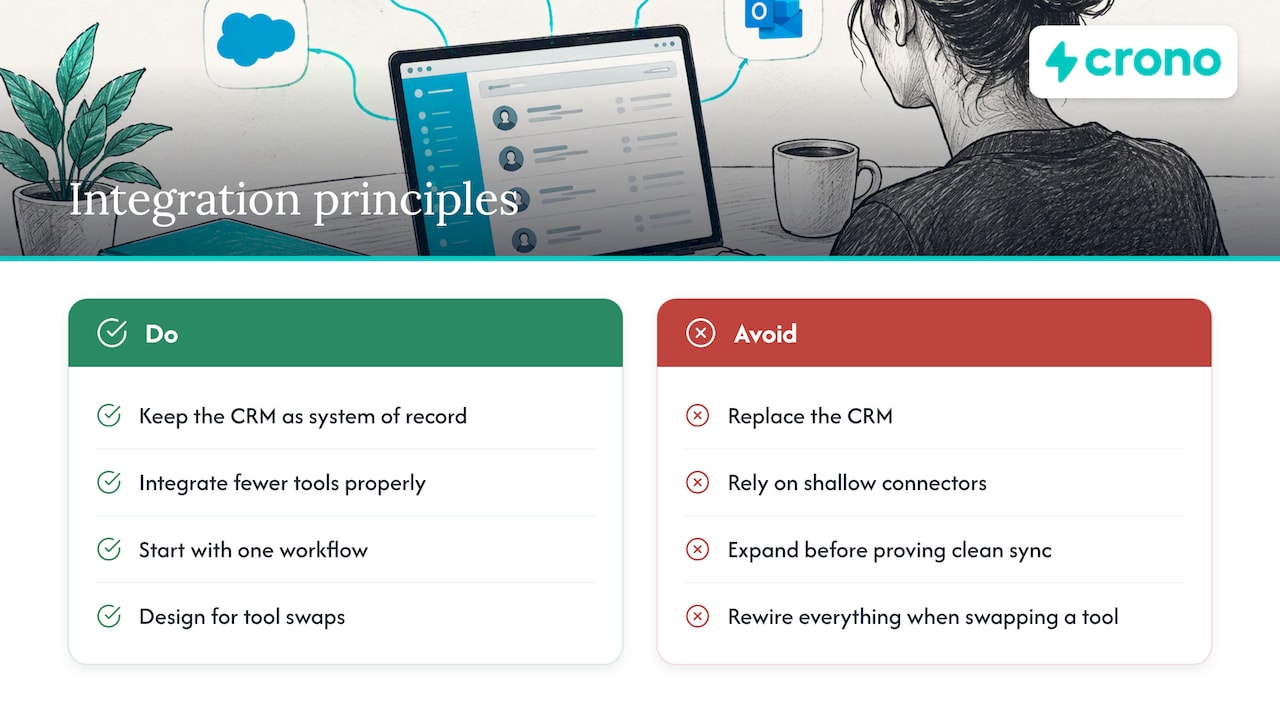
Third, automation raises the stakes on data quality. When AI agents draft messages and trigger workflows, a wrong job title or a duplicate account is no longer a cosmetic problem. It becomes a bad email sent at scale. That is why we tell RevOps leaders to start with one workflow, prove the sync is clean, and then expand. Our piece on starting with one workflow explains the approach.
Finally, stay honest about change. Your stack will look different in a year. Design the integration so that swapping a tool means changing one spoke, not rewiring everything.
— Alex
Connecting your execution layer to the CRM with Crono
If you are ready to connect prospecting, enrichment, multichannel outreach and AI agents to your existing CRM, Crono is built for that job. Seat-based plans start at from €79 per month per seat for Pro and from €119 per month per seat for Ultra, with an Enterprise option for larger teams. AI and enrichment work runs on credits, with the Agentic Sales Engine starting at €99 per month for 10,000 credits. RevOps leaders can see how this fits into their stack on the Crono for RevOps page.
A pre-launch checklist
Use this list before you switch any new integration on for the whole team:
- Goals written down, with one measurable outcome per integration.
- System of record named for every object.
- Sync direction and conflict rule set for every mapped field.
- Unique keys and duplicate handling defined.
- Service identity created, with least-privilege permissions.
- Sensitive and personal data classified; retention rules documented.
- Sandbox test completed with real, messy records.
- Error alerts routed to a named owner.
- Rollback plan: how to pause the sync and restore data.
- Reps briefed on what changes for them.
FAQ
What is a CRM integration strategy?
It is a plan that sets what you want the integration to achieve, which system owns each type of data, how data flows between systems, and who maintains it. A good strategy also defines sequencing, so you connect the highest-value systems first and expand in stages.
Is hub-and-spoke always better than point-to-point?
Not always. Point-to-point is fine for one or two connections and a short horizon. Once you pass three or four connected systems, a central hub makes governance, transformation and security easier to manage.
What is the difference between a CRM and a sales engagement platform?
A CRM is the system of record for customers, deals and history. A sales engagement or execution platform runs the daily work of outreach, tasks and signals. They work best connected, with activity and outcomes written back to the CRM.
How often should we audit a CRM integration?
Monitor errors continuously with alerts, review the error queue and new duplicates weekly, and check new custom fields monthly. Review permissions and overall architecture quarterly, or whenever you add or remove a major tool.
Sources
- CRM Data Integration: A Complete Guide, Airbyte
- CRM Integration Architecture: Patterns and Best Practices, StackGo
- Data Integration with Salesforce, Salesforce Architects
- What Is CRM Integration?, IBM
- Building an Application Integration Strategy to Support High Growth
- An Expert Guide to a HubSpot Salesforce Integration, RevPartners
- NVD, CVE-2026-57949
- Edtech examined, UK Information Commissioner’s Office
