
Use AI to generate concise, personalized sales emails, but always apply a human-in-the-loop review before sending. That combination, not AI alone, is the fastest route to outreach that reads as personal and converts. Below you will find a shortlist to copy now, a full template library with the reasoning behind each one, CAN-SPAM essentials, and how we at Crono fit into the execution.
TL;DR:
- Populate personalization fields from verified CRM records, confirm every trigger is current, and inspect resolved tokens before sending; stale details damage trust.
- Send the first follow up 3 to 5 business days later, add fresh value with each touch, and stop after 3 to 4 unanswered attempts.
- When a message’s primary purpose is promotional, include accurate sender details, a physical address, and an opt out mechanism; honor requests within 10 business days.
- Test a new template on a batch of 20 emails, and track reply and meeting rates rather than relying on opens before expanding outreach.
Table of Contents
- Six AI-assisted templates you can send today
- Full template library by use case, with the reasoning behind each
- How to generate templates with AI and keep a human in the loop
- CAN-SPAM essentials and a deliverability checklist
- Putting templates into your sequences and measuring results
- Why human review still wins the outreach game
- How Crono helps you run AI-assisted templates at scale
- FAQ
- Sources
Six AI-assisted templates you can send today
When you need something fast, these six cover the moments that come up in nearly every sales cycle: the first touch, the discovery ask, two follow-ups, a graceful exit, and a referral request. Each one works best when an AI tool drafts the first pass and you adjust the specifics before sending.
- Cold intro: “Hi {{first_name}}, noticed {{company}} just {{trigger_event}}. We help teams like yours with {{value_prop}} in weeks, not quarters. Worth a 15-minute call?” Use when you have a specific, verifiable trigger. Subject line: “Quick question about {{company}}’s {{trigger_event}}” (under 50 characters).
- Discovery ask: “Hi {{first_name}}, following up on {{context}}. Can you share how your team currently handles {{pain_point}}? Happy to trade notes either way.” Use after a warm referral or inbound signal. Subject: “How does {{company}} handle {{pain_point}}?”
- Follow-up #1: “Hi {{first_name}}, circling back on my note about {{value_prop}}. Still relevant for {{company}} this quarter?” Use 3 to 5 business days after the first email. Subject: “Still on your radar?”
- Value add: “Hi {{first_name}}, saw this and thought of {{company}}: {{resource_link}}. Curious if {{pain_point}} is still a priority.” Use when a reply never came and you have something genuinely useful to share. Subject: “Thought this might help”
- Breakup: “Hi {{first_name}}, I’ll stop reaching out, but if {{pain_point}} becomes a priority, my note will be here.” Use after 3 to 4 unanswered touches. Subject: “Closing the loop”
- Referral ask: “Hi {{first_name}}, if {{pain_point}} isn’t on your plate, is there someone on your team better positioned to chat?” Use when the contact may not be the right buyer. Subject: “Pointing me in the right direction?”
Keep tokens like {{first_name}}, {{company}}, and {{trigger_event}} populated from verified CRM fields, never guessed. A subject line under 50 characters that references a specific trigger or value point tends to outperform a vague, generic one, a pattern HubSpot’s template research backs with concrete examples across industries.
Full template library by use case, with the reasoning behind each
Generic templates fail because they skip the “why.” Below are templates grouped by stage, each with the personalization tokens to fill and the principle that makes it work.
First outreach
- Trigger-based intro. Subject: “{{company}} + {{trigger_event}}”. Body: “Hi {{first_name}}, saw {{company}} {{trigger_event}}. We work with similar teams on {{value_prop}}. Open to a short call this week?” Tokens:
{{first_name}},{{company}},{{trigger_event}}. Why it works: personalized outreach that references a company-specific detail consistently beats generic messaging on response rate, per HubSpot’s sales email research. - Peer-proof intro. Subject: “How {{peer_company}} solved {{pain_point}}”. Body: “Hi {{first_name}}, {{peer_company}} faced {{pain_point}} before working with us. Thought it might resonate given {{company}}’s focus on {{goal}}.” Tokens:
{{peer_company}},{{pain_point}},{{goal}}. Why it works: specificity signals research, which shorter, detail-rich emails tend to reward with higher reply rates. - One-line cold variant. Subject: “{{company}} and {{pain_point}}?” Body: “Hi {{first_name}}, quick one: is {{pain_point}} still a priority for {{company}} this year?” Use this ultra-short version for high-volume, lower-touch segments; reserve the longer value-add version for named-account outreach.
Discovery
- Open-ended discovery. Subject: “Curious about {{company}}’s approach to {{pain_point}}”. Body: “Hi {{first_name}}, I work with {{role_title}}s on {{pain_point}}. How is {{company}} tackling it today?” Tokens:
{{role_title}},{{pain_point}}. Why it works: a question invites a reply rather than a yes/no decision, which keeps the thread open. - Post-event discovery. Subject: “Following up from {{event_name}}”. Body: “Hi {{first_name}}, good meeting you at {{event_name}}. You mentioned {{pain_point}}, want to dig into that further?” Tokens:
{{event_name}},{{pain_point}}.
Follow-ups (serial sequence)
- Follow-up #2 (value add). Subject: “One more thought on {{pain_point}}”. Body: “Hi {{first_name}}, following up with a quick resource on {{pain_point}}: {{resource_link}}. Let me know if it’s useful.” Tokens:
{{resource_link}},{{pain_point}}. Why it works: sequences that add incremental value instead of repeating the same ask tend to outperform flat repetition, according to HubSpot’s follow-up research. - Follow-up #3 (social proof). Subject: “What {{peer_company}} is doing differently”. Body: “Hi {{first_name}}, {{peer_company}} ran into something similar and solved it with {{value_prop}}. Happy to share how.” Tokens:
{{peer_company}},{{value_prop}}. - Follow-up #4 (direct ask). Subject: “Worth 15 minutes?” Body: “Hi {{first_name}}, rather than keep emailing, would a quick call make more sense? I can work around your schedule.” No tokens beyond
{{first_name}}.
Re-engagement
- Dormant lead revival. Subject: “Still relevant for {{company}}?” Body: “Hi {{first_name}}, it’s been a while. A lot has changed with {{product_update}} since we last spoke. Worth revisiting?” Tokens:
{{product_update}}. - Seasonal or fiscal-trigger revival. Subject: “Planning for {{quarter}}?” Body: “Hi {{first_name}}, as teams plan for {{quarter}}, {{pain_point}} tends to come up again. Still on your list?” Tokens:
{{quarter}},{{pain_point}}.
Post-demo
- Demo recap. Subject: “Recap + next steps”. Body: “Hi {{first_name}}, great talking through {{use_case}} today. Here’s a quick recap and the next step we discussed: {{next_step}}.” Tokens:
{{use_case}},{{next_step}}. - Stakeholder loop-in. Subject: “Looping in {{stakeholder_name}}”. Body: “Hi {{first_name}}, following our demo, would it help to bring {{stakeholder_name}} into the next conversation?” Tokens:
{{stakeholder_name}}.
Break-up and referral
- Final breakup. Subject: “Last note from me”. Body: “Hi {{first_name}}, I don’t want to clutter your inbox, so this is my last note. If {{pain_point}} resurfaces, I’m here.” Tokens:
{{pain_point}}. - Referral ask. Subject: “Right person at {{company}}?” Body: “Hi {{first_name}}, if {{pain_point}} isn’t your focus, could you point me to the right person on your team?” Tokens:
{{pain_point}}.
To generate variants of any of these, prompt your AI tool with a formula like: “Write 3 subject-line variants under 50 characters referencing {{trigger_event}}, then draft a 3-sentence body in a direct, consultative tone.” Keep the tone and length instructions explicit, since vague prompts tend to produce generic drafts that need heavier editing.
How to generate templates with AI and keep a human in the loop
AI handles the first draft well; learn how to humanize AI text with instructions for more authentic outreach. It drafts faster than a person typing from scratch and it generates multiple variants on demand, which is exactly where its value ends and your judgment needs to begin.
Start with a clear prompt formula instead of a vague request. Something like: “Generate 3 subject-line options and a 4-sentence email body for a {{persona}} at a {{industry}} company, referencing {{trigger_event}}, in a direct and consultative tone” gives the model enough structure to produce usable drafts. HubSpot’s AI assistant documentation recommends generating 2 to 3 variants per message, then having a person select and edit the strongest one rather than sending the first draft unreviewed.
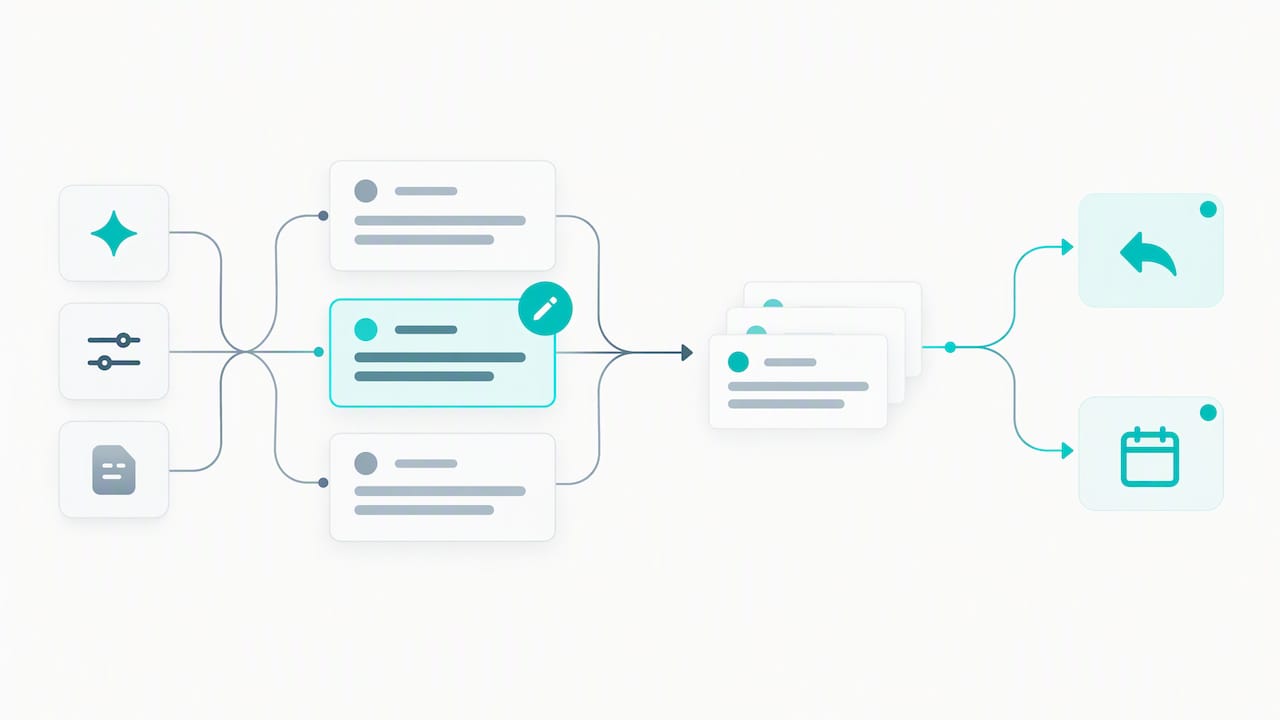
Tokenize every variable field, {{first_name}}, {{company}}, {{trigger_event}}, {{pain_point}}, and pull each one from a verified CRM record rather than typing it manually. A token populated from stale or incorrect CRM data is worse than no personalization at all, since it signals carelessness instead of attention.
Before any send, run each draft through a short checklist:
- Confirm the trigger or fact referenced is current and verifiable, not assumed.
- Check that tone and phrasing match your brand voice, not the AI’s default register.
- Verify every token resolved correctly, with no blank or mismatched fields.
- Confirm compliance markers, opt-out link and sender address, are present.
Pro Tip: Run a 20-email batch test before scaling any new AI-drafted template to your full list, and track reply rate separately from open rate to catch subject-line issues early.
Test subject lines and first-line hooks in small batches, then measure reply rate and meeting rate rather than opens alone, since opens tell you little about message quality. For deeper guidance on generating and refining AI drafts without losing your voice, see our walkthrough on rewriting with AI.
CAN-SPAM essentials and a deliverability checklist
Compliance is not optional, and it is simple enough to build into every template once. Under the CAN-SPAM Act, commercial email needs a working opt-out mechanism, a valid physical postal address, accurate header and sender information, and a clear disclosure when the message’s primary purpose is promotional.
The rule determines compliance by a message’s primary purpose, so a subject line or opening line that reads as promotional triggers full CAN-SPAM requirements, a distinction the CAN-SPAM rule text spells out in detail, including the requirement to process opt-outs within 10 business days.
Two lines you can drop straight into a template footer:
- Opt-out: “If you’d rather not hear from us again, reply ‘unsubscribe’ and we’ll remove you right away.”
- Ad disclosure (when applicable): “This is a promotional message from {{company_name}}.”
Beyond legal requirements, deliverability determines whether your templates reach an inbox at all:
- Keep your list clean and remove hard bounces promptly.
- Warm new sending domains gradually before full-volume sends.
- Watch bounce and unsubscribe rates weekly, not monthly.
- Avoid spam-trigger words and excessive links in the first few lines.
Putting templates into your sequences and measuring results
Once your templates are built, the operational work is mapping tokens correctly, testing in small batches, and watching the right numbers before you scale.
Pull personalization tokens directly from CRM fields, {{first_name}}, {{company}}, {{trigger_event}}, and run a validation pass on a sample of 20 to 50 records before a full sequence launch. This catches missing data and misfired triggers before they reach hundreds of prospects.
Track these metrics from day one:
- Open rate, as a baseline health check for subject lines and sender reputation.
- Reply rate, the clearest signal of message relevance.
- Meeting or conversion rate, the number that actually matters to pipeline.
- Bounce and unsubscribe rate, to catch list or compliance issues early.
This is where orchestration matters. We built Crono to connect data enrichment, token mapping, AI-assisted drafting, and review gates into one workflow, so a sales team can scale personalized outreach without stitching together five disconnected tools. For teams ready to formalize this, our pricing page outlines plan options.
Why human review still wins the outreach game
AI-generated drafts are only as good as the review process around them. Our editorial view is that the teams getting the best results are not the ones that trust AI output blindly, nor the ones that reject AI altogether and write every email from scratch. They are the ones that treat AI as a fast first draft and treat human review as a non-negotiable second step, catching the factual errors, tone mismatches, and misfired tokens that automation alone will miss. If you are testing this approach for the first time, pilot it with a small cohort of 20 to 30 prospects before rolling it out to your full list.
— Alex
How Crono helps you run AI-assisted templates at scale
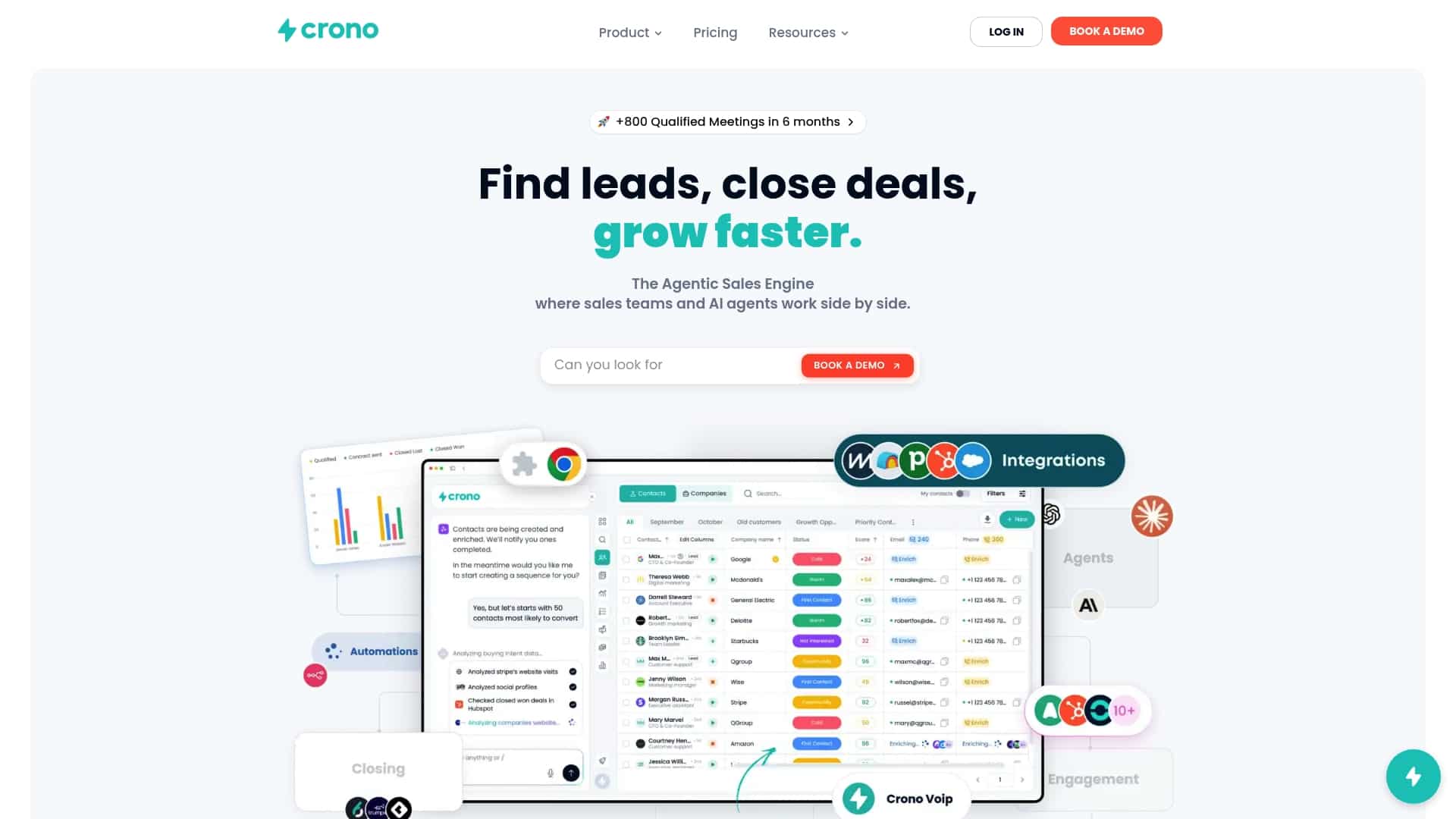
Running great templates by hand works until your list grows past what one person can personalize carefully. That is the problem we built Crono to solve: connecting your CRM, enrichment data, and AI drafting into one execution layer instead of leaving you to copy fields between disconnected tools.
In practice, this means:
- Token mapping pulls verified fields like
{{company}}and{{trigger_event}}straight from enriched CRM records, so you are not hand-typing personalization. - Review gates let a human approve AI-drafted variants before they go out, keeping the human-in-the-loop step built into the workflow rather than bolted on.
- Multichannel follow-ups coordinate email, LinkedIn, and calls from the same sequence, so a prospect who does not reply to an email still hears from you.
- Reporting surfaces reply and meeting rates by template, so you know which draft is actually working.
If you are ready to see how this fits your team’s stack, check our pricing plans, including the Pro and Ultra tiers and the Agentic Sales Engine credit packs for AI-heavy workflows.
FAQ
What makes an AI-generated sales email effective?
An effective AI-generated email is short, references a specific and verified detail about the prospect or company, and ends with a low-friction ask. Personalized outreach referencing company or role-specific details tends to outperform generic messaging, a pattern documented in HubSpot’s sales email research.
How many follow-ups should a sales email sequence include?
Most sequences benefit from several follow-ups rather than a single email, since many deals only move forward after multiple touches, according to HubSpot’s follow-up research. Each follow-up should add a new piece of value instead of simply repeating the original request.
Do AI sales emails need to comply with CAN-SPAM?
Yes, any commercial email, including AI-drafted ones, must meet CAN-SPAM requirements: a working opt-out link, a valid physical postal address, and accurate sender information. The rule text also requires opt-out requests to be honored within 10 business days.
Can AI fully replace a human in writing sales emails?
No, industry guidance recommends using AI to generate draft options while keeping a human reviewer to check tone, accuracy, and brand voice before sending, as outlined in HubSpot’s AI assistant guidance. This human-in-the-loop step catches errors that automated generation alone will miss.
How does Crono fit into an AI email template workflow?
Crono connects CRM data, enrichment, AI drafting, and multichannel follow-ups into one workflow so teams can personalize and review templates at scale rather than managing each step separately. Plan details, including the Pro, Ultra, and Agentic Sales Engine options, are listed on our pricing page.
Sources
- The sales prospecting email templates your team needs to start conversations and fill your pipeline
- CAN-SPAM Act: A Compliance Guide for Business | Federal Trade Commission
- Generate sales emails in the HubSpot Sales Office 365 add-in using AI
- CAN-SPAM Rule text (eCFR) — primary purpose and requirements
