
The recommended cadence timing for most B2B outreach is multiple touches spread across about three weeks, mixing email, phone, and LinkedIn, with the first few touches landing within the first few days.
Set your sequence tool now: Day 0 email, Day 1 LinkedIn view or connect, Day 2 or 3 a call. Everything after that widens.
What Is Cadence Timing in a B2B Sales Sequence?
Cadence timing is the schedule that governs when each touch in a sales sequence fires and which channel carries it. That distinguishes it from the broader term “sales sequence,” which covers the full structure of a multi-step outreach plan, including message content, personalization tokens, and branching logic. Timing is just the clock and the calendar sitting inside that structure. Get the sequence design right but the timing wrong, and you’ll either flood a prospect’s inbox in week one or let the whole thing go cold by week two.
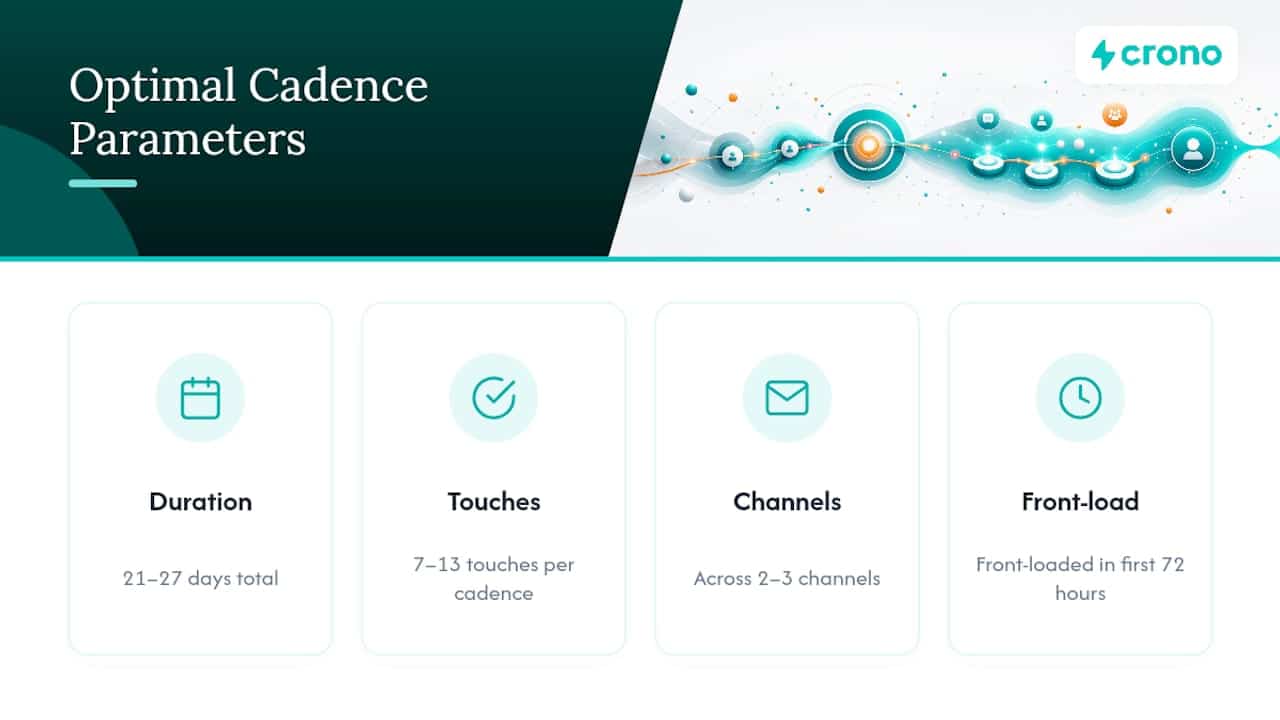
Most teams treat timing as an afterthought, something you set once in Outreach or Salesloft and never touch again. That’s a mistake. Research on high-performing cadences shows the ones that convert best run 21 to 27 days with 7 to 13 touches across two or three channels, front-loaded hard in the first 72 hours. The spacing is the strategy, not a scheduling detail.
Ready-to-Run Cadence Templates for Cold, Warm, and Re-Engagement Sequences
You don’t need to build cadence timing from scratch. Three templates cover most B2B use cases, and each one has a different job to do.
Cold outbound (10 to 12 touches, roughly 21 business days). This is your default for net-new prospecting into an unfamiliar list. Front-load three touches into the first three days, then widen the gaps as the sequence progresses. A workable skeleton looks like this: Day 0 email plus LinkedIn connect, Day 2 call, Day 4 email with a case study angle, Day 7 LinkedIn engagement (comment or view), Day 9 call, Day 13 email, Day 17 call, Day 20 breakup email. Coldemailmanifesto’s analysis of cadence data puts the sweet spot at 8 to 12 touches over 17 to 21 days for pure cold outreach, and the breakup email at the end regularly outperforms every touch before it.
Warm inbound (6 to 8 touches, 7 to 10 days). Someone downloaded a whitepaper or requested a demo. They already know your name, so the spacing tightens to 24 to 48 hours between early touches. Speed matters more than variety here. A rep who calls within an hour of a form fill and follows with an email the same day will out convert one who waits three days to “batch” outreach.
Re-engagement and post-event (4 to 7 touches, 4 to 7 days). Trade show leads and dormant pipeline need a compressed window because the context is already fading. Reference the event or the prior conversation in touch one, then move fast.
- Cold outbound: 10–12 touches, ~21 business days, email + LinkedIn + phone, typical reply range in the low single digits without personalization, higher with it.
- Warm inbound: 6–8 touches, 7–10 days, tighter early spacing, meaningfully higher reply rates given existing interest.
- Re-engagement: 4–7 touches, 4–7 days, fewer channels, urgency-driven messaging.
How Should You Order Channels Across a Sequence?
Email-only sequences leave meetings on the table. Multichannel cadences that combine email, LinkedIn, and phone outperform single-channel approaches by a wide margin, and the lift comes less from sending more messages than from showing up in more places a prospect actually pays attention to.
A practical ordering pattern: open with visibility, a LinkedIn profile view or connection request paired with a Day 1 email, then bring in a call around Day 2 to 4 once the prospect has seen your name twice. Weave social engagement, a comment on a post, a reaction, between email touches rather than sending three emails in a row. That variation is what keeps a sequence from reading as automated, even when it is.
Channel order should flex by who you’re targeting:
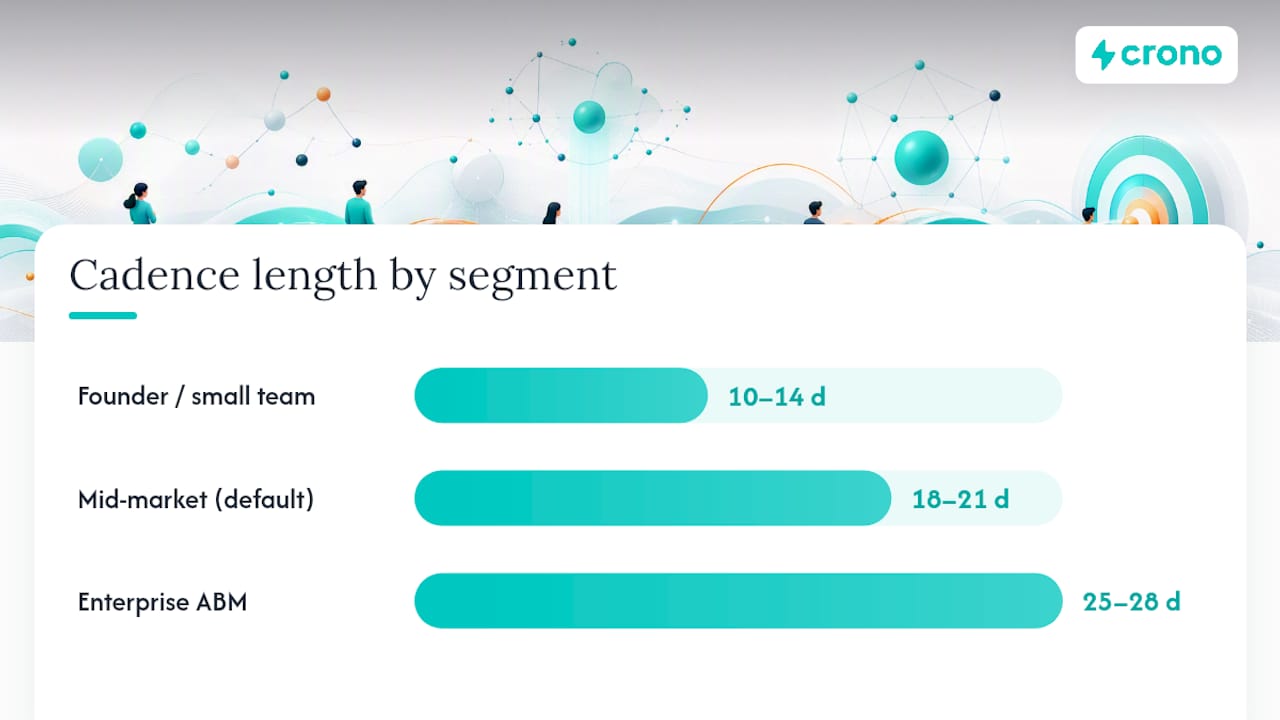
- Founder or small-team sprint: email and LinkedIn only, compressed into 10 to 14 days, phone rarely needed
- Mid-market default: the standard email, LinkedIn, phone rotation over 18 to 21 days
- Enterprise ABM: slower cadence, 25 to 28 days, more touches per stakeholder, calls introduced earlier because multiple decision-makers need parallel outreach
One insight worth building into enterprise sequences: switch channels after just one or two precision emails rather than persisting with email-only follow-ups, since enterprise buyers rarely reply to a third cold email from someone they haven’t engaged elsewhere.
Pro Tip: Never stack two touches on the same channel back to back. If Tuesday’s touch was an email, Wednesday’s should be a call or a LinkedIn action, not another email. Repetition on one channel reads as spam even when the content is different.
How Do You Space and Tune a Cadence Without Annoying Prospects?
Spacing isn’t uniform across a sequence, and treating it that way is the most common cadence mistake sales leaders make.
- Early stage (Days 0 to 7): space touches 1 to 2 days apart. This is when a prospect is most likely to notice and respond, so density matters.
- Middle stage (Days 8 to 16): widen to 3 to 5 days between touches. You’re no longer racing for attention, you’re staying visible without becoming noise.
- Close (Days 17 to 21): send the breakup or permission-to-close message. Breakup emails sent in this window routinely generate the highest reply rate in the entire sequence, because finality prompts a response from prospects who had genuine interest but no urgency to act on it.
- Cooling-off tactic: after four or five unresponsive touches, insert a 7 to 10 day pause rather than escalating frequency. This gives out-of-office or genuinely busy prospects room to surface, and it costs you nothing since they weren’t engaging anyway.
- Exit immediately on: a reply, a booked meeting, an unsubscribe, or a spam complaint. Cap total touches at 8 to 12 for most cold cadences even if none of those trigger.
Behavioral signals should override the static schedule. Multiple email opens or a link click in a short window justifies pulling the next touch forward by a day or two. A job change signal on LinkedIn warrants restarting the cadence from touch one with fresh context, since the old message no longer applies to their new role.
Which Metrics Prove Your Cadence Timing Is Working?
Four numbers tell you whether a cadence is healthy: reply rate, positive-reply rate, meeting-booked rate, and bounce rate. Track them per cohort, not just in aggregate, or you’ll never know which change moved the needle.
Run single-variable tests. Change the opening hook first and hold spacing constant. Once that’s stable, test spacing while holding the message fixed. Only then touch channel mix. Iterating this way across small cohorts is how top-performing cadences reach their best reply rates, typically after six to twelve rounds of testing, not from getting it right on the first attempt.
Funnel math keeps expectations honest. If your cadence historically converts at a 3% meeting-booked rate, hitting 15 meetings a month means feeding roughly 500 qualified contacts into that cadence, assuming your list is clean.
- Bounce rate above 3% signals a data sourcing problem, not a timing problem, and it caps every metric downstream
- Watch spam complaints weekly, not monthly, since deliverability damage compounds fast
- Slow the cadence, don’t kill it, if reply rates drop mid-sequence without a clear content cause
Pro Tip: Before blaming your cadence timing for weak replies, check your bounce rate first. Data quality issues destroy deliverability long before spacing or channel mix ever gets a fair test.
Why Timing Beats Volume in Modern Outbound
Most sales leaders still treat cadence timing as a scheduling problem. It’s actually a signal-processing problem. The best-timed touch isn’t the one that follows the template perfectly, it’s the one that fires when a buying signal says the prospect is actually paying attention, a funding round, a new VP hire, a spike in website visits. Crono’s buying and hiring signals exist to move that first touch earlier or later than any fixed template would recommend.
We’ve seen sequences triggered off a hiring signal produce noticeably higher meeting rates than the same sequence run cold, simply because timing matched intent instead of a calendar.
How Crono Turns Cadence Timing Into a Repeatable Engine
Building the templates above by hand across a growing pipeline gets messy fast, especially once you’re layering hiring signals, job changes, and engagement data on top of static spacing rules. Crono is built for exactly that layering: lead scoring and buying signals decide when a cadence should start, AI agents personalize each touch without breaking the variation rule, and multichannel orchestration keeps email, LinkedIn, and phone from colliding on the same day.
Instead of manually rebuilding a sequence every time a signal changes, RevOps teams using Crono let the platform adjust timing automatically, pulling a touch forward when engagement spikes or pausing it when a bounce risk appears. If you want to see how signal-driven timing works against your own list, the Crono platform offers a direct look, or start with the Prospecting Masterclass to see the full framework applied to real cadences before you rebuild your own.
Sources
For deeper research on touch counts, reply-rate benchmarks, and breakup email performance, see the 2026 cadence data breakdown, Tomba’s sequence templates, and HubSpot’s cadence best practices. For channel-specific timing, read Crono’s guide on timing in multichannel strategies.
- Sales Cadence in 2026: the touch counts, timing & reply rates that book meetings
- Best Sales Sequences in 2026: Templates & Cadences – Tomba Blog
- Sales Cadence: What the Data Shows
