
The best data enrichment practices come down to five habits: clean records before you add anything, enrich only the fields that change a sales decision, validate what comes back, set a written rule for every field, and measure whether enriched accounts turn into real conversations. This guide shows how to apply each one in a B2B sales and RevOps setting, including the US privacy rules that apply and the mistakes that quietly waste credits and rep time.
TL;DR
- Enrichment adds new information to records you already have. Cleansing comes first, because enriching bad records only produces detailed bad records.
- Enrich fewer fields, on purpose. Pick the ones that change prioritization, routing or messaging, and drop the rest.
- Give each field an owner, a source of truth, a refresh interval and an overwrite rule, and log where every value came from.
- In the US, CAN-SPAM and the CCPA shape how you use enriched contact data. Your vendor does not carry that responsibility for you.
- Judge the process by outcomes: coverage, match accuracy, stale-field rate and the share of enriched accounts that become qualified conversations.
Table of Contents
- What data enrichment is, and what it is not
- What revenue teams enrich, and why
- A repeatable enrichment process
- Best practices that hold up in practice
- Use enriched data in the workflow, not just the database
- US rules for using enriched data
- How to tell whether enrichment is working
- Common mistakes
- Perspective: enrichment is an execution problem
- Put enrichment to work in Crono
- FAQ
- Sources
What data enrichment is, and what it is not
Data enrichment appends new information to an existing dataset. IBM describes cleansing as the preparation step that comes before that addition. The two are complementary: cleansing makes existing records consistent and reliable, and enrichment makes them more detailed and actionable. Meniga’s guidance makes the same point, noting that neither automatically substitutes for the other.
For a sales team, the distinction has a practical consequence. If your CRM holds three versions of the same account, a job title from 2021 and a free-mail address for a procurement lead, buying more data will not fix it. Deduplicate and standardize first, then enrich.
What revenue teams enrich, and why
B2B teams enrich to turn thin CRM records into profiles that support lead scoring, account prioritization and personalized outreach, as Snowflake’s overview of data enrichment puts it. TechRepublic lists the usual categories:
- Firmographics: revenue and employee count.
- Demographics: job title and seniority.
- Technographics: the software stack an account runs.
- Intent signals: search and research activity.
Corporate structure adds a wrinkle. Dun & Bradstreet notes that B2B enrichment has to handle parent companies and subsidiaries to support accurate territory design. If two reps work different subsidiaries of the same parent without knowing it, no enrichment field will help you.
The common thread is use. Each field should feed a decision: who gets called first, which sequence a contact enters, which message angle a rep opens with. Our guides on account prioritization and B2B lead scoring show how enriched fields become scores and tiers.
A repeatable enrichment process
The wording differs between vendors, but the sequence is stable. Matillion’s published workflow runs: assess existing data, identify suitable sources, cleanse the original records, integrate sources, validate quality, monitor and update continuously, and send the enriched data to business systems. For a live sales stack, we compress that into six working steps.
- Trigger. Decide what starts enrichment: a new record, a form fill, a stage change, a stale-field flag or a buying signal. Enriching everything on a schedule burns credits on accounts nobody will touch.
- Match. Tie each record to the provider’s record with a stable key, such as a domain for accounts or a verified email or profile URL for contacts. Fuzzy name matching is where wrong-company errors begin.
- Retrieve. Request only the fields you have decided to use.
- Validate. Check format, freshness, confidence and policy before anything is written. An email that fails verification, or a headcount that contradicts the existing value by a factor of ten, should not land silently in the CRM.
- Decide. Apply your conflict rules: write the value, reject it or flag it for human review.
- Write and log. Save the value with its provider, timestamp and confidence score.
Tamr’s guide adds two points worth keeping. Enrichment depends on matching internal records to third-party data, and standardization converts values into a common structure. It also recommends independent verified matching when you use more than one provider, which is the situation most mid-market teams end up in.
Best practices that hold up in practice
1. Start from the decision, not the data
Write down the three to five decisions enrichment must improve. Typical examples are which accounts enter outbound, which contacts get a phone step and which segment gets which message. Then list the minimum fields for each. A field with no decision attached is a cost with no return.
2. Cleanse before you enrich
Remove duplicates, standardize country and state values, normalize job titles into seniority bands and delete records with no route to a buyer. Every record you drop before enrichment is a lookup you do not pay for.
3. Write a rulebook per field
For every enriched field, define five things: the source of truth, the allowed format, the owner, the refresh interval and the overwrite rule. For example:
| Field | Source of truth | Overwrite rule | Refresh trigger |
|---|---|---|---|
| Employee count | Enrichment provider | Overwrite unless a rep edited it in the last 90 days | Quarterly, or on a funding signal |
| Job title | Verified profile data | Flag for review if seniority changes | Before any new sequence |
| Work email | Verification result | Replace only if the new address verifies | On bounce |
| Industry | CRM (manual) | Never overwrite | None |
The specific intervals above are an illustration, not a benchmark. Set yours from how fast each field changes in your market. The principle is a source-of-truth hierarchy with field-level overwrite policies, so a nightly job never erases a correction a rep made by hand.
4. Prevent errors at capture, then monitor
TechTarget’s July 2026 guidance on building trusted data recommends validation at the point of capture, duplicate controls, business rules, monitoring against thresholds, steward review, and metadata covering lineage, ownership, quality rules, sensitivity and approved uses. In a sales stack that means form validation, duplicate rules in the CRM and a named person who reviews exceptions weekly.
Ownership matters as much as tooling. The US General Services Administration’s Info and Data Quality Handbook stresses accuracy, security and validity and assigns stewards responsibility for development and maintenance of datasets. A RevOps lead who owns the contact and account schema fills that role in a revenue team.
5. Refresh on triggers, not only on a calendar
B2B data decays as people change roles and companies change size. GS1 US’s data quality framework says regular audits and verification are needed because accuracy can deteriorate over time, especially for mature records. Combine a periodic sweep with event triggers: a bounced email, a new hire at a target account, a funding announcement or a reply that mentions a new tool.
6. Review uncertain matches
Send low-confidence matches to a queue instead of writing them. A small human review of ambiguous records costs far less than a rep emailing the wrong person at the wrong company.
7. Log provenance
Store provider, timestamp and confidence next to every enriched value. When a rep disputes a number, you can trace it. When a prospect asks where you got their details, you can answer.
Use enriched data in the workflow, not just the database
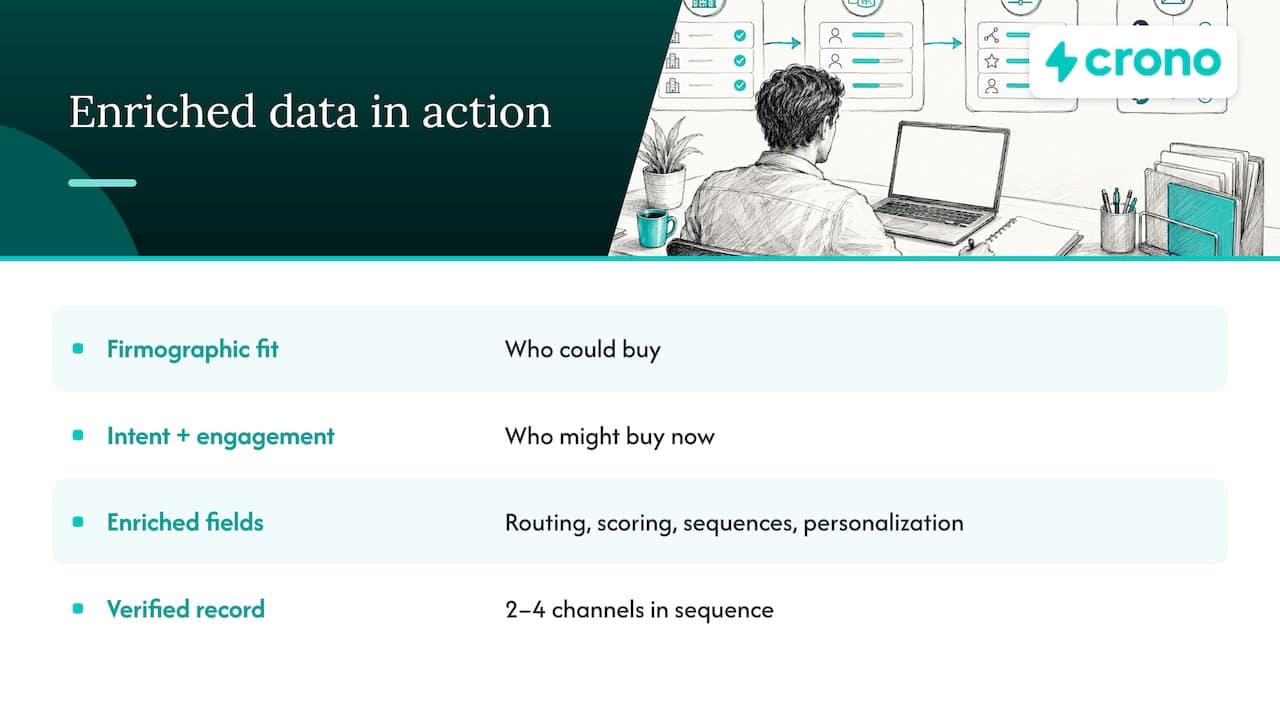
Enrichment that stays in a CRM field changes nothing. The payoff comes when the fields drive action: routing, scoring, sequence selection and message personalization. Fit data tells you who could buy. Signals tell you who might buy now, so pair firmographic fields with intent and engagement signals. Our guide to identifying high-intent B2B accounts covers that combination.
Enriched data also feeds what happens after the first touch. Good records make it easier to apply lead nurturing strategies that match each contact’s role, interests and stage rather than sending everyone the same sequence.
On the outbound side, an enriched record with a verified email, a mobile number and a LinkedIn profile lets you run two to four channels in sequence. We cover that in our multichannel outreach playbook. For the broader picture of building a pipeline motion on this data, see our scalable outbound prospecting process.
US rules for using enriched data
This is general information, not legal advice. Have counsel review your specific data sources and use cases.
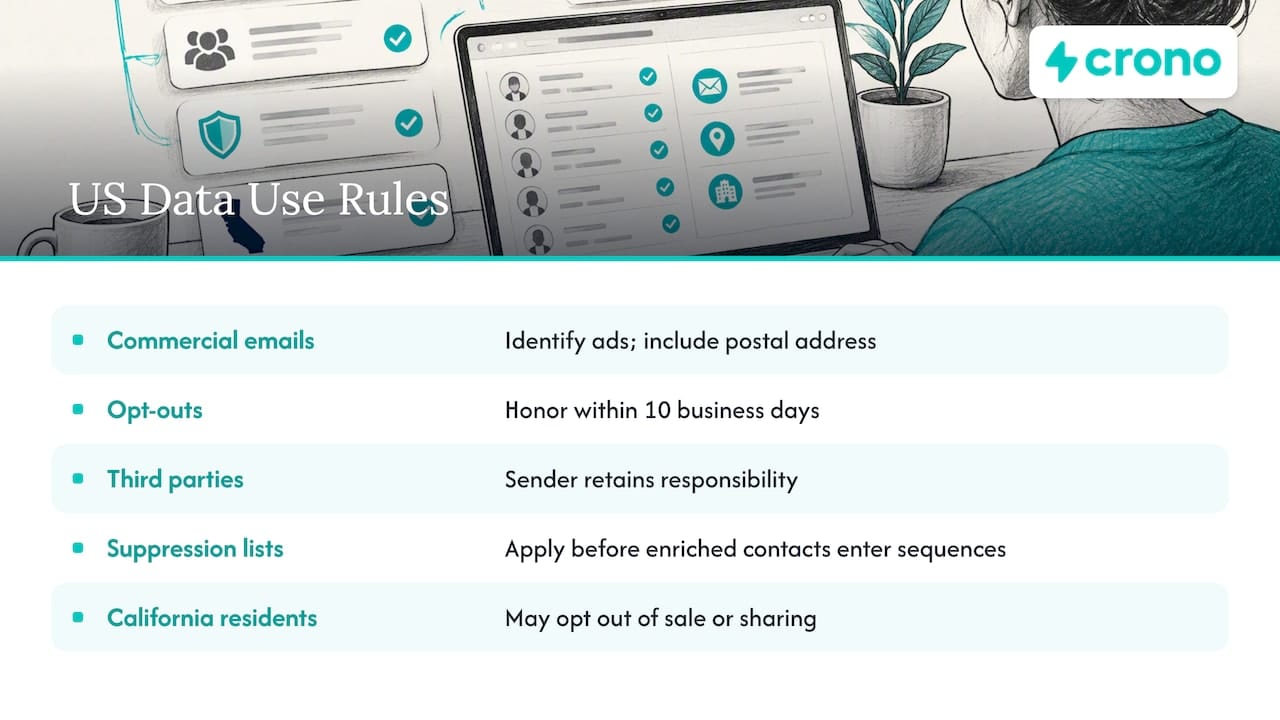
Email outreach. The FTC’s CAN-SPAM compliance guide says commercial emails must be identified as ads, include a physical postal address and honor opt-outs within 10 business days. Hiring a third party to send or source does not remove your responsibility as the sender. Enrichment adds a practical angle: suppression lists must be applied before enriched contacts enter a sequence, or an opted-out person can be re-added by a refresh job. Our post on CAN-SPAM compliance for email programs goes through the checklist.
California residents. Under the California Consumer Privacy Act, as amended text effective January 1, 2026, consumers may opt out of the sale or sharing of their personal information. They can also direct a business to limit use of sensitive personal information to what is necessary for reasonably expected goods or services and certain other authorized purposes. On a verifiable request, a business must disclose the categories of personal information it collected, sold or shared and the purposes. If you enrich contacts, your provenance log is what lets you answer that request.
Where your prospects are in Europe, a different regime applies, so confirm the rules for each market with counsel before sequencing.
How to tell whether enrichment is working
GS1 US says data quality should be measured by completeness, timeliness and accuracy, with defined metrics, a baseline and monitoring over time (same GS1 US framework). Translated for sales, track four numbers:
- Coverage: the share of target accounts and contacts with every field your rules require.
- Match accuracy: the share of a sampled batch where the enriched record is the right company and person.
- Stale-field rate: the share of values older than their refresh interval.
- Conversion to conversations: the rate at which enriched accounts become qualified conversations, compared with a baseline of unenriched ones.
Every month or quarter, pull a sample of 50 to 100 records and verify them by hand. Then remove any field that does not improve outcomes. Teams rarely do this last step, and it is where credit spend gets recovered.
Tamr’s perspective is that quality depends on more than provider coverage: reliable linkage, stewardship and human review of unmatched or conflicting records matter too. If your coverage looks great but conversion is flat, look at match accuracy first.
Common mistakes
- Enriching the whole database. Enrich the segment you are about to work. Everything else can wait for a trigger.
- One provider, no verification. Single-source email data goes stale in ways you only see through bounces. Verify before you send.
- Overwriting rep edits. Nothing erodes trust in the CRM faster than a job erasing a correction.
- No owner. If nobody owns the schema, field sprawl follows.
- Treating the vendor as the compliance layer. Under CAN-SPAM, responsibility stays with you.
Perspective: enrichment is an execution problem
Most teams treat enrichment as a data project that ends when the fields are filled. We see it differently at Crono. Filled fields are only useful if they change what happens next, and in most stacks they do not, because the data sits in one tool, the sequences in another, and the signals in a third.
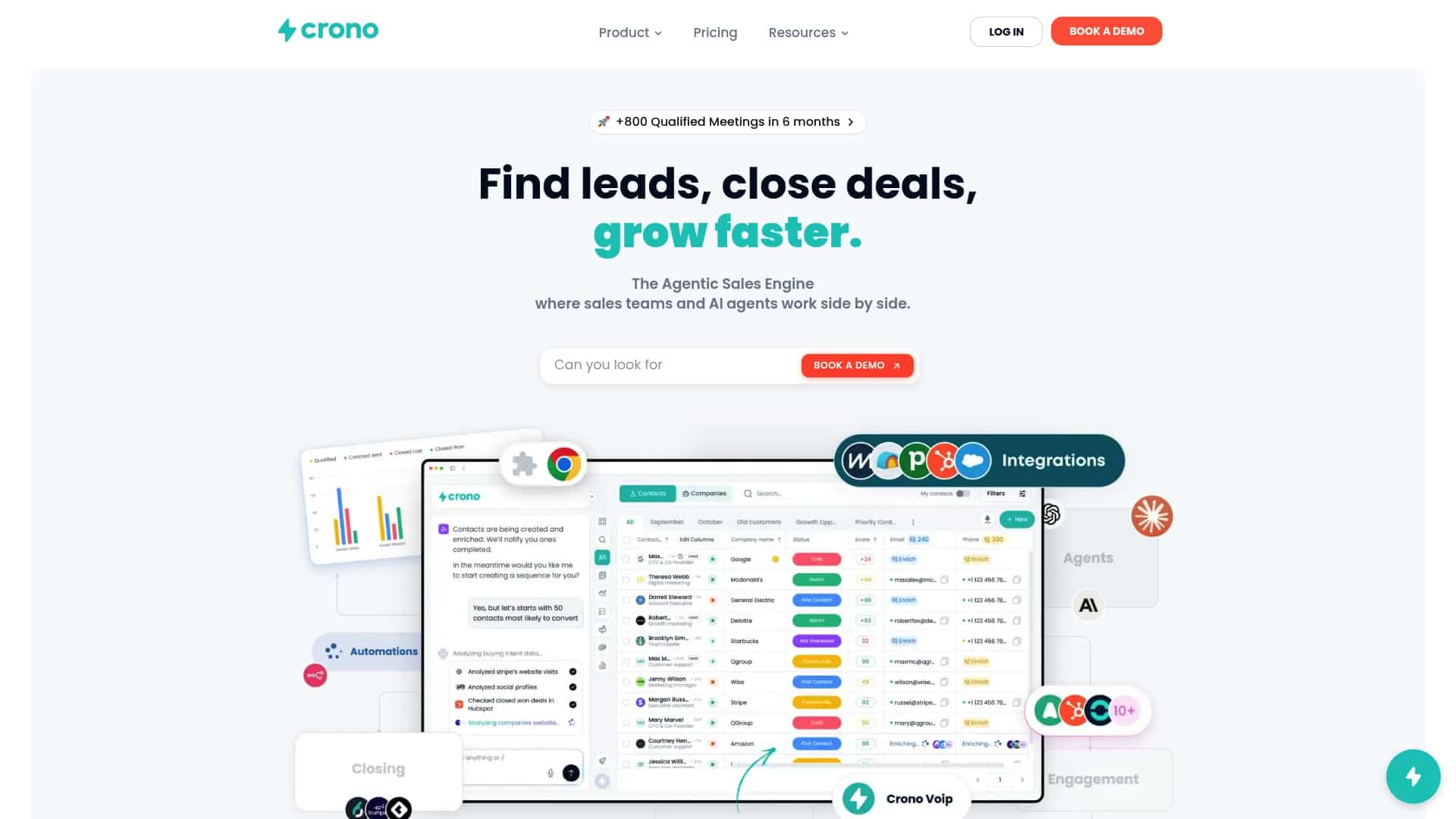
That is why we built Crono as a sales execution layer on top of your CRM and sales tools rather than a replacement for them. Enrichment, buying signals, workflow automation, AI agents and multichannel outreach work from the same records. A verified email and a fresh signal can trigger the right sequence without a rep exporting a list. Our advice is to start with one workflow, such as enriching and routing new inbound accounts, prove that conversion improves, and only then widen the scope. Our RevOps automation guide explains how.
The discipline matters more than the tool. Define the decision, write the field rules, log provenance and measure outcomes. Software then makes those rules run at the speed your team needs.
— Alex
Put enrichment to work in Crono
If you want enrichment, signals and outreach in one workflow, Crono’s Pro plan starts from €79 per month per seat and Ultra from €119 per month per seat, with credits used for AI and enrichment tasks. If you prefer to run AI agents on a credit budget, the Agentic Sales Engine comes in three monthly tiers: 10,000 credits for €99, 30,000 credits for €199 and 100,000 credits for €499. Credit top-ups are also available as one-off purchases. See the Crono pricing page for plan details, or the Agents Hub for credit options.
For a deeper look at contact data specifically, read our B2B contact database enrichment guide.
FAQ
What are the rules for data enrichment?
There is no single US rulebook for enrichment itself, so the rules that apply depend on how you use the data. For outreach, CAN-SPAM governs commercial email, and state laws such as the CCPA govern personal information about residents. Internally, set your own rules per field: source, format, owner, refresh interval and overwrite behavior.
What is the data enrichment method?
The method is to match your records to an external source, retrieve the fields you need, validate them and write them back to your systems. A practical sequence is trigger, match, retrieve, validate, decide and write. Cleansing the original records first keeps bad data from being enriched.
How often should enriched data be refreshed?
There is no universal interval, because fields decay at different speeds. Job titles and emails change faster than industry or headquarters location. Refresh by trigger, such as a bounce or a role change, and run a periodic audit on older records.
What is the difference between data enrichment and data cleansing?
Cleansing corrects errors, duplicates and inconsistencies in the data you already hold. Enrichment adds information from outside sources. Run cleansing first so the additions attach to the right records.
Sources
- What Is Data Enrichment? (IBM)
- Data Enrichment vs Data Cleansing (Meniga)
- What Is Data Enrichment? (Snowflake)
- What Is B2B Data Enrichment? (TechRepublic)
- How Does Data Enrichment Work? (Dun & Bradstreet)
- Data Enrichment: Steps, Benefits, Best Practices (Matillion)
- Guide to Data Enrichment (Tamr)
- 8 proactive steps to build trusted data (TechTarget)
- Info and Data Quality Handbook (GSA)
- GS1 US National Data Quality Program Framework
- CAN-SPAM Act: A Compliance Guide for Business (FTC)
- California Consumer Privacy Act of 2018
