
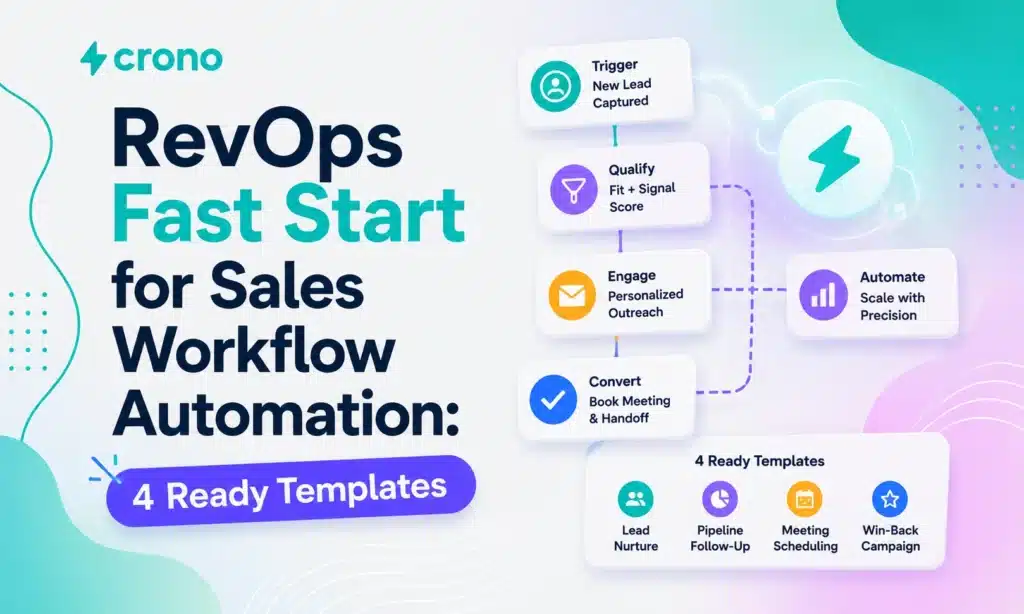
Sales workflow automation reclaims selling time by handling the repeatable parts of a deal cycle: routing leads, chasing follow-ups, verifying data, and flagging what a rep should do next. It speeds up deal velocity because reps stop losing hours to admin work. Start with lead routing, follow-up sequences that carry real exit criteria, and data verification. Then map one high-friction workflow, automate it end to end, and set strict rules for when it stops.
What Is Sales Workflow Automation and Why It Matters?
Sales workflow automation runs on three parts: a trigger, a set of conditions, and an action. A new lead fills out a form (trigger), it matches your ideal customer profile (condition), and it gets assigned to the right rep within minutes (action). Every well-built workflow also needs exit criteria and an owner, so the automation knows when to stop and someone is accountable if it breaks. That structure is exactly what IBM describes as the foundation of modern sales automation, and it hasn’t changed much in a decade. What has changed is what sits inside the “action” step.
AI now does work that used to require a human judgment call. It enriches a contact record with firmographic and intent data, summarizes a call transcript into three bullet points, and recommends the next best action based on engagement signals across email, LinkedIn, and your CRM. That’s a meaningful jump from the old rule-based automations that could only move a record from column A to column B.
The payoff shows up in three places:
- More selling time. Salesforce research cited by IBM found reps spend roughly 28% of their week actually selling. Automation claws back the rest.
- Higher conversion. Faster, more consistent follow-up keeps leads warm instead of letting them go cold in a queue.
- Faster velocity. Deals move through stages quicker when task creation, scheduling, and data entry stop depending on someone remembering to do them.
Which Sales Automations Should You Prioritize First?
Not every workflow deserves automation on day one. Some deliver value in week one; others take months of tuning before they’re trustworthy. Here’s the order that consistently pays off fastest for B2B teams.
- Inbound lead routing with speed-to-lead SLAs. Route by territory, deal size, or ICP fit the moment a lead comes in, and set a hard SLA (commonly under five minutes for high-intent inbound) so no lead sits unassigned overnight.
- Follow-up sequences that pause on engagement. A sequence should stop the moment a prospect replies, books a meeting, or unsubscribes. This is exactly the kind of exit criteria Alex Berman’s CRM workflow breakdown flags as the difference between a workflow that helps and one that annoys buyers into silence.
- Automated meeting scheduling and reminders. Cut the back-and-forth on calendar links, then auto-send reminders 24 hours and 1 hour before the call to reduce no-shows.
- Lead enrichment paired with automatic scoring. Pull firmographic, technographic, and intent data the moment a lead enters the CRM, then score it so reps know who to call first.
- Post-call transcription, CRM sync, and task creation. The call gets recorded, summarized, logged against the opportunity, and a follow-up task gets created, all without a rep touching a keyboard.
- Stage-based task bundles for discovery and proposal. When a deal moves to “Proposal Sent,” auto-create the internal tasks (legal review, pricing approval, follow-up reminder) tied to that stage.
Pro Tip: Don’t automate all six at once. Pick the one costing your team the most hours right now, usually lead routing or post-call admin, and get that one running cleanly before you touch the next.
How Do You Implement Your First Sales Workflow Automation?
Rolling out your first automated workflow is less about picking software and more about discipline in how you define the rules before you flip the switch. Skip a step here and you end up automating a mess.
1. Audit and map the process.
Write down exactly what happens today, step by step, including the parts nobody’s proud of. If your handoff between SDR and AE already breaks half the time manually, automating it just breaks it faster.
2. Set a measurable goal.
Decide what success looks like before you build anything: a five-minute speed-to-lead SLA, a 10% lift in stage conversion, or two hours saved per rep per week. A workflow with no target is a workflow nobody will ever evaluate honestly.
3. Define triggers, conditions, actions, exit criteria, and an owner.
This is the core template structure recommended in Prospeo’s sales workflow template, which includes 12 fields covering owner, stage, next step, and deal probability. Every workflow needs someone named who’s accountable when it misfires.
4. Choose your execution path.
- Native CRM workflow builder for simple, single-object automations.
- A lightweight orchestrator (Zapier, Make) when you need to connect a few tools without heavy engineering.
- Full orchestration platform when you’re coordinating multichannel sequences, AI enrichment, and multiple systems at once.
5. Build a sandbox testing plan.
Run the workflow against a small batch of test records first, not live leads. Confirm the trigger fires correctly, conditions filter the way you expect, and the exit criteria actually stop the sequence when they should.
6. Set monitoring and rollback criteria.
Decide in advance what failure looks like (a spike in bounce rate, duplicate tasks, an SLA breach) and who gets alerted. Have a one-click way to pause the workflow if something goes wrong.
7. Pilot with a small cohort, then expand.
Run it with one team or one territory for two to four weeks. Collect feedback from the reps actually living with it daily, not just from the dashboard.
8. Iterate based on real data.
Adjust conditions, timing, and messaging based on what the pilot actually showed you, not what you assumed going in. Starting small and measuring before scaling is the single biggest predictor of a workflow that survives contact with a full sales org.
Sales Workflow Examples You Can Copy Today
These four templates cover the automations that return value fastest. Adapt the field names to your CRM, but keep the structure intact.
Inbound routing with SLA enforcement. Trigger: form submission or demo request. Conditions: company size, industry, and lead score above threshold. Action: auto-assign to the matching rep and fire a Slack alert. Exit criteria: lead contacted within the SLA window or reassigned automatically if the SLA is breached. Required fields: owner, ICP fit, lead score, assignment timestamp.
Proposal follow-up with pause-on-reply. Trigger: proposal marked “sent” in the CRM. Conditions: no reply logged within 48 hours. Action: send a timed reminder sequence at day 2, day 5, and day 10. Exit criteria: prospect replies, books a call, or the deal is marked closed lost, whichever comes first.
Post-call summary synced to CRM. Trigger: call ends. Conditions: call duration exceeds two minutes (filters out missed connects). Action: transcribe, summarize into key points, log against the opportunity, and create a follow-up task for the rep. Exit criteria: task marked complete or reassigned after 48 hours untouched.
Pipeline triage and forecasting export. Trigger: scheduled weekly run. Conditions: deals with no activity in 14 days or stage duration exceeding the historical average. Action: flag for manager review and export a forecast summary. Exit criteria: deal receives new activity or gets manually reclassified.
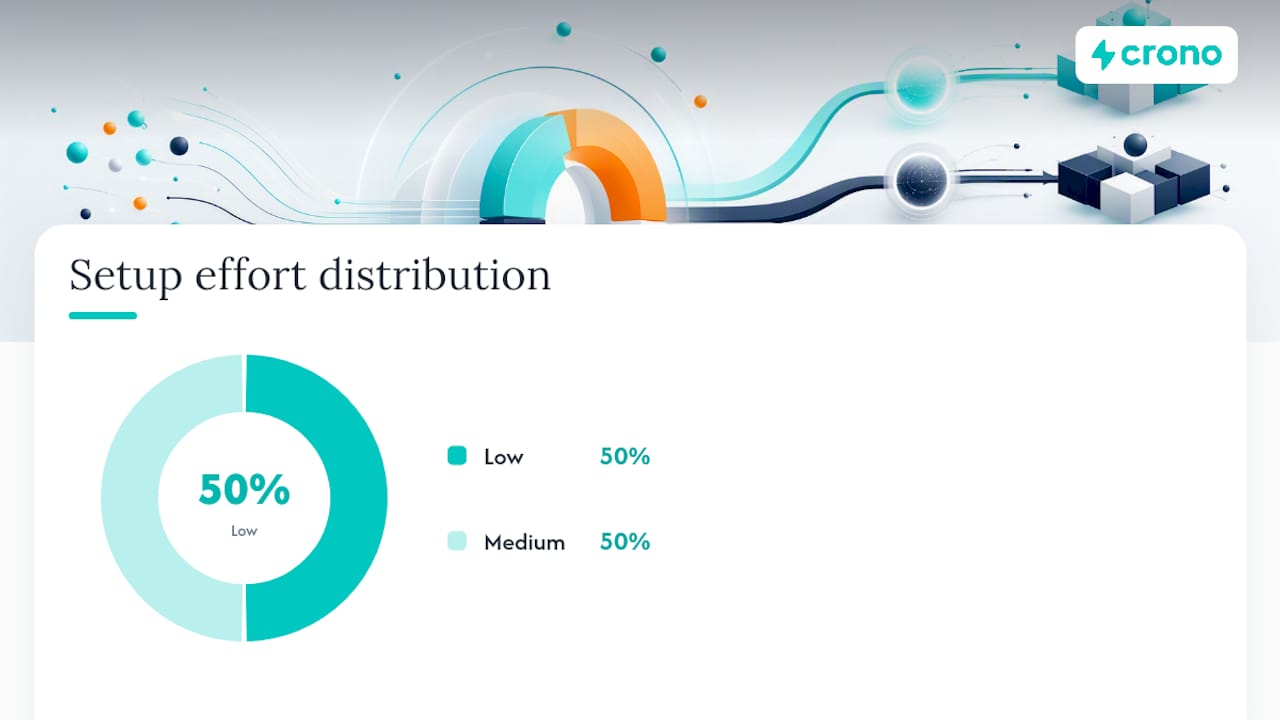
| Template | Best fit | Typical setup effort |
|---|---|---|
| Inbound routing + SLA | Any team with inbound volume | Low |
| Proposal follow-up | SMB and mid-market deals | Low |
| Post-call summary sync | Teams doing high call volume | Medium |
| Pipeline triage export | RevOps managing forecast accuracy | Medium |
Smaller teams running deals under roughly $25,000 in annual contract value often get most of this working with a spreadsheet and a lightweight connector like Zapier or Make. Enterprise motions, with legal review checkpoints and multiple approval layers baked into each stage, usually need a purpose-built orchestration platform to keep it all from collapsing into a tangle of broken Zaps.
What Tools and Integrations Does Sales Automation Require?
Five tool categories do distinct jobs in a working stack, and confusing their roles is where a lot of automation projects go sideways.
- CRM holds the system of record: deal stages, contact history, ownership.
- Orchestrator (native workflow builder, Zapier, Make, or a dedicated platform) connects tools and runs the logic.
- Engagement sequencer manages multichannel outreach cadence across email, LinkedIn, and calls.
- Enrichment provider adds firmographic, technographic, and intent data to raw contact records.
- Calendar and calling tools handle scheduling and call capture.
Before launching anything into production, validate this checklist:
- Authentication and API tokens are current and scoped correctly.
- Webhook reliability and rate limits are understood for each connected tool.
- Idempotency is handled so a retried action doesn’t create duplicate tasks or emails.
- Error handling, logging, and retry logic exist for every step, not just the happy path.
- Contact data is verified (email and phone validation) and deduplicated before it enters any sequence, since bad data quietly wrecks deliverability long before anyone notices the bounce rate climbing.
No-code orchestrators win on speed of setup; hosted platforms with native integrations win on reliability at scale. Pick based on how many systems you’re actually connecting, not how impressive the tool sounds in a demo.
Which Metrics Prove Your Automation Is Working?
Track these four numbers weekly, not quarterly, because automation problems compound fast if nobody’s watching:
- Conversion by stage and stage velocity show whether automation is actually moving deals faster, not just busier.
- Time-to-first-response measures whether your routing and SLA enforcement are holding.
- SLA compliance rate tells you how often the automation is meeting the target you set during implementation.
- Automation run success and failure rate, plus bounce and delivery rates, catch technical breakage before it becomes a reputation problem.
A workflow with no owner or audit schedule is a liability waiting to surface. Assign a named owner to every automation, keep accessible logs, set alert thresholds for failure spikes, and run a quarterly audit of every live workflow. Automations that go unreviewed for six months are the ones most likely to be quietly annoying prospects or misrouting leads without anyone noticing.
What Mistakes Break Sales Automation Projects?
The failures are predictable, and most of them trace back to skipping a step covered earlier in this guide.
- No exit criteria. A sequence that never stops keeps emailing someone who already replied, closed lost, or asked to be left alone. Missing exit criteria is one of the most common and costly mistakes teams make.
- Automating a broken process. Map it and fix the underlying issue first; automation makes a bad handoff worse, faster.
- Poor data hygiene. Unverified emails and duplicate records tank deliverability and confuse reps about who actually owns a lead.
- Over-personalization that scales poorly. Hyper-tailored messaging works for 20 accounts; it breaks down (or starts looking robotic) at 2,000.
- No human handoff for high-touch deals. Enterprise deals with six-figure ACVs still need a human judgment call at key moments, not a fully automated sequence running unattended.
Pro Tip: Build a killswitch into every workflow from day one. A rate limit and a manual pause button cost you an afternoon to set up and can save you from an outreach disaster that takes weeks to repair.
How Does Crono Operationalize These Workflows?
Crono works as the execution layer sitting on top of your CRM and sales tools rather than replacing them, connecting buying signals, enrichment, engagement, and automation into one place your team actually works from daily.
- Pulls buying signals and enriched contact data directly into active workflows, so routing and scoring run on current information instead of stale CRM fields.
- Coordinates multichannel engagement (LinkedIn, email, calls) inside the same execution flow, instead of forcing reps to jump between four disconnected tools.
- Runs AI-driven orchestration for repetitive steps while keeping people in control of judgment calls on high-value accounts.
A practical example: a rep finishes a discovery call, and Crono summarizes it, logs the summary against the opportunity in the CRM, and creates the next-step task automatically. That’s the post-call sync template described earlier, running without manual data entry. Crono for RevOps covers how this connects across a broader tech stack.
What Does Sales Workflow Automation Cost?
Pricing for sales workflow automation tools generally falls into three models: per-seat subscription, usage-based credits, or a hybrid of both. Per-seat pricing charges a flat monthly or annual fee per user, which is predictable but can get expensive fast as your team grows. Usage-based or credit pricing charges for specific actions, like AI enrichment calls or message generation, which scales better for smaller teams but requires watching consumption closely.
Most platforms in this category layer feature tiers on top of either model: a base tier covering core workflow automation, and higher tiers unlocking AI-driven enrichment, advanced orchestration, or higher usage caps. Annual billing typically runs cheaper than month-to-month, often by 15% to 20%, though the exact discount varies by vendor.
The real cost of automation isn’t just the license fee. Budget for implementation time (mapping processes and building the first workflows properly takes real hours), the enrichment or AI credits consumed by the automations you actually use, and the ongoing time someone on your team spends auditing and maintaining workflows quarterly. A cheap platform that nobody maintains ends up costing more in broken sequences and missed SLAs than a pricier one that’s properly owned.
For SMB motions, a lightweight orchestrator paired with your existing CRM often covers most needs at a fraction of enterprise licensing costs. Enterprise teams juggling multiple business units and compliance checkpoints usually need the deeper feature tiers and dedicated support that come with higher-priced plans.
How Long Does a Full Rollout Take?
A realistic end-to-end rollout runs in four phases, and trying to compress them is the fastest way to end up with a workflow nobody trusts.
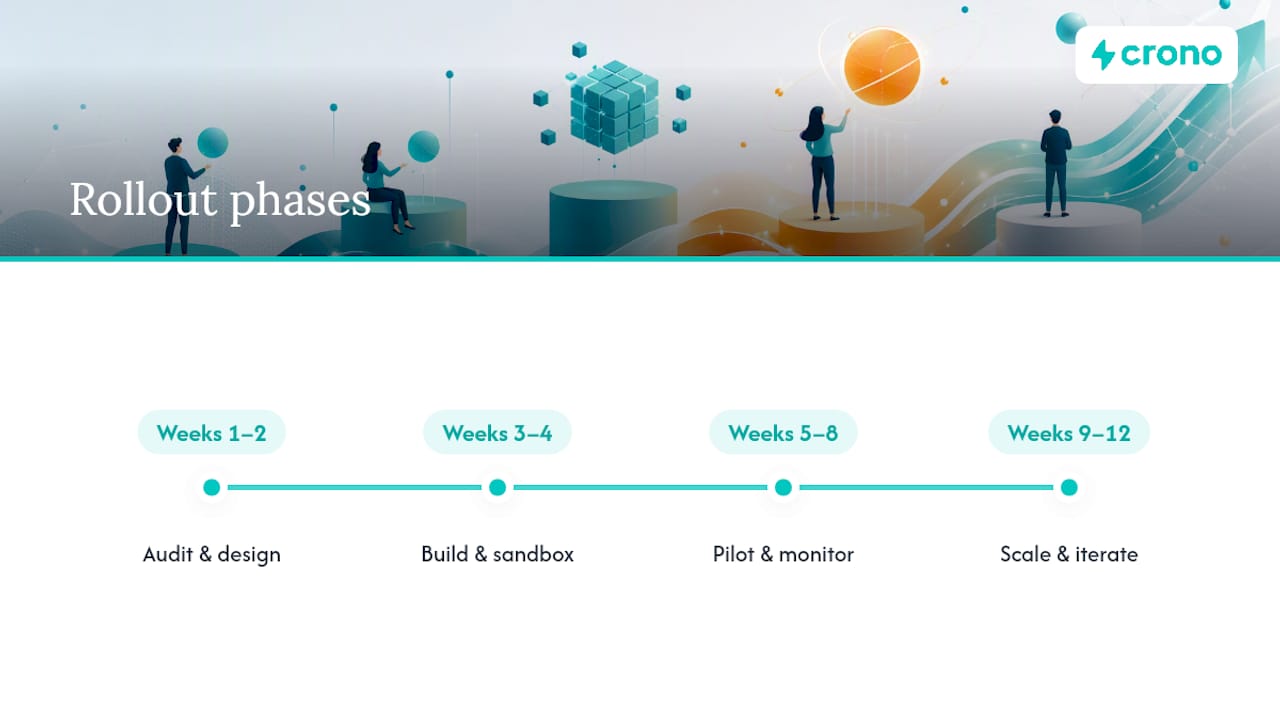
Weeks 1 to 2: Audit and design. Map the process you’re automating, define your success metric, and write out triggers, conditions, actions, exit criteria, and an owner for the first workflow.
Weeks 3 to 4: Build and sandbox test. Configure the workflow in a test environment, run it against sample records, and fix the inevitable edge cases that only show up once you try it with real data.
Weeks 5 to 8: Pilot with a small cohort. Roll it out to one team, territory, or segment. Watch the metrics daily for the first week, then weekly. Collect direct feedback from the reps using it.
Weeks 9 to 12: Scale and iterate. Expand to the full team once the pilot metrics hold steady, then move to the next workflow on your priority list, applying whatever you learned from the first rollout.
Simple workflows (routing, reminders) can go from design to pilot in under two weeks. Multichannel sequences with AI enrichment and conditional branching usually need the full eight to twelve weeks to get right, particularly if they touch multiple teams or require legal or compliance sign off along the way.
How Do You Choose the Right Automation Platform?
Run any platform you’re evaluating through this checklist before signing a contract:
Confirm it connects natively to your existing CRM and calling or calendar tools, since a platform that requires constant manual syncing defeats the point of automation. Check whether it supports both simple rule-based workflows and AI-driven steps like enrichment and summarization, since you’ll likely want both within the first year. Look for built-in monitoring and alerting, not just workflow building, because you need to know when something breaks without digging through logs manually.
Ask how the platform prices AI-driven actions specifically, since credit consumption can escalate quickly if you’re running enrichment or summarization at volume. Verify it has a sandbox or test mode so you’re never testing a new workflow against live prospects. Confirm data verification and deduplication happen automatically or can be layered in easily, since deliverability problems trace back to this more often than any other single cause.
Finally, check whether the vendor supports a phased rollout (pilot cohorts, gradual expansion) rather than forcing an all-or-nothing implementation across your entire team on day one.
What Security and Compliance Rules Apply to Automated Workflows?
Automated workflows touch personal data at scale, which means the compliance stakes are higher than a single rep manually sending emails. Every workflow handling contact data should respect the consent and opt-out rules that apply under regulations like CAN-SPAM in the United States and GDPR where you’re contacting individuals in the EU or UK, including honoring unsubscribe requests immediately and automatically, not on a delayed manual review cycle.
Access control matters just as much as the automation logic itself. Limit who can create, edit, or pause workflows, and keep an audit trail of changes so you know exactly who modified a live sequence and when. Any tool touching enrichment data or storing contact records should carry clear data retention policies, since holding enriched personal data indefinitely creates unnecessary exposure if a breach ever occurs.
Vet third-party integrations for how they handle data in transit and at rest, particularly enrichment providers pulling from external data sources. Ask vendors directly about their certifications (SOC 2 is the common baseline in this category) rather than assuming compliance based on marketing copy. And build a rollback plan for compliance failures specifically, not just technical ones: if a workflow sends to a contact who opted out, you need to know immediately, not at the next quarterly audit.
Where Is Sales Workflow Automation Heading?
Agentic AI is moving past drafting assistance into actually executing low-risk tasks on its own, and that shift is happening faster than most sales leaders expect. The workflows that still need a human hand are the ones with real financial or reputational stakes: pricing exceptions, enterprise contract terms, anything touching a strategic account.
The guardrail that matters most here is observability. Keep a human in the loop on anything irreversible, and make sure every AI-driven action leaves a log someone can review. Teams that skip this step tend to find out about a problem from an angry prospect, not a dashboard.
Worth piloting now: AI-assisted battlecards that update automatically as deals progress, auto-generated call summaries feeding straight into CRM tasks, and prioritized task lists that combine engagement signals with deal stage. None of these require betting your whole pipeline on unproven technology, and all three return value within a single quarter.
Getting Started With Crono
Crono fits the buyer’s actual job better than stitching together five point solutions, because it connects your CRM, enrichment data, and multichannel outreach into one execution layer instead of forcing reps to jump between disconnected tabs to run the workflows described in this guide.
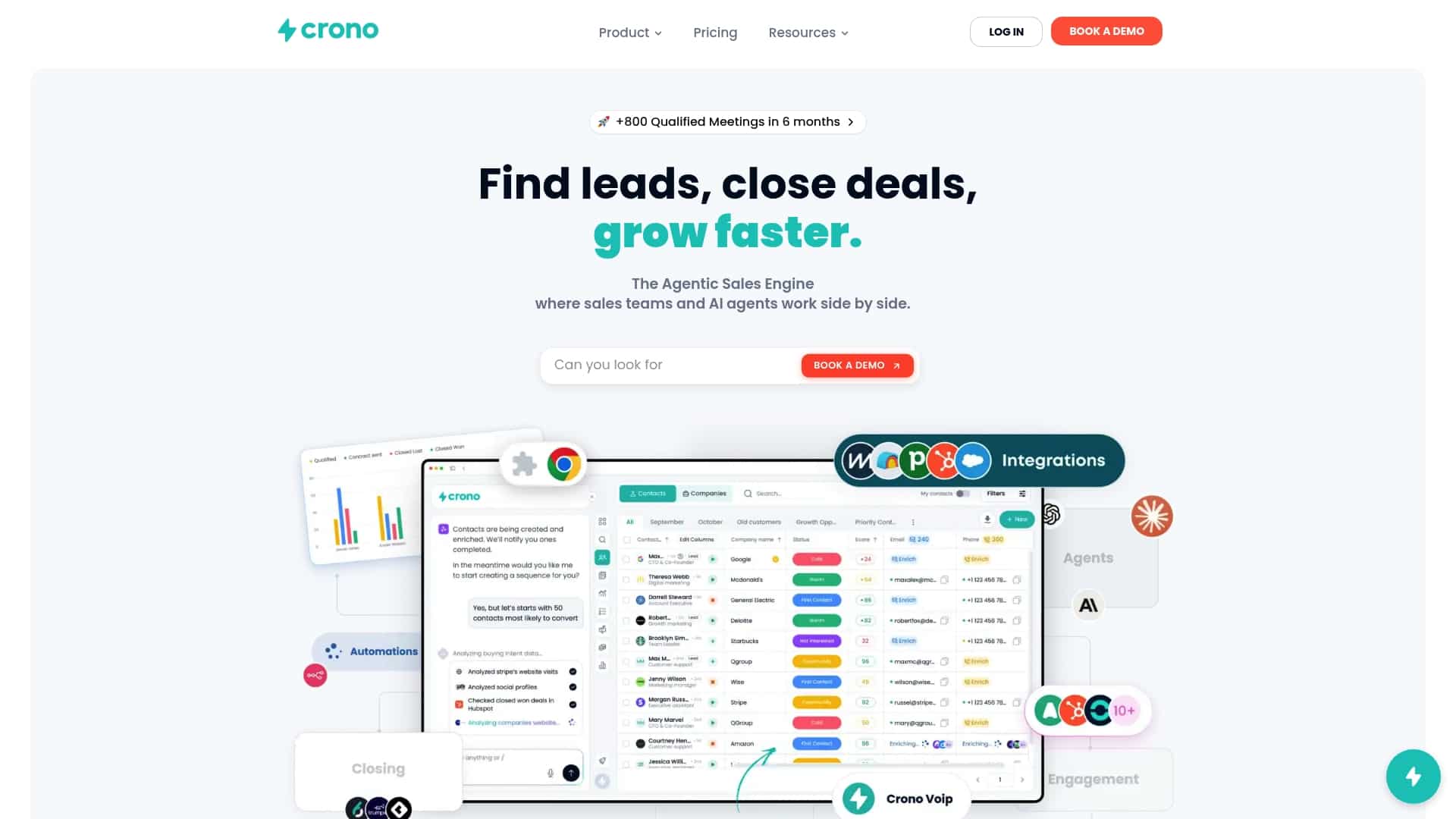
If you’re running sales calls today, the native integration covered in Crono’s call workflow with Ringover shows exactly how the post-call summary and CRM sync template works in practice, no manual note taking required. AI-driven orchestration handles the repetitive steps (routing, enrichment, task creation) while your reps stay focused on the conversations that actually need a human. For a deeper look at how the platform handles multichannel sequencing and AI orchestration together, the Prospecting Masterclass walks through real B2B scenarios.
The next step is straightforward: request a demo of Crono and see how your first workflow, whether that’s lead routing, follow-up sequencing, or post-call sync, would actually run on the platform before you commit to anything.
Sources
- What is sales automation? | IBM
- Sales Workflow Template: Build Yours in 2026 (Free)
- CRM workflow example: 5 real B2B pipeline setups
