

Lemlist probably worked fine when you signed up. Then your team grew, and the bill grew faster.
You pay per seat, per month, for every rep. Each extra email sender costs $9/month, and additional domains and mailboxes run $4 to $8/account/month on top. LinkedIn steps and calls are locked behind the Multichannel plan at $109/user/month ($87 billed annually). And data costs are pay-per-result, billed separately on top of your seat price.
With pricing that’s hard to scale, key features gated to the top plan, and a LinkedIn workflow that isn’t built around Sales Navigator, Lemlist may fall short for teams that prioritize affordability and ease of use.
This is an honest comparison of 7 Lemlist alternatives: what each tool does, what it costs in 2026, and who it actually fits. We start with Crono, our AI Sales Orchestration Platform, and we list its cons right alongside everyone else’s.
TL;DR: The Best Lemlist Alternatives
| Best Tool | Use Case |
|---|---|
| Crono | Multichannel outbound with deep LinkedIn automation |
| Smartlead | High-volume cold email for agencies |
| Saleshandy | Cold email on a tight budget |
| Instantly | Simple, scalable email-only outreach |
| Reply.io | Multichannel outreach with built-in calling and an AI SDR |
| Apollo | Database-first prospecting |
| Klenty | Mid-priced multichannel sales cadences |
What’s Wrong With Lemlist?
Let’s be fair: Lemlist’s warm-up network (Lemwarm) is solid, its image and video personalization is still among the best in the category, and the 14-day free trial makes it easy to test.
But four structural problems push teams to leave, and they show up consistently in user reviews and third-party pricing analyses.
Per-seat pricing that punishes growth
Lemlist’s 2026 plans run $39/user/month for the Email plan and $109/user/month for the Multichannel plan on monthly billing ($31 and $87 annually). The quarterly option lands the Multichannel plan at $99/user/month.
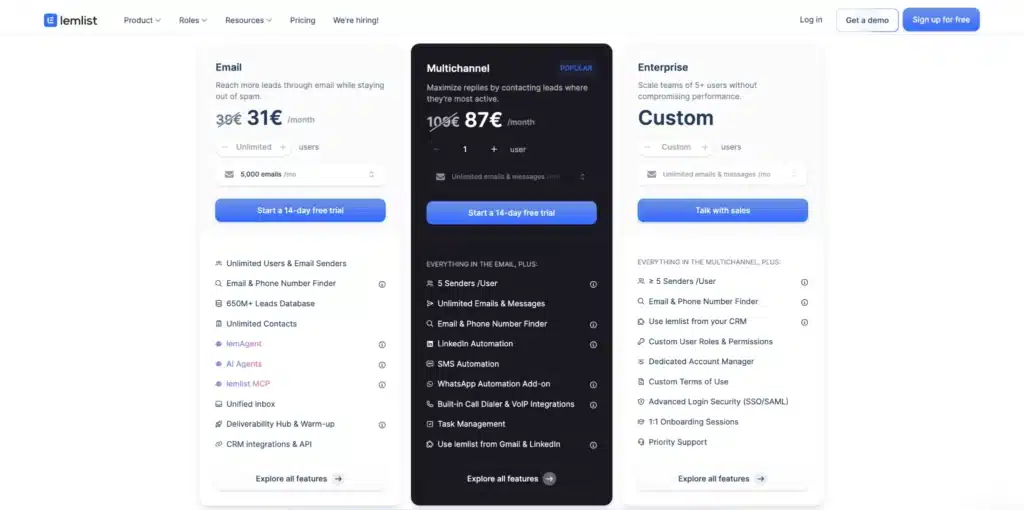
The advertised price is rarely the real price. Add-ons stack on top fast: each extra email sender is $9/month, additional domains and mailboxes run $4 to $8/account/month, and data credits are billed per result. A 5-rep team running multichannel outreach can clear $500/month before data costs.
The features you need sit in the top plan
The Email plan is email only. LinkedIn automation, phone steps, the dialer, and SMS all require the Multichannel plan.
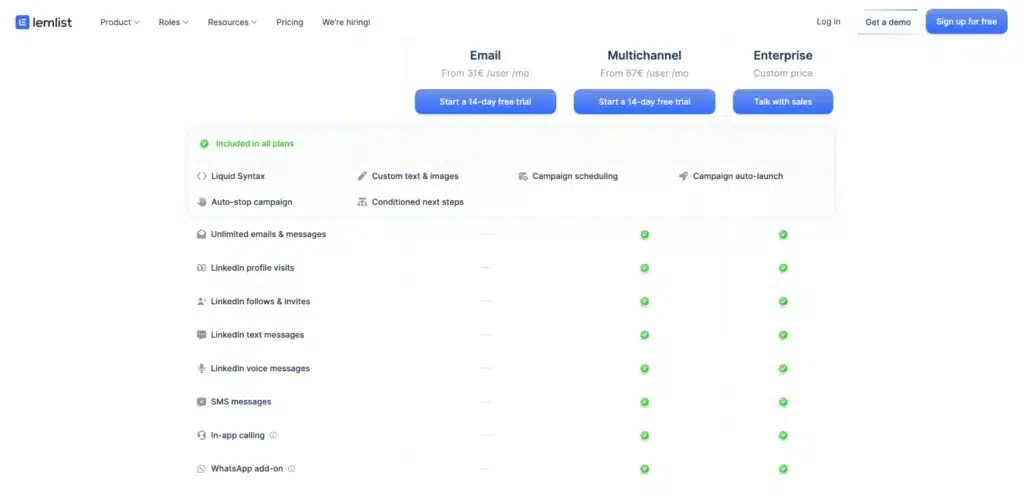
For most B2B teams in 2026, LinkedIn is part of the outbound motion from day one, which means you’re effectively forced onto the most expensive tier from day one too.
Data costs are pay-per-result, on top of everything
Lemlist’s contact data runs on rechargeable credits, billed per success. A verified email costs 5 credits ($0.05), and a phone number costs 20 credits ($0.20). Buying intent signals cost more, from 20 credits for a website visit up to 400+ for LinkedIn engagement.
None of that sits in your seat price, so the real monthly cost is the plan plus extra senders plus mailboxes plus however much data your reps pull. Budgeting for it ahead of time is close to impossible.
LinkedIn isn’t a Sales Navigator-first workflow
Lemlist treats LinkedIn as a multichannel step: profile visits, follows, invites, and text and voice messages, all on the Multichannel plan. Its extension lets you work from LinkedIn, Gmail, and your CRM.
But Lemlist isn’t a Sales Navigator-first workflow. It doesn’t build natively on Sales Navigator’s filters and saved searches, so sourcing and the live LinkedIn dataset stay separate from your sequences. For teams whose entire prospecting motion starts in Sales Navigator, that’s the gap.
If two or more of these sound familiar, one of the tools below fits you better.
How We Evaluated These Alternatives
We scored each tool against six questions, the same ones we’d ask buying for our own team:
- Pricing transparency: Can you calculate the real monthly cost from the pricing page?
- Multichannel depth: Email is table stakes. How good are LinkedIn, calls, and the other channels?
- Data quality: Is there a built-in database? How accurate is the enrichment? What’s the bounce-rate track record?
- CRM sync: Native and bi-directional, or held together with Zapier?
- Deliverability tooling: Does it cover warm-up, validation, and sender rotation?
- What users say: Verified G2 and Capterra reviews, complaints included.
Lemlist Alternatives Compared
| Tool | Best For | Channels | Built-in Data | Starting Price | G2 Rating |
|---|---|---|---|---|---|
| Crono | LinkedIn-first multichannel teams | Email, LinkedIn, calls | Waterfall enrichment, 10+ providers | From €79/user/mo (annual) | 4.7 (115+ reviews) |
| Smartlead | Agencies, high-volume email | Email-first (+ SMS, LinkedIn add-ons) | None | $32/mo | 4.5 |
| Saleshandy | Budget cold email | Email-first | 850M+ lead finder | $25/mo | 4.6 |
| Instantly | Email-only scale | Email only | Lead Finder (paid add-on) | $47/mo | 4.8 |
| Reply.io | Calls + AI SDR | Email, LinkedIn, calls, SMS, WhatsApp | B2B database included | $49/user/mo | 4.6 |
| Apollo | Database-first prospecting | Email, calls (LinkedIn tasks manual) | 200M+ contacts | Free; paid from $49/user/mo | 4.7 |
| Klenty | Mid-priced cadences | Email, calls, LinkedIn, SMS | None (credit-based lookups) | $50/user/mo | 4.6 |
1. Crono – Best for LinkedIn-first multichannel teams
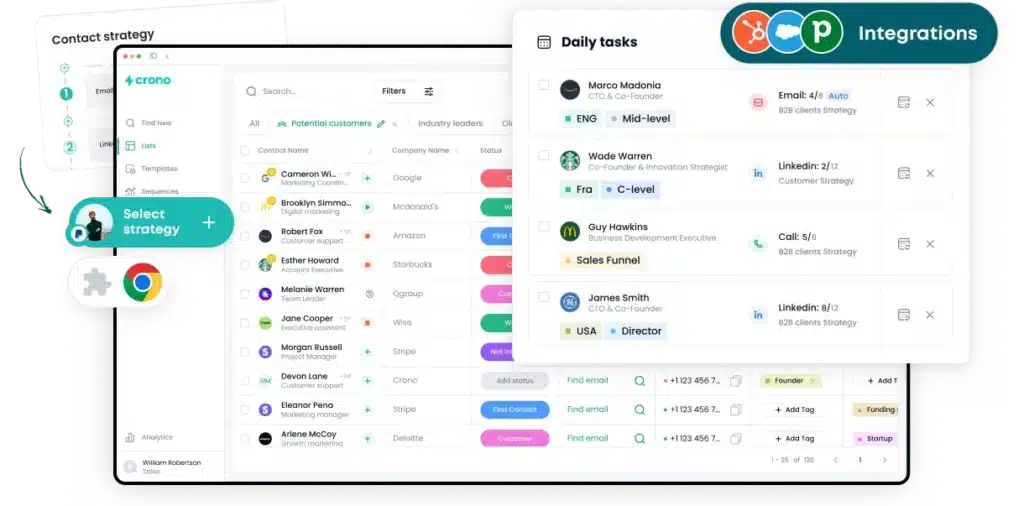
Most tools on this list bolt LinkedIn onto a cold email engine. Crono works the other way around, building a full outbound platform on top of native LinkedIn Sales Navigator integration so the channel most B2B teams actually live in isn’t an afterthought.
That means your reps source leads using the same Sales Navigator filters and saved searches they already run, pull them into Crono in a few clicks, and verify contact details through a waterfall enrichment model that cross-references 10+ data providers. You pay one credit per verified result, however many providers Crono had to query to confirm it.
From there, the LinkedIn work runs itself. Connection requests go out on schedule, DMs send from inside Crono, and acceptances and replies hit the Live Feed the moment they happen, so reps follow up while interest is high rather than spotting a reply two days late.
The payoff is on the back end, where every activity, whether LinkedIn, email, or call, auto-logs to HubSpot, Salesforce, or Pipedrive through bi-directional sync. Reps stop screenshotting LinkedIn replies into Slack, and managers finally see that LinkedIn activity in pipeline reporting because it lives in the CRM.
How Crono compares to Lemlist
LinkedIn depth. Lemlist runs LinkedIn as a multichannel step. Crono runs full conditional LinkedIn sequences built on Sales Navigator. You source from the same Sales Navigator searches you already use, and if an invite is accepted within your set window, the DM fires automatically. If not, the sequence pivots to email on its own.
Data model. Lemlist pulls from its own 650M+ contact database, which ages the way any static list does. Crono sources directly from LinkedIn’s live network through Sales Navigator, then verifies emails and phone numbers across 10+ enrichment providers, so fewer messages bounce because every contact is cross-checked before you hit send.
CRM logging. Lemlist integrates with CRMs. Crono syncs bi-directionally and logs every activity automatically, which is the single most common reason ops teams tell us they switched.
A/B testing. Included on every Crono plan, with automatic 50/50 sends and reply-rate reporting per template. Lemlist gates advanced testing to higher tiers.
Pricing predictability. Crono’s pricing is flat and public: Pro at €79 and Ultra at €119 per user/month on annual billing. Add-on credits are simple too, and unused credits don’t expire monthly; they stay until you use them. That’s the opposite of paying per result on top of a seat price.
Want to check the full head-to-head? Read the dedicated Crono vs Lemlist comparison.
Key features
- Multichannel sequences across email, LinkedIn, and calls, with conditional branching and A/B testing on every plan
- Native Sales Navigator integration plus a Chrome extension that adds leads to sequences while you browse LinkedIn
- Waterfall data enrichment across 10+ providers, billed at one credit per verified result
- Rewrite with AI, which personalizes entire sequences per contact using their role, posts, company news, funding rounds, and open positions
- Live Feed showing opens, replies, and LinkedIn acceptances in real time
- Bi-directional CRM sync with HubSpot, Salesforce, and Pipedrive, including automatic activity logging
- Pipeline and deal management, per-template analytics, and team reporting
Customers feel that consolidation in their numbers. Before Crono, Odda relied on referrals and manual outreach to find decision-makers, and after switching to Crono’s LinkedIn automation, they increased sales-team effectiveness by 37%. Better Days Recruitment cut non-revenue work and lifted their close rate by 25% once their stack lived in one platform.
Pros
- The deepest native LinkedIn automation in this lineup, built on Sales Navigator rather than scraping
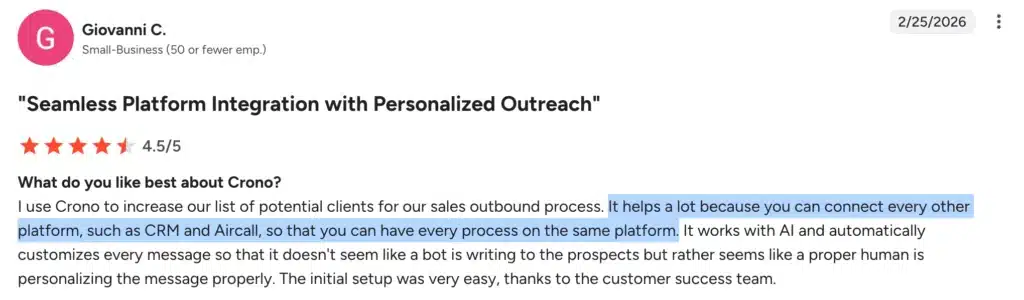
- G2 reviewers describe Crono replacing two or more costlier tools and pulling sourcing, enrichment, sequencing, and tracking into one screen
- Ease of use and responsive support are the two most-cited strengths across reviews
- A/B testing and multichannel sequences on paid plans, not reserved for a top tier
- Rated 4.7 on G2 (115+ reviews) and 5.0 on Capterra

Cons
- Teams without LinkedIn Sales Navigator won’t get full value from Crono’s LinkedIn automation. It’s a genuine prerequisite, confirmed by reviewers who tested it without and recommend pairing the two.
Pricing
- Pro: €79/user/month billed annually (€99 billed quarterly), minimum 2 users, with multichannel sequences, AI personalization credits, waterfall enrichment, and HubSpot and Pipedrive sync
- Ultra: €119/user/month billed annually (€149 billed quarterly), minimum 5 users, adding Salesforce sync, an integrated VoIP dialer, the public API, buying signals, and advanced team controls
- Enterprise: custom, for teams of 50+ users
Ready to run LinkedIn, email, and calls from one platform, without Lemlist’s plan gates? Book a demo and see Crono on your own ICP.
2. Smartlead – Best for agencies sending high-volume cold email
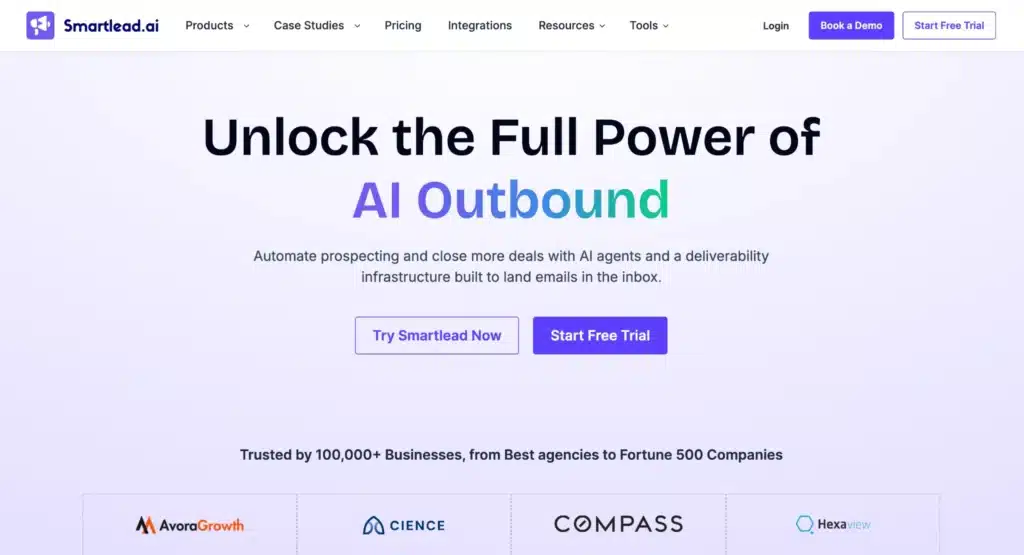
Smartlead inverts Lemlist’s pricing model. Where Lemlist charges per user and per extra mailbox, Smartlead lets you connect unlimited email accounts with unlimited warm-up on every plan, and prices by lead and sending volume instead.
For an agency managing 10 client inboxes, that one difference can cut the monthly bill in half compared to per-seat tools. Third-party cost comparisons put the savings at 60% or more at that scale.
The platform’s strengths are all infrastructure: automatic rotation across connected mailboxes so no single account gets burned, sub-sequences that branch based on how a prospect replies, and a warm-up engine users rate consistently well.
The trade-off is scope, because Smartlead is email-first. Newer releases add multichannel sequencing (SMS, LinkedIn, WhatsApp, even Twitter) and a SmartDialer, but the depth still sits overwhelmingly in email deliverability and inbox rotation, with the other channels bolted on around a sending engine rather than built into the core. There’s also no built-in lead database, so you bring your own data from Apollo, Clay, or a similar source.
How Smartlead compares to Lemlist
Smartlead is cheaper at scale and stronger at inbox rotation. If you left Lemlist purely over per-seat costs and your motion is email-led, it solves your exact problem. It now offers LinkedIn and SMS steps too, but they’re lighter than Lemlist’s, so if those channels carry real weight in your sequences, Smartlead isn’t the upgrade.
Key features
- Unlimited mailbox connections and warm-up on all plans
- Multi-step sequences with A/B testing and reply-triggered sub-sequences
- Automatic inbox rotation to protect sender reputation
- White-label and client-management features for agencies, sold as a paid add-on per client
Pros
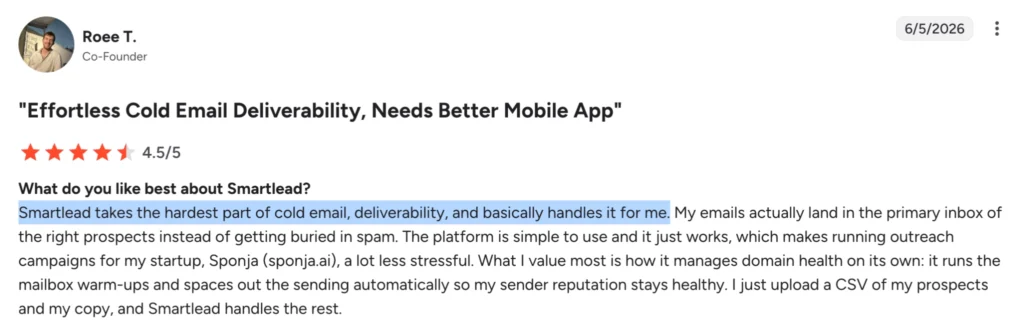
- Fast campaign setup. Ease of use is the single most-cited strength on G2.
- Unlimited mailboxes and warm-up make scaling cold email cheap relative to per-seat tools
- Strong deliverability tooling (inbox rotation, ESP-matched warm-up) for large inbox fleets
Cons
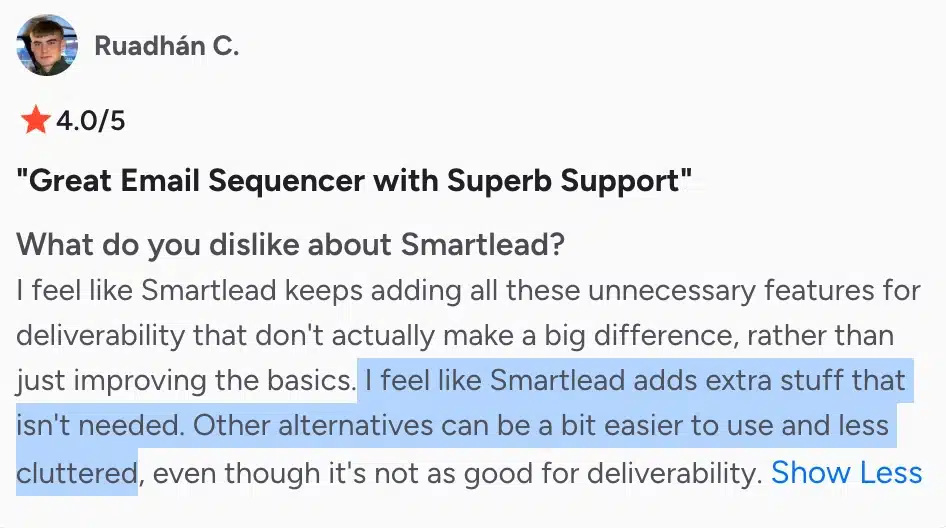
- Many users flag a cluttered interface.

- Reliability issues surface at scale: reviewers report stuck sending queues and random mailbox disconnections on high-volume plans
- Reviewers also call it expensive once add-ons stack (the per-client management fee in particular)
- Email-first by a wide margin; the newer LinkedIn, SMS, and dialer features are shallow next to dedicated multichannel tools, and there’s no built-in lead database
Pricing
- Base: $32/month for 2,000 active leads and 6,000 emails/month
- Pro: $78/month for 30,000 leads, 90,000 emails/month, API access, and integrations
- Unlimited Smart and Unlimited Prime: from $144 up to $315/month
- Annual billing saves around 17%
G2 rating: 4.6/5 (310+ reviews)
3. Saleshandy – Best for solo senders and lean teams on a budget
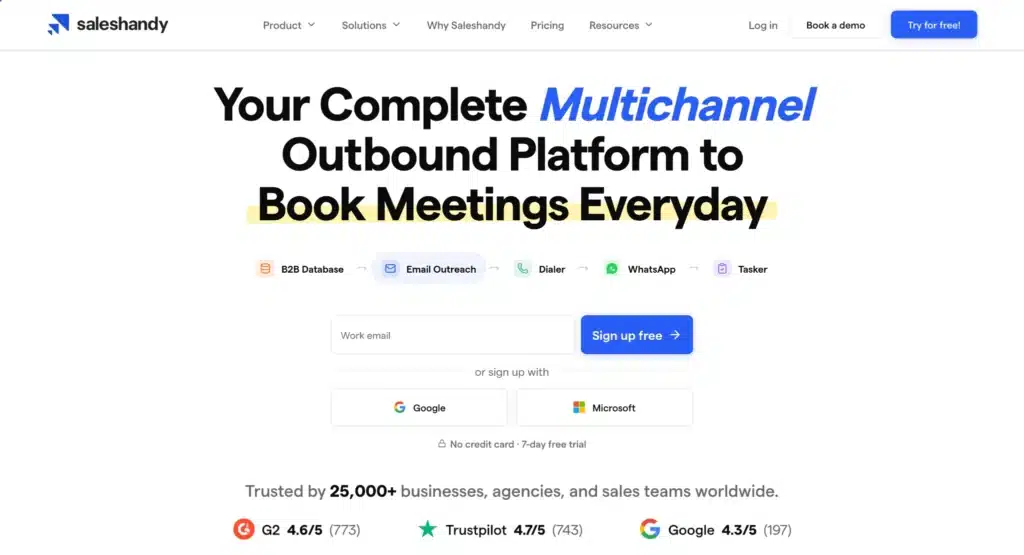
Saleshandy’s pitch is simple: $25/month, unlimited email accounts, and a built-in B2B lead finder with 850M+ contacts. Sending plus data in one tool at that price explains why it keeps appearing in budget evaluations.
Like Smartlead, it includes unlimited sending accounts with sender rotation on every plan. A unified inbox pulls replies from all connected mailboxes into one view, so reps aren’t logging into five accounts to find responses.
The catch sits one tier up. CRM integrations with HubSpot, Salesforce, and Pipedrive are locked to the Pro plan at $74/month. For any team that lives in a CRM, the $25 Starter is really a testing tier, and the working price is $74.
How Saleshandy compares to Lemlist
Saleshandy is significantly cheaper, and the included lead finder removes the expiring-credit anxiety at entry level. But it’s an email-first platform where LinkedIn and calling aren’t core channels, and reviewers flag warm-up reliability as a recurring concern, since warm-up runs through TrulyInbox, a separate product.
Key features
- Unlimited email accounts with automatic sender rotation
- Built-in lead finder with 850M+ B2B contacts
- Sequence scoring, A/B testing, and a unified inbox
- Agency features with unlimited client workspaces
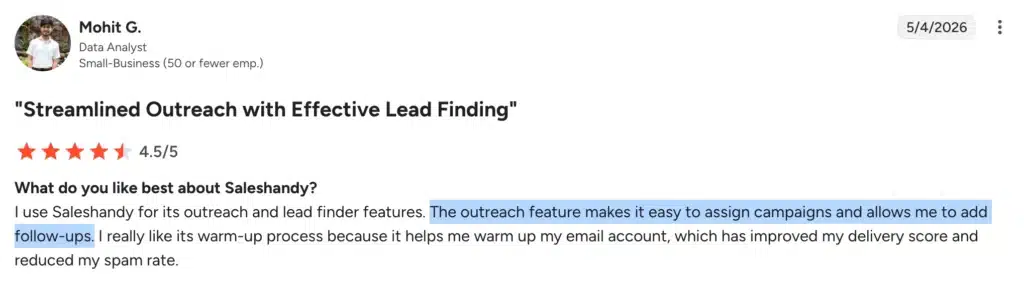
A verified G2 reviewer summed up the core appeal: the Lead Finder and email outreach sit in one platform, with clear segmentation that makes prospecting more efficient. The same reviews note advanced workflows sometimes need creative workarounds.
Pros
- Connect inboxes, build a sequence, and send within an hour make the platform easy to use
Source: G2 Review – Saleshandy
- Deliverability outcomes (sender rotation, dynamic IPs, built-in warm-up) are widely praised across reviews
- Lead database included and unlimited sending accounts on every plan, at the lowest entry price here
Cons
- UI/UX friction is the most-cited complaint theme, with reports of formatting and merge-field issues after interface updates

- Reviewers say warm-up scores, run through the separate TrulyInbox product, don’t always reflect real inbox placement

- The $25 headline climbs once Lead Finder and CRM (Pro, $74) are added
- Email-centric, with no native LinkedIn or phone outreach
Pricing
- Outreach Starter: $25/month for 2,000 prospects and 10,000 emails/month
- Outreach Pro: $74/month for 30,000 prospects, 125,000 emails/month, and CRM integrations
- Outreach Scale: $149/month for 60,000 prospects and 250,000 emails/month
G2 rating: 4.6/5 (770+ reviews)
4. Instantly – Best for simple email outreach at scale
Instantly is the most-reviewed tool in this comparison, and the reviews are strong: 4.8 on G2 across 4,000+ reviews. The formula is unlimited email accounts, unlimited warm-up, and an interface teams pick up in an afternoon rather than a week.
What changed since we first covered Instantly is the pricing structure. The platform is now modular. Outreach (the sending product) starts at $47/month, but the Lead Finder database runs $47–$169/month as a separate subscription, and the CRM is another $47/month.
The full stack starts around $124/month, which is still competitive but well above the number on the homepage.
How Instantly compares to Lemlist
Instantly prices by volume instead of per seat, so a 5-person team can share one subscription where Lemlist would charge for five. Its deliverability tooling is at least as strong. But it’s email only, with no LinkedIn automation and no calls, and assembling the full prospecting-to-CRM workflow means stacking three modules.
Key features
- Unlimited email accounts and warm-up on all Outreach plans
- Advanced sequencing with automatic inbox rotation
- Optional Lead Finder database and CRM modules
- New AI agent features that handle replies and book meetings automatically
Pros
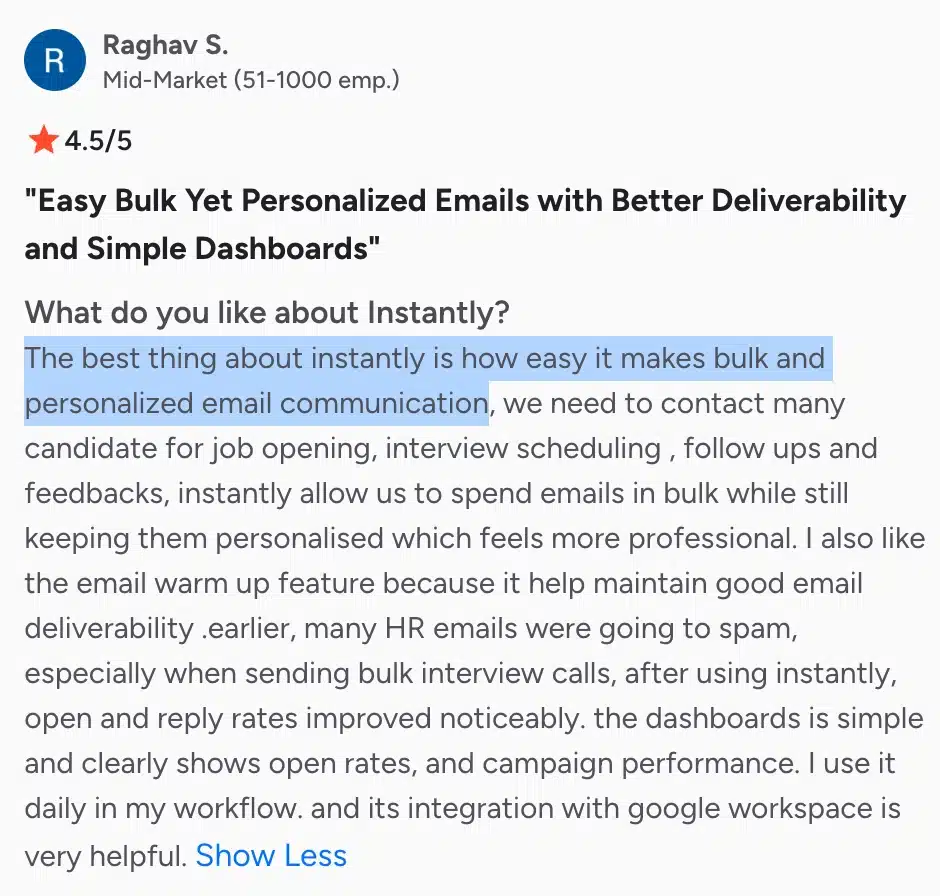
- Minimal learning curve and the centralized Unibox for managing every mailbox in one place
- Strong deliverability across high-volume sending
- Unlimited inboxes and warm-up at every tier, with volume-based pricing that favors growing teams
Cons
- Pricing and limited integrations are the most common G2 gripes, even among happy users

- Lead data accuracy draws complaints (higher bounce rates that can hurt deliverability)
- When placement drops, there are no alerts or tooling to explain why
- Domains set up through Instantly’s done-for-you service can be hard to take elsewhere
- Email only, and the entry Growth plan caps uploaded contacts at 1,000
Pricing
- Growth: $47/month, or $37.60 on annual billing, for 5,000 emails/month
- Hypergrowth: around $97/month for 25,000 emails/month
- Light Speed: around $358/month for high-volume sending
- Add-ons: Lead Finder from $47/month, CRM at $47/month
G2 rating: 4.8/5 (4,000+ reviews)
5. Reply.io – Best for multichannel teams that need calling
Reply.io covers more channels than anything else on this list. Email, LinkedIn, a built-in dialer with call recording, SMS, and WhatsApp all run inside one conditional sequence builder, so a prospect who ignores two emails can get a call step without leaving the workflow.
Its Jason AI agent, sold separately at a reported $139/user/month, handles prospecting, replies, and meeting booking with varying levels of autonomy.
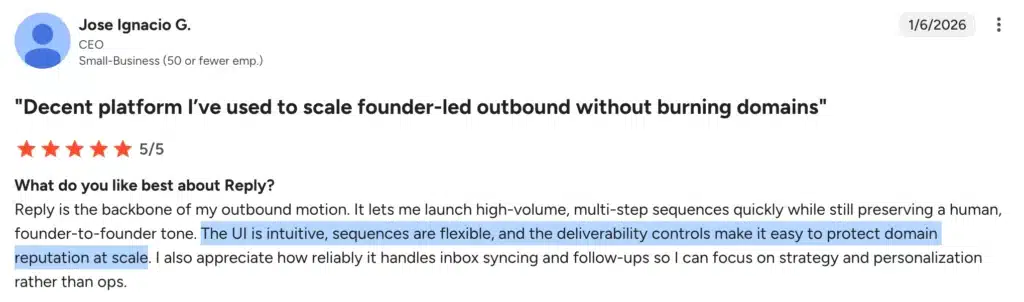
That breadth earns Reply.io a 4.6 on G2 across 1,500+ reviews. It also explains the most common complaint: with five channels, AI agents, and deliverability settings competing for attention, the interface takes weeks to master, not days.
How Reply.io compares to Lemlist
Reply.io brings more channels and deeper AI at comparable pricing. Its Multichannel plan at $89/user/month roughly matches Lemlist’s Multichannel plan, and while both include a dialer and SMS, Reply.io’s conditional sequencing across all five channels and its Jason AI agent go further than Lemlist’s automation.
The counterweights are a lot, though. Reviewers report LinkedIn account restrictions triggered by the automation, CRM field-mapping inconsistencies that push some teams back to Zapier, and recurring billing complaints around cancellations and refunds.
Key features
- Sequences across email, LinkedIn, calls, SMS, and WhatsApp
- Built-in dialer with recording, with no separate telephony subscription needed
- Jason AI SDR agent as a paid add-on
- B2B contact database included
Pros
- Ease of use
- Widest channel coverage here (email, LinkedIn, calls, SMS, WhatsApp) in one conditional sequence
- A native dialer at this price, plus a mature AI agent for teams ready to delegate
Cons
- The “$49 starting” price climbs fast once LinkedIn, calls/SMS, and a second seat are added
- High onboarding complexity and a steep learning curve are flagged repeatedly across G2 reviews

- LinkedIn automation can trigger account restrictions, a recurring user complaint, and it requires a separate add-on (reported at ~$69/month per account)
Pricing
- Starter (email only): $49/user/month, billed annually
- Multichannel: $89/user/month
- Agency: $166/month
- Jason AI: add-on at a reported $139/user/month
G2 rating: 4.6/5 (1,530+ reviews)
6. Apollo – Best for prospecting from a large database
Apollo remains the gravity well of B2B prospecting: a 200M+ contact database with sequencing, a dialer, and deal management attached, rated 4.7 on G2 across 9,500+ reviews. The free plan is genuinely useful for solo users, which is rare in this category.
The credit system is where the value gets complicated. Credits expire monthly with no rollover, mobile numbers burn roughly 8x more credits than emails, and overage pricing stays hidden until you’re already a customer.
Independent analyses and community benchmarks put real costs for heavy outbound at $150–400/user/month, well above the $49–119 sticker price. Reviewers also report bounce rates of 15–25%, which means budgeting for a separate verification layer.
Full disclosure: Crono uses Apollo as one of the 10+ providers in its enrichment waterfall. That’s the philosophical difference between the two tools: a single data source versus cross-referenced verification across many. The Crono vs Apollo comparison covers the head-to-head.
How Apollo compares to Lemlist
Apollo brings a far bigger database and a better free plan, but engagement is weaker, and one limitation matters most for readers of this article: LinkedIn outreach can’t be fully automated. LinkedIn steps surface as manual tasks for reps to complete, not automated sends.
Key features
- 200M+ contact database with intent and technographic filters
- Email sequencing, a dialer, and deal management
- AI research and personalization power-ups
- A Chrome extension for prospecting anywhere on the web
Pros
- Ease of use and fast, deep search filters are top praise themes, making reps productive within a day
- Apollo’s 200M+ contacts come at a price nothing else here matches, and the free plan is genuinely usable
- Sequences, a dialer, enrichment, and intent data without a separate subscription for each provide all-in-one value
Cons
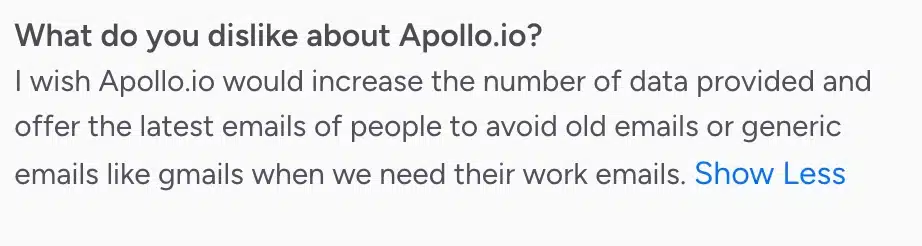
- Email and phone-number accuracy are inconsistent, per repeated reviews
- Credits expire monthly with no rollover
- UI gets cluttered at scale
Pricing
- Free: $0
- Basic: $49/user/month annual, or $59 monthly
- Professional: $79/user/month annual, or $99 monthly
- Organization: $119/user/month annual, or $149 monthly, with a 3-seat minimum
G2 rating: 4.7/5 (9,500+ reviews)
7. Klenty – Best for multichannel cadences for teams that already have data

Klenty’s appeal is predictability. Every price is on the website, every plan is per-seat, and the Growth tier at $70/user/month covers the multichannel essentials: email, phone, LinkedIn, and SMS steps with native CRM integrations.
The newer AI features, including Action AI and agentic cadences, live in the Plus plan at $99. Customer support is Klenty’s most consistently praised attribute on G2, scoring among the highest in the category.
The one structural gap is that Klenty has no built-in lead database. Lookups run on a modest credit allowance of around 200 per month, so you’ll pair it with Apollo, Lusha, or a similar data source, which is an extra subscription Lemlist’s database-included model doesn’t require.
How Klenty compares to Lemlist
Klenty offers comparable per-seat economics with a cleaner plan structure and a built-in dialer from the Growth plan up. But the email-only Startup plan at $50 is hard to justify against Instantly or Saleshandy, and the missing database means your true stack cost is Klenty plus a data tool.
Key features
- Multichannel cadences across email, calls, LinkedIn, and SMS
- A parallel dialer and calling features on higher tiers and add-ons
- Native CRM integrations from the Growth plan
- AI-powered email writing and workflow automation
Pros
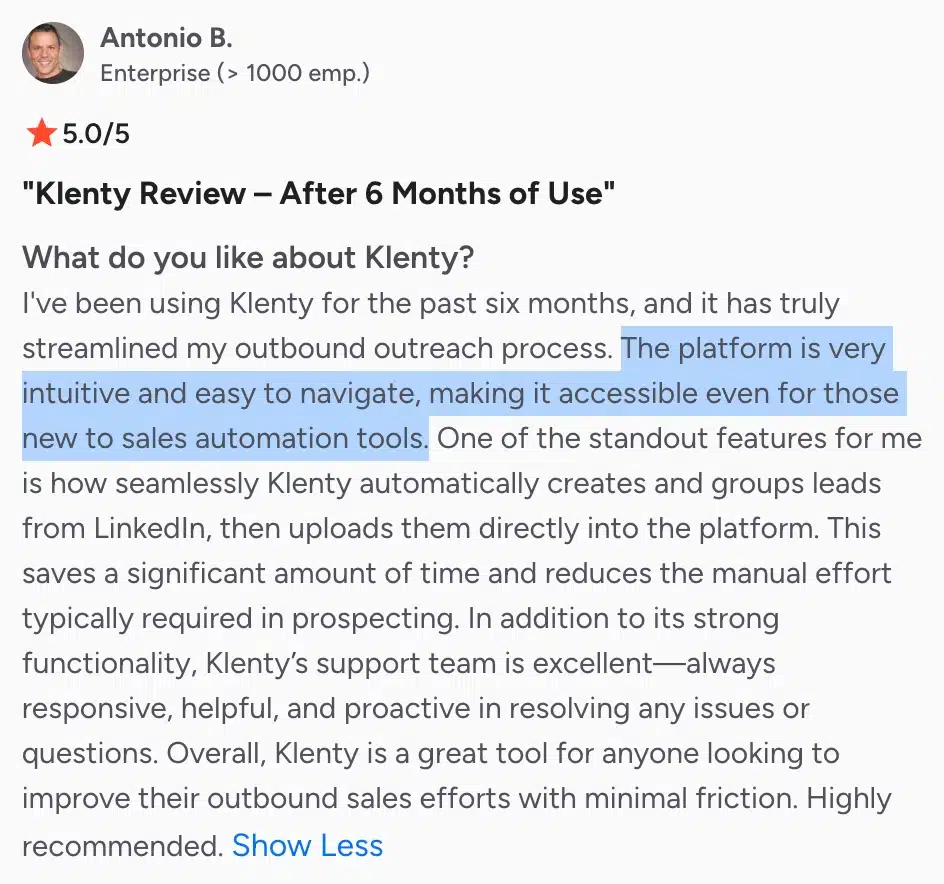
- Ease of use is a top-cited strength on G2
- It groups prospects on LinkedIn and pushes them straight into the platform, cutting manual prospecting time
- True multichannel from one screen (email, calls, LinkedIn, SMS) with bi-directional CRM sync that auto-logs activity
Cons
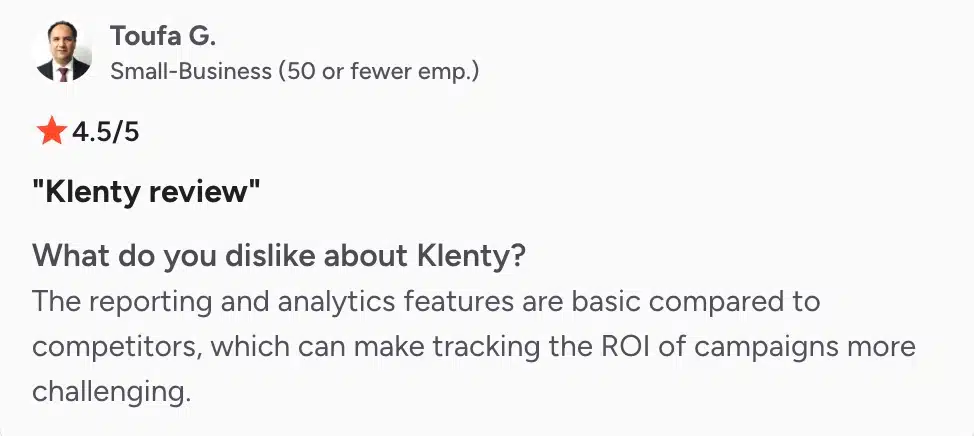
- Reviewers find the built-in reporting thin next to competitors, which makes tracking campaign ROI harder without exporting the data elsewhere
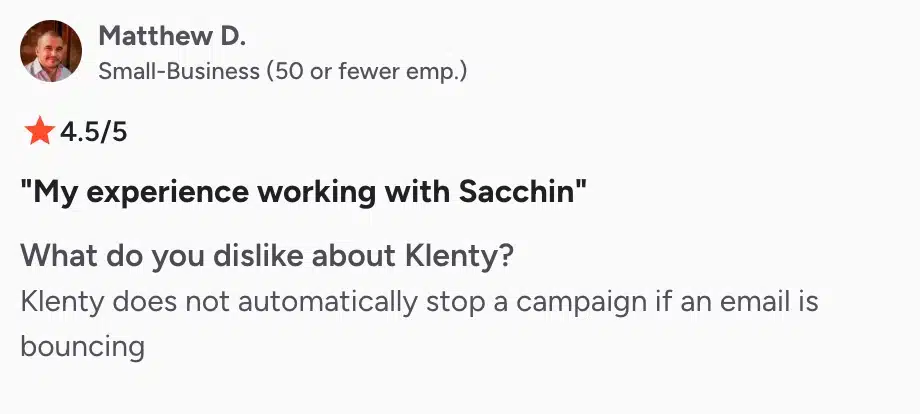
- Klenty won’t pause a sequence on its own when an address starts bouncing, so you have to catch it yourself before it dents your sender reputation
- There’s no built-in contact data, and advanced reporting plus AI features sit on the $99 Plus tier.
Pricing
- Startup: $50/user/month annual, email only
- Growth: $70/user/month, with multichannel and CRM integrations
- Plus: $99/user/month, adding AI features, calling minutes, and coaching
- Enterprise: custom
G2 rating: 4.6/5 (380+ reviews)
Which Lemlist Alternative Should You Choose?
| If You’re… | Start With | Why |
|---|---|---|
| A solo sender or 1–2 person team | Saleshandy or Instantly | Budget and simplicity matter more than channel breadth; per-seat tools are often overkill. |
| An outbound team where LinkedIn drives pipeline | Crono | Consolidates LinkedIn automation, email, enrichment, and CRM logging into one interface. |
| A call-heavy multichannel team | Reply.io | Combines a native dialer with email and LinkedIn outreach in a single sequence. |
| An agency running campaigns for multiple clients | Smartlead | Uses volume-based pricing instead of per-seat pricing and is built to manage many client inboxes. |
| Short on contacts to email in the first place | Apollo, then a sequencer | Fix your data and prospecting process before investing heavily in engagement tools. |
A few things to note:
- Crono earns the top spot only if your reps hold Sales Navigator licenses and you run HubSpot, Salesforce, or Pipedrive. Without Sales Navigator, you lose the feature that sets it apart.
- Saleshandy vs Instantly: start with Saleshandy ($25/month, data included) if budget is the priority, and pick Instantly if you expect to scale sending volume fast.
- Apollo is a starting point, not an endpoint. Pair it with a sequencing tool once your contact data is solid.
For a broader look beyond Lemlist replacements, our roundup of the best B2B sales prospecting software covers the full category.
FAQ
What is the best Lemlist alternative for LinkedIn outreach?
What is the cheapest Lemlist alternative?
Which Lemlist alternatives include a lead database?
Is Lemlist still worth it in 2026?
Can I migrate my campaigns from Lemlist?
Do these Lemlist alternatives offer free trials?
Choose The Most Flexible & Cost-effective Lemlist Alternative
Lemlist can handle cold email and multichannel outreach, but when your team needs more control, predictable costs, and an all‑in‑one workflow, Crono stands out as the smarter choice for modern sales teams.
- Transparent pricing. No ‘use‑it‑or‑lose‑it’ monthly credit resets.
- Flexible campaign logic: Edit conditionals mid-flight, update sequences after launch, and keep your workflows flowing, without starting over.
- Safer LinkedIn automation: Native integration with Sales Navigator, no scraping, and built-in safety limits help you personalize at scale without risking your account.
- Unified workflow: Run prospecting, enrichment, and engagement in one place.
Ready to send more emails, LinkedIn messages, and cold calls? Explore Crono today.
