
Outbound sales automation should do one thing above all else: increase qualified pipeline and rep efficiency by replacing repetitive execution tasks while keeping humans in the high-intent moments that actually convert. Companies using outbound automation tools report 10–20% stronger sales ROI and up to 15% shorter sales cycles, according to sector-reported benchmarks. That is the benchmark worth chasing, and the approach that gets you there is what practitioners now call “authentic automation”: AI as a co-pilot that enables hyper-personalized outreach at scale, not a volume machine firing generic blasts.
Before you read further, here are the three things your team should prioritize:
- Days 1–30: Pilot a clean-list and deliverability setup. Dedicated sending domains, SPF/DKIM/DMARC, and mailbox warm-up must be in place before a single sequence fires.
- Days 31–60: Deploy a multichannel pilot workflow (email, LinkedIn, calls) with automated reply classification routing only sales-ready responses to reps.
- Days 61–90: Instrument your KPI dashboard and close the feedback loop so reply outcomes and intent signals feed back into targeting and sequence design.
CAN-SPAM and TCPA compliance are not optional steps you add later. Build them into the pilot from day one, or you risk FTC enforcement action before you have a single qualified meeting on the calendar.
Table of Contents
- What does outbound sales automation actually look like as a 6-step process?
- What should you automate versus keep human?
- How should you architect your outbound tech stack?
- How do you run a phased rollout from pilot to scale?
- Which KPIs and feedback loops keep your automation healthy?
- What does U.S. deliverability and compliance require?
- How does Crono work as an execution layer in practice?
- Key Takeaways
- Why most teams are thinking about automation the wrong way
- Crono gives your team an execution layer that is ready to pilot now
- Useful sources for your rollout and compliance planning
What does outbound sales automation actually look like as a 6-step process?
Most teams that struggle with automated outreach are not missing a tool. They are missing a process. The six steps below form a repeatable playbook you can run as a controlled pilot and then scale.

Step 1: Define your ICP and lead sources

Start with a written ideal customer profile that specifies industry, company size, tech stack signals, and the job titles you are targeting. Without this, every downstream step produces noise. Your data team or sales ops lead owns this definition, and it should be reviewed every quarter as market signals shift. Identify two or three primary lead sources (a data provider, intent platform, or LinkedIn Sales Navigator) and document the criteria for a contact to enter your sequences.
Step 2: Clean and enrich your data
Dirty data is the single fastest way to destroy deliverability and waste rep time. Before any contact enters a sequence, run it through an enrichment layer that validates email addresses, appends firmographic data, and scores fit against your ICP. AI-powered prospecting tools now handle enrichment, deduplication, and fit scoring automatically. Reject any contact with a confidence score below your threshold. Sales ops owns this gate.
Step 3: Design multichannel sequences
High-performing workflows combine email, LinkedIn, and calls rather than relying on email alone. A practical cadence for most B2B teams is 5–7 touches over 2–3 weeks:
- Touch 1 (Day 1): Personalized email with a specific, relevant hook
- Touch 2 (Day 3): LinkedIn connection request or profile view
- Touch 3 (Day 5): Follow-up email referencing a trigger event or content piece
- Touch 4 (Day 8): LinkedIn message or voice note
- Touch 5 (Day 11): Phone call with a brief voicemail
- Touch 6 (Day 14): Final email with a clear opt-out path
- Touch 7 (Day 17, optional): Re-engagement via a different channel if intent signals warrant it
Use conditional logic and data variables for personalization. If a contact’s company recently raised a funding round, that variable should appear in the email subject line automatically. Generic spintax (“Hi {FirstName}, I noticed you work at {Company}”) is not personalization. It is a template wearing a disguise.
Pro Tip: Build your sequences so that a contact’s behavior (opened but did not reply, clicked a link, visited your pricing page) triggers a branch, not just a timer. Behavior-triggered branches consistently outperform day-based linear sequences because they respond to actual intent signals.
Step 4: Configure deliverability and sending
Dedicated sending domains, automated warm-up, and correct DNS records are prerequisites, not nice-to-haves. Set daily sending limits per mailbox (typically 30–50 emails per day during warm-up, scaling gradually), rotate across multiple mailboxes, and run inbox placement tests before launching. This step is owned jointly by sales ops and whoever manages your domain infrastructure.
Step 5: Automate reply classification and CRM sync
Unified reply handling lets you classify every inbound response programmatically. The table below shows how to route common reply types:
| Reply intent | Classification | Handling rule |
|---|---|---|
| Positive interest / meeting request | Sales-ready | Route immediately to rep; create CRM opportunity |
| “Not right now, follow up in Q3” | Future interest | Pause sequence; create CRM task with date |
| “Wrong person, try [name]” | Referral | Auto-create new contact; enroll in sequence |
| Out-of-office | OOO | Pause sequence; resume after return date |
| Unsubscribe / “remove me” | Opt-out | Suppress immediately; log in CRM |
| Angry or complaint | Escalation | Flag for human review; pause all sequences |
Only sales-ready replies should reach a rep’s queue. Everything else is handled by rules. This protects rep focus and reduces lead leakage.
Step 6: Measure and iterate
Set a weekly review cadence for your core metrics: reply rate, positive reply rate, meeting conversion, and inbox placement. Feed reply outcomes back into your targeting model. If a specific persona is generating high opt-outs and low positive replies, that is a signal to revisit your ICP definition or your messaging for that segment, not a reason to increase volume.
The most common mistake teams make is treating automation as a volume lever. The teams that win treat it as a precision instrument: fewer, better-targeted contacts, with messages that feel like they were written by someone who actually did their homework. Volume without relevance is just spam with extra steps.
What should you automate versus keep human?
The right answer depends on two variables: impact on conversion and risk to brand reputation. Map every task against those two axes before you decide.
The impact × risk framework
- High impact, low risk → automate fully. Data enrichment, email validation, follow-up scheduling, meeting nudges, reply triage, and CRM field updates all belong here. These tasks are repetitive, rules-based, and do not require judgment.
- High impact, high risk → human-in-the-loop. Qualified discovery calls, objection handling, enterprise negotiation, and any touchpoint where a wrong word could kill a deal require a rep. Automation can draft the message or surface the next best action, but a human reviews and sends.
- Low impact, low risk → automate or eliminate. Manual data entry, contact deduplication, and sequence enrollment for cold contacts that meet ICP criteria are good candidates.
- Low impact, high risk → eliminate or redesign. Automated messages to contacts who have already complained or opted out fall here. No automation should touch these.
Tasks that belong to automation
- Email address validation and bounce prevention
- Firmographic and technographic enrichment
- Sequence enrollment based on ICP fit score
- Day-based and behavior-triggered follow-ups
- Meeting reminder and confirmation messages
- Reply classification and routing
- CRM field updates from sequence activity
- Intent signal monitoring and account scoring
Tasks that must stay human
- First qualified discovery conversation
- Handling objections about price, security, or contract terms
- Any communication with a contact who has expressed frustration
- Enterprise multi-stakeholder negotiation
- Final proposal and close conversations
Red flags that automation is hurting conversion
Watch for these signals weekly. If you see more than one trending in the wrong direction, pause and diagnose before increasing volume:
- Reply quality is falling (more opt-outs, fewer substantive responses)
- Spam complaint rate is climbing above 0.1%
- MQL-to-SQL conversion is dropping despite higher volume
- Message resonance scores (if you track them) are declining
- Reps are reporting that prospects mention feeling “spammed”
Feedback loops from CRM signals are what separate teams that improve over time from teams that plateau. When reply outcomes feed back into targeting, the model gets smarter. Without that loop, you are optimizing in the dark.
How should you architect your outbound tech stack?
A four-layer architecture gives you the clearest way to think about which tools go where and how they connect. Each layer has a distinct job, and the integration patterns between them determine whether your stack produces clean pipeline or CRM garbage.
The four layers
Layer 1: Data and sourcing. This is where contacts enter your system. Sources include intent data platforms, data providers, LinkedIn Sales Navigator, and your own CRM’s existing contacts. The selection criterion here is data quality: accuracy of email addresses, freshness of firmographic data, and coverage of your ICP segments. AI tools for prospecting now combine sourcing and enrichment in a single step, which reduces the number of point solutions you need to manage.
Layer 2: Intelligence and enrichment. Raw contact data becomes actionable here. Enrichment tools append job titles, tech stack signals, funding events, and intent scores. AI agents can now draft sequences, score accounts, and prioritize outreach automatically based on enriched profiles. The key selection criterion is enrichment accuracy: what percentage of records come back with verified, usable data.
Layer 3: Orchestration and sequencing. This is the workflow engine. It manages branching logic, signal-based triggers, timing rules, and multichannel coordination. Enterprise and mid-market teams need conditional branching (if contact opened email but did not reply, wait two days then send LinkedIn message), two-way CRM sync, and the ability to pause or modify sequences based on real-time signals. B2B sales orchestration is the discipline that governs this layer.
Layer 4: Execution and deliverability. Email sending infrastructure, dialers, LinkedIn automation tools, and AI agent runtime all live here. This layer is where deliverability controls matter most: dedicated subdomains, mailbox rotation, warm-up schedules, and bounce handling.
Stack integration patterns
The connector architecture that works for most mid-market teams follows this flow:
CRM (single source of truth) ↔ Orchestration layer ↔ Execution layer ↔ Analytics
- The CRM holds the canonical contact and opportunity record. Nothing writes to it without passing through a validation rule.
- The orchestration layer reads from the CRM, executes sequences, and writes activity data back via two-way sync.
- The execution layer (email infrastructure, dialer, LinkedIn tool) fires the actual touchpoints and returns delivery and engagement events to the orchestration layer.
- Analytics pulls from both the CRM and the orchestration layer to produce attribution-ready reporting.
For teams building custom integrations between these layers, a custom CRM integration approach gives you precise control over data flows and sync rules, which is especially important when you need to avoid writing junk data back to your CRM.
Layer selection criteria
| Layer | Must-have criteria | Common failure mode |
|---|---|---|
| Data & sourcing | Email accuracy rate, ICP coverage, refresh frequency | Stale data inflating bounce rates |
| Intelligence & enrichment | Enrichment match rate, tech stack signal accuracy | Low match rates leaving fields blank |
| Orchestration & sequencing | Conditional branching, two-way CRM sync, signal triggers | Linear sequences that ignore behavior |
| Execution & deliverability | Dedicated domain support, warm-up, bounce handling, dialer compliance | Sending from shared domains, no warm-up |
Pro Tip: Treat your CRM as the single source of truth and enforce a “clean write” rule: the orchestration layer only pushes data back to the CRM when a record meets a quality threshold. Junk in the CRM compounds over time and corrupts every downstream report.
How do you run a phased rollout from pilot to scale?
A controlled rollout reduces risk, builds internal confidence, and gives you the data you need to make a go/no-go decision before committing full budget. The checklist below is organized by phase.
Phase 1: Pilot configuration (Days 1–30)
- Define ICP criteria and document them in writing with sales ops and at least two senior SDRs.
- Select one target segment (one persona, one industry vertical) for the pilot.
- Procure or configure dedicated sending domains (minimum two per use case).
- Begin automated mailbox warm-up; do not send sequence emails until warm-up is complete.
- Configure SPF, DKIM, and DMARC records and verify with an inbox placement test.
- Set up reply classification rules in your orchestration layer.
- Configure two-way CRM sync with clean-write rules.
- Brief legal on CAN-SPAM compliance requirements and document your opt-out handling process.
- Enroll a test cohort of 50–100 contacts that meet ICP criteria.
- Run the pilot sequence and monitor deliverability daily.
Phase 2: Safe send setup and data targeting (Days 31–60)
- Review pilot deliverability metrics: inbox placement should be above 90%, bounce rate below 2%, spam complaint rate below 0.1%.
- Expand the contact cohort to 250–500 contacts if pilot metrics are healthy.
- Add a second channel (LinkedIn or calls) to the sequence.
- Enable behavior-triggered branching based on email opens and link clicks.
- Run a rep enablement session covering reply handling, CRM hygiene, and sequence override protocols.
- Review reply classification accuracy and adjust rules where misrouting occurred.
- Instrument your KPI dashboard with sequence-level and rep-level views.
Phase 3: Orchestration and scale (Days 61–90)
- Expand to two or three additional ICP segments based on pilot learnings.
- Deploy AI-assisted personalization variables (funding events, tech stack signals, recent news).
- Establish a weekly sequence review cadence with SDR team leads.
- Set up feedback loop: reply outcomes and intent signals feed back into ICP scoring model.
- Document go/no-go criteria for full-scale deployment.
- Review budget actuals against estimates and adjust data credit and infrastructure spend.
Roles and responsibilities
| Function | Pilot phase | Scale phase |
|---|---|---|
| Sales ops | Owns configuration, CRM sync rules, and reporting setup | Owns ongoing optimization and data governance |
| SDR team | Provides ICP input, runs sequences, reviews reply routing | Owns sequence performance and rep-level metrics |
| Deliverability owner | Configures domains, warm-up, and DNS records | Monitors placement and manages domain health |
| Legal | Reviews CAN-SPAM compliance and opt-out process | Periodic review of new channels (SMS, dialing) |
| Analytics | Instruments KPI dashboard | Owns attribution model and feedback loop reporting |
Budget considerations
Budget ranges vary significantly by team size and stack complexity, but the major line items are consistent:
- Mailbox warm-up services: typically a few hundred dollars per month for a small sending infrastructure
- Data credits (enrichment and sourcing): often the largest variable cost; scales with contact volume
- Orchestration platform subscription: mid-market teams typically spend in the low thousands per month for a capable platform
- Integration engineering hours: custom CRM integrations and middleware work can run from a few days to several weeks depending on complexity; a Retool-to-custom-app migration is one path teams use to reduce ongoing maintenance costs
Pilot success criteria
Go/no-go thresholds for moving from pilot to scale:
- Inbox placement rate: above 90%
- Bounce rate: below 2%
- Spam complaint rate: below 0.1%
- Positive reply rate: above 2% (varies by segment and offer)
- Meeting conversion from positive reply: above 30%
- CRM data quality: fewer than 5% of synced records flagged as duplicates or missing required fields
A well-designed pilot defines these thresholds before the first email sends, not after you have already scaled to thousands of contacts.
Which KPIs and feedback loops keep your automation healthy?
Metrics without a feedback loop are just scorekeeping. The goal is a reporting structure that tells you what to fix, not just what happened.
Core metric definitions and benchmarks
Deliverability metrics:
- Inbox placement rate: percentage of sent emails landing in the primary inbox (target: above 90%)
- Bounce rate: hard and soft bounces as a percentage of sends (target: below 2%)
- Spam complaint rate: complaints reported to ISPs (target: below 0.1%)
- Domain reputation score: monitored via Google Postmaster Tools or similar
Engagement metrics:
- Open rate: useful as a directional signal, less reliable since Apple Mail Privacy Protection
- Reply rate: total replies as a percentage of delivered emails
- Positive reply rate: replies showing genuine interest as a percentage of delivered emails
- Click-through rate: relevant for emails with embedded links or case study references
Conversion metrics:
- Positive reply to meeting rate: percentage of positive replies that result in a booked meeting
- Meeting to opportunity rate: percentage of meetings that create a CRM opportunity
- Sequence-to-pipeline rate: pipeline value created per sequence cohort
Revenue-impact metrics:
- Pipeline created by outbound sequences (by segment, by rep, by sequence)
- Influenced ARR: opportunities where outbound touched the account before close
Dashboard layout
A practical dashboard has three levels:
- Top-line view: total pipeline created, total meetings booked, overall positive reply rate, and deliverability health (placement rate, complaint rate). This is what revenue leaders check weekly.
- Sequence-level drilldown: reply rate, positive reply rate, meeting conversion, and step-by-step drop-off for each active sequence. SDR managers use this to identify which steps are underperforming.
- Rep-level productivity: meetings booked per rep, reply handling time, and CRM update compliance. Sales ops uses this to identify coaching opportunities.
Attribution guidance
Multi-touch attribution for outbound is genuinely hard, and most teams get it wrong in one of two ways: they either give all credit to the last outbound touch before a meeting books, or they count the same pipeline in both outbound and marketing reports. A cleaner approach is to define outbound-sourced pipeline as any opportunity where the first meaningful engagement came from an outbound sequence, and outbound-influenced pipeline as any opportunity where outbound touched the account during the sales cycle. Both metrics matter; neither should be double-counted.
Closing the feedback loop
Reply outcomes and intent signals should feed back into your targeting model on a regular cadence. If a specific job title is generating high opt-outs across multiple sequences, remove it from your ICP or redesign the messaging for that persona. If accounts from a specific industry are converting at twice the average rate, weight that industry higher in your scoring model. The feedback loop is what turns a static sequence into a self-improving system.
What does U.S. deliverability and compliance require?
Deliverability is engineering work, not a marketing afterthought. The technical and legal requirements below are the minimum baseline for any team sending at scale in the United States.
Technical deliverability checklist
- Dedicated sending domains: never send outbound sequences from your primary corporate domain. Use dedicated subdomains (e.g., mail.yourdomain.com) and separate them by use case (prospecting vs. nurture).
- SPF record: publish a Sender Policy Framework record that authorizes your sending infrastructure.
- DKIM signing: configure DomainKeys Identified Mail signing for every sending domain.
- DMARC policy: set a DMARC policy (start with p=none for monitoring, move to p=quarantine or p=reject as reputation builds).
- Automated warm-up: use a dedicated warm-up service before sending any sequence emails. Deliverability failures are commonly caused by sending from domains without warm-up or correct DNS records.
- Inbox placement testing: run placement tests across major ISPs (Gmail, Outlook, Yahoo) before launching each new sequence or domain.
- Bounce handling: hard bounces must be suppressed immediately; soft bounces after three consecutive failures.
- Mailbox rotation: distribute sends across multiple mailboxes to stay within per-mailbox daily limits.
- Volume ramping: increase daily send volume gradually. Sudden spikes in volume from a new domain are a strong spam signal.
Statistic callout: Spam complaint rates above 0.1% trigger deliverability interventions from major ISPs, including Gmail’s bulk sender guidelines, which can result in messages being routed to spam or blocked entirely.
U.S. legal and regulatory references
The following are references for your legal team, not legal advice. Confirm current requirements with qualified counsel before launching.
- CAN-SPAM Act (FTC): governs commercial email in the United States. Key requirements include a clear sender identification, a functioning opt-out mechanism, and prompt suppression of opt-out requests. The FTC publishes the authoritative guidance.
- TCPA (FCC): governs telephone calls and SMS messages. Automated dialing and text messaging to cell phones require prior express consent in most circumstances. Review FCC guidance and consult legal counsel before deploying dialer or SMS sequences.
- Recordkeeping: maintain records of opt-out requests, consent documentation, and sequence activity logs. These records are your first line of defense in any compliance review.
Safe-scaling rules
- Ramp new domains over 4–6 weeks before reaching target daily volume.
- Use separate subdomains for each sending use case (cold prospecting, event follow-up, re-engagement).
- Monitor Google Postmaster Tools and Microsoft SNDS weekly for domain reputation signals.
- Set automated alerts for complaint rate spikes above 0.08% so you can intervene before reaching the 0.1% threshold.
- Never reuse a domain that has been blacklisted; retire it and warm up a replacement.
How does Crono work as an execution layer in practice?
Crono functions as the sales execution layer that sits between your CRM and your outbound channels, connecting enrichment, orchestration, AI agents, and multichannel execution into a single workflow. The example below shows how a typical outbound workflow runs inside Crono.
Workflow example: enterprise SDR account outreach
- Trigger: A new account meets ICP fit score threshold in the CRM (industry, headcount, tech stack match).
- Enrichment action: Crono pulls firmographic data, recent funding events, and key contact details from connected data sources.
- Branching logic: If the account has a known champion contact, route to the “champion-first” sequence. If no champion is identified, route to the “multi-threaded cold” sequence.
- Sequence execution: Crono fires the first email with personalized variables (funding event, tech stack reference, relevant case study). LinkedIn connection request fires on Day 3.
- Reply routing: Incoming replies are classified automatically. Sales-ready replies create a CRM task and notify the assigned rep within minutes. Opt-outs trigger immediate suppression.
- CRM sync: All activity (sends, opens, replies, meetings booked) writes back to the CRM opportunity record in real time.
- Escalation rule: If a contact replies with a complaint or escalation keyword, the sequence pauses and a Slack notification goes to the SDR manager.
Three ready-to-use play templates
Enterprise SDR account outreach: Use this for named accounts with multiple stakeholders. The sequence runs 7 touches over 3 weeks, threads across email and LinkedIn, and uses funding and hiring signals as personalization hooks. Best for accounts with ACV above $50K.
Mid-market product demo cadence: A tighter 5-touch sequence over 2 weeks, focused on a single decision-maker. The hook is a specific pain point tied to the prospect’s tech stack. Works well when you have a strong product-led motion and a short sales cycle. Crono’s AI rewrite feature can generate personalized variants for each contact automatically.
High-intent re-engagement flow: Triggered when a contact visits your pricing page or engages with a case study. A 3-touch sequence fires within 24 hours of the intent signal, referencing the specific content they viewed. Conversion rates on intent-triggered sequences tend to be meaningfully higher than cold outreach because the contact has already shown interest.
For teams deploying AI sales agents as part of their outbound motion, Crono’s agent layer handles research, enrichment, and sequence drafting automatically, reducing the manual setup time for each new play.
Anonymized case example
A B2B SaaS team running a pilot on Crono’s execution layer (Crono internal data, specific figures to be confirmed with the Crono team) reported a meaningful lift in positive reply rate and a shorter average time from first touch to booked meeting compared to their prior manual process. The primary drivers were behavior-triggered branching (replacing day-based linear sequences) and automated reply classification (eliminating the manual triage step that had been consuming two to three hours of SDR time per week).
Implementation choices vary by team size, ICP complexity, and existing stack. The workflow above is one configuration, not the only path. What stays consistent across implementations is the principle: automate the repetitive execution, keep humans in the high-judgment moments, and close the feedback loop so the system improves over time.
Crono’s agentic sales execution examples page shows additional workflow configurations for different team sizes and go-to-market motions.
Key Takeaways
Outbound sales automation delivers 10–20% stronger sales ROI and up to 15% shorter sales cycles when built on clean data, multichannel sequencing, and a feedback loop that feeds reply outcomes back into targeting.
| Point | Details |
|---|---|
| Start with deliverability | Set up dedicated sending domains, SPF/DKIM/DMARC, and automated warm-up before any sequence fires. |
| Automate execution, not judgment | Enrich, follow up, and triage replies automatically; keep reps on qualified calls and objection handling. |
| Use a four-layer stack | Data, enrichment, orchestration, and execution layers each have distinct jobs; integrate them with clean-write CRM rules. |
| Measure what moves pipeline | Track positive reply rate, meeting conversion, inbox placement, and pipeline created — not just open rates. |
| Crono as execution layer | Crono connects CRM, enrichment, AI agents, and multichannel execution into one workflow, with play templates you can deploy immediately. |
Why most teams are thinking about automation the wrong way
The conventional wisdom says that more automation equals more pipeline. Run more sequences, contact more people, fire more emails. The data does not support that framing, and the teams that have scaled fastest are the ones that figured this out early.
The real constraint in outbound is not volume. It is relevance. A rep who sends 20 highly personalized, well-timed messages to the right accounts will consistently outperform a sequence that blasts 500 generic emails to a loosely defined list. Automation’s job is to make that rep’s 20 messages feel like they were written by someone who spent an hour researching each account, without actually spending that hour. That is the “authentic automation” model, and it requires a fundamentally different mindset than the volume-first approach.
There is also a change management dimension that most rollout guides skip entirely. SDRs often resist automation because they fear it will replace them or expose their underperformance. The teams that get adoption right involve SDRs in template design from the start. When a rep’s own language and instincts are baked into the sequence, they own the outcome. They stop seeing the tool as a threat and start seeing it as leverage. Running rep-led A/B pilots and spotlighting early wins in team meetings is the fastest path to genuine buy-in.
Common objections and how to address them:
- “This feels like spam.” It does if you skip personalization and send to a dirty list. It does not if you use behavior triggers, data variables, and a clean ICP. Show the team the difference between a generic blast and a behavior-triggered, personalized sequence.
- “We will get blacklisted.” You will if you skip the deliverability setup. Dedicated domains, warm-up, and volume ramping are the controls that prevent it. Make the technical setup visible to skeptics.
- “Reps will lose their touch.” Automation handles the repetitive touches. Reps still own every qualified conversation. The AI tools for sales coaching available today actually help reps improve their live conversations, not replace them.
- “The cost is too high.” Calculate the cost of a rep spending two hours per day on manual follow-ups and data entry. That is the baseline you are replacing.
Pro Tip: Run your first A/B pilot with two SDRs who are already high performers and willing to experiment. Their results become the internal case study that convinces the rest of the team. Skeptics trust peers more than they trust vendors or managers.
Crono gives your team an execution layer that is ready to pilot now
Pipeline growth without proportional headcount growth is the challenge every revenue leader is trying to solve. Crono is built specifically for that problem. Rather than replacing your CRM or forcing you to rebuild your stack, Crono connects your existing tools into a unified execution layer where AI agents and reps work together: enriching contacts, firing multichannel sequences, classifying replies, and syncing clean data back to your CRM automatically.
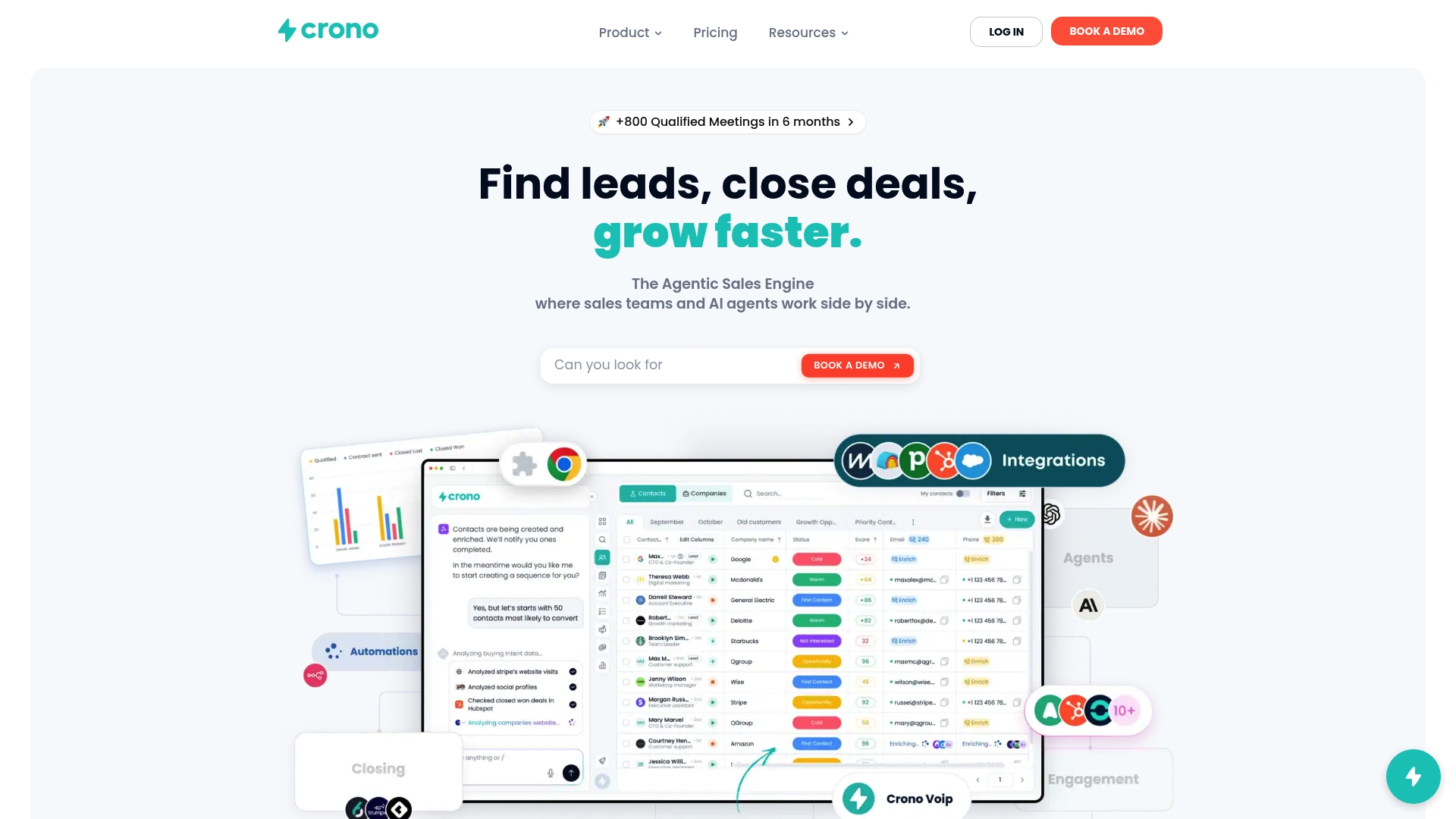
The practical difference is that your SDRs spend their time on qualified conversations, not on manual follow-ups, data entry, or reply triage. Crono’s play templates (enterprise account outreach, mid-market demo cadence, high-intent re-engagement) give you a starting point you can deploy in days, not months. Teams that want to see the execution layer in action can start with Crono’s outbound sales engagement guide or review the sales automation tools comparison to understand where Crono fits in your stack. When you are ready to run a pilot, the Crono team can walk you through a configuration matched to your ICP, your channels, and your existing CRM.
Note: The Crono workflow example in this article reflects one configuration of the platform. Implementation choices vary by team size, stack, and go-to-market motion.
Useful sources for your rollout and compliance planning
The resources below support deeper research on outbound automation, deliverability, and U.S. regulatory compliance.
- Outbound Sales Automation: Guide for 2026 — Woodpecker: A practitioner-focused guide covering authentic automation, pilot design, and common mistakes. Used as a primary reference for the ROI benchmarks and pilot success criteria in this article.
- Outboundry — Deliverability and multichannel outbound platform: Product documentation covering deliverability infrastructure, unified inbox, and reply classification. Referenced for technical deliverability requirements and multichannel sequencing guidance.
- Gumloop — Best sales automation tools overview: An overview of AI-powered sales automation capabilities including agent-based enrichment and orchestration features.
- CAN-SPAM Act guidance (FTC): The Federal Trade Commission publishes the authoritative U.S. rules for commercial email. Search “CAN-SPAM” at ftc.gov for the current compliance guide. (Official URL not listed in research pool; consult ftc.gov directly.)
- TCPA guidance (FCC): The Federal Communications Commission governs automated dialing and SMS. Search “TCPA” at fcc.gov for current rules. (Official URL not listed in research pool; consult fcc.gov directly.)
- Crono — B2B Sales Orchestration Explained: Crono’s guide to orchestration architecture and integration patterns for revenue teams.
- Crono — How to Deploy AI Sales Agents in B2B Sales: Practical guidance on configuring AI agents as part of an outbound execution layer.
- Crono — Scalable Outbound Prospecting for Mid-Market B2B: A mid-market prospecting playbook covering ICP definition, targeting, and pilot design.
- Crono — Multichannel Campaign to Close Deals with Your ICP: A walkthrough of multichannel campaign design and sequencing strategy.
