
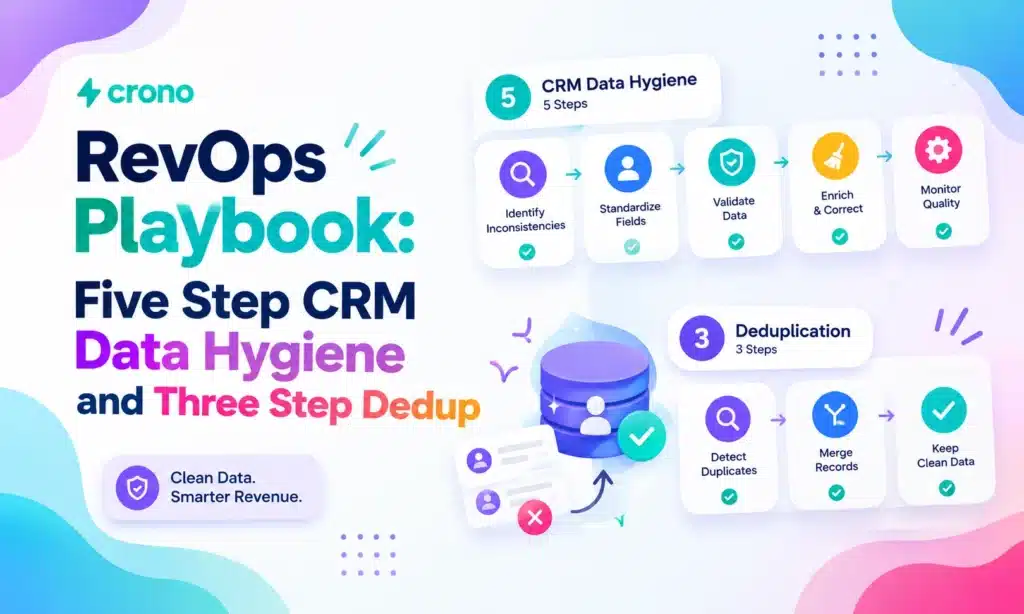
CRM data hygiene is the ongoing practice of keeping customer records accurate, complete, and consistent, not a one-time cleanup project. The single highest priority action is enforcing validation rules at the point of entry and running a baseline audit this week. Get those two things moving and you will see the payoff fast: tighter forecasting and far fewer leads routed to the wrong rep.
Key Actions and KPIs Every RevOps Leader Should Track
Fixing CRM data hygiene starts with a short list of moves that produce outsized returns. You do not need a six-month initiative to see progress. You need the right five or six actions, done consistently, tracked against the right numbers.
- Lock down entry standards. Require validation rules on core fields (email format, phone format, required lead source) before a record ever saves.
- Run duplicate detection on a schedule. Use fuzzy matching on name, email domain, and phone to catch near duplicates, not just exact ones.
- Assign survivorship rules in advance. Decide which record wins when two duplicates merge, before you find your first collision.
- Name a data steward. Someone has to own the audit calendar and enforce the rules, or they decay within a quarter.
- Automate what breaks most often. Field validation and enrichment refreshes are the two tasks most worth automating first.
CRM data decays at roughly 34% per year, which means a database left untouched for even 18 months is more wrong than right. Track three numbers monthly: field completeness percentage, duplicate rate, and forecast variance against closed revenue. Those three tell you whether your hygiene program is actually working or just generating busywork.
What Is CRM Data Hygiene, Exactly?
CRM data hygiene is the continuous discipline of validating, standardizing, and updating records so your database reflects reality at any given moment. That is different from data cleansing, which is typically a one-time correction project, and different from data enrichment, which adds new information rather than fixing what is already broken. Hygiene is the ongoing maintenance layer that makes both of those other activities worth doing at all.
Think of it this way: cleansing is the deep clean you do when things have gotten bad. Enrichment is adding furniture to a room. Hygiene is sweeping the floor every day so the room never gets bad enough to need either.
The core activities that make up CRM data hygiene best practices break down into five categories:
- Validation — catching bad data before it enters the system, not after.
- Deduplication — merging or removing records that represent the same person or account.
- Standardization — enforcing consistent formats for phone numbers, job titles, industry codes, and naming conventions.
- Enrichment — filling gaps in existing records with verified third party or first party data.
- Archival — retiring stale or dead records so they stop skewing reports and routing logic.
Sequence matters here more than most teams realize. Enriching a database full of duplicates just multiplies the mess. Every enriched field on a duplicate record is wasted enrichment spend, and every automated workflow built on top of dirty data inherits that dirt at scale. That is why validating customer data and deduplicating always come before enrichment, never after. Skip that order and you are optimizing garbage instead of removing it.
Why Does CRM Data Hygiene Affect Revenue?
Bad CRM data does not just create annoying busywork. It distorts the numbers leadership uses to make real decisions, and it does so quietly enough that most teams do not notice until the forecast misses by a wide margin.
An HBR analysis found that only about 3% of enterprise data meets basic quality standards. That is not a rounding error. It means the vast majority of records feeding pipeline reports, territory assignments, and lead scoring models carry at least one meaningful flaw.
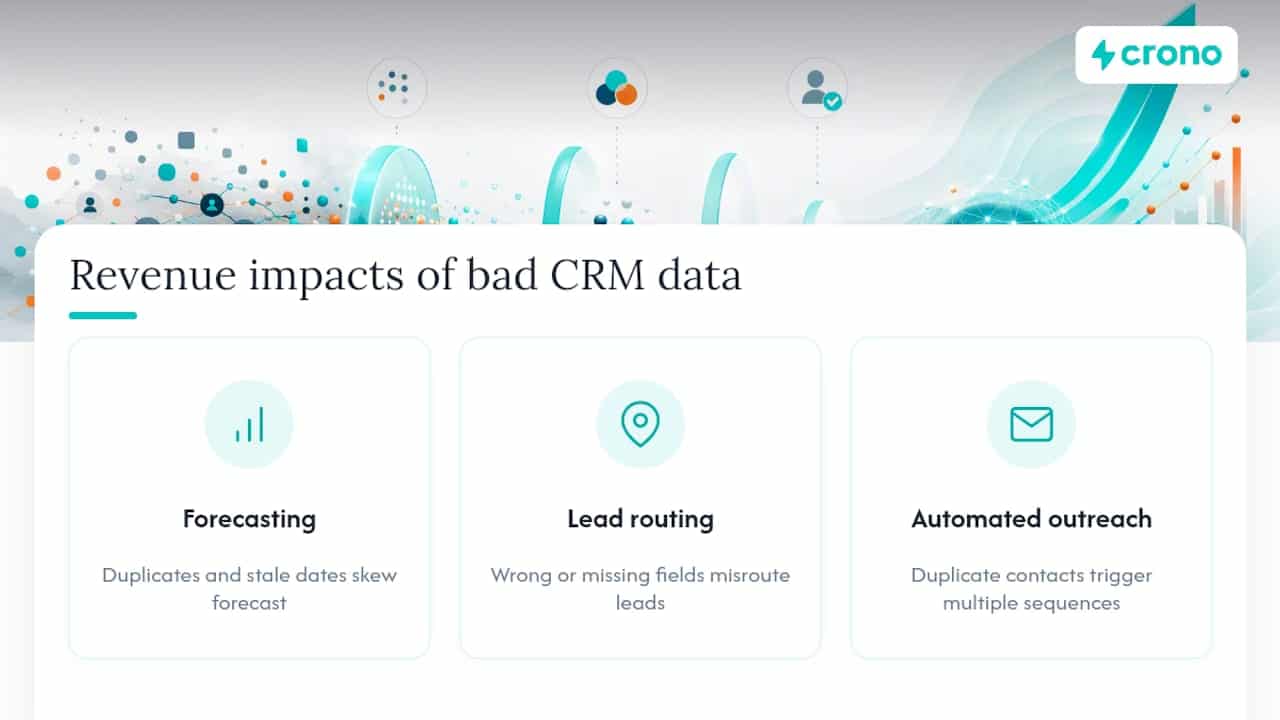
The downstream effects show up in three places specifically:
Forecasting. A sales forecast is only as good as the stage, close date, and amount fields behind it. Duplicate opportunities inflate pipeline value. Stale close dates push commit numbers that never materialize. RevOps leaders who trust a forecast built on decayed data are, in effect, planning against fiction.
Lead routing. Territory and industry fields determine who gets a lead. When those fields are wrong or missing, leads land on the wrong desk, sit unclaimed, or get assigned to a rep who has no business owning that account. Every misrouted lead is a slower response time, and slower response time is one of the most reliable predictors of a lost deal.
Automated outreach. Duplicate contact records mean the same prospect gets two, three, or four sequences at once from different reps. That is not just wasted effort. It is the fastest way to make a company look disorganized to a buyer who is already evaluating whether to trust you with their business.
Automation and AI tools make this worse before they make it better. An AI agent working from a bad contact record will personalize a message to the wrong title, at the wrong company, at scale, with confidence. Automation amplifies whatever data feeds it, clean or not.
What Are the Most Common CRM Data Quality Problems?
Most CRM databases suffer from the same handful of failures, in roughly the same order of frequency. Recognizing the pattern is the fastest way to know where to look first.
- Duplicate records. The same contact or account entered multiple times, usually from manual entry, form submissions, and imports that never checked against existing records.
- Incomplete fields. Missing phone numbers, blank industry codes, or empty “next step” fields that make a record technically present but functionally useless.
- Inconsistent formatting. Job titles entered five different ways, phone numbers with and without country codes, state fields as abbreviations in some rows and full names in others.
- Stale records. Contacts who left their company eight months ago, opportunities still marked “open” that should have closed or died long ago.
The symptoms are usually visible before you even run a formal audit. Watch for activity history that is split across two contact records for the same person, a completeness percentage that keeps sliding month over month, or unusually high turnover in who “owns” a given contact as reps merge and re-merge the same lead.
Root causes almost always trace back further than the sales floor. Bad field mapping during a CRM migration, ungoverned integrations pulling in form spam without validation, and sync logic that creates a new record instead of updating an existing one are the usual suspects. A TechRepublic analysis of CRM data management makes the same point: recurring duplicates are rarely a training problem. They are an integration problem wearing a training problem’s clothes.
Pro Tip: Before you launch another manual cleanup sprint, audit your integration mapping first. If a broken sync is creating five new duplicates a week, no amount of merging will outpace it.
The Five-Step CRM Data Hygiene Framework
A repeatable cycle beats a one-time scrub every time, because the moment you stop cleaning, decay starts again. The most widely used version of this cycle runs through five stages: define, analyze, purge, enrich, and maintain.
1. Define your standards. Before touching a single record, decide what “correct” looks like. That means:
- Required fields for every lead and account type (industry, company size, lead source, phone).
- Naming conventions for job titles, states, and countries.
- Survivorship rules for what happens when two records collide.
2. Analyze the current state. Run a full audit before you change anything. Extract your baseline metrics: duplicate rate, completeness percentage by field, and decay rate (the percentage of contacts who have changed roles or companies in the last 12 months). This baseline is what you will measure improvement against later, so do not skip it just to get to the fun part.
3. A workable rule set looks something like this:
| Field type | Survivorship priority |
|---|---|
| Contact info (email, phone) | Most recently verified source wins |
| Activity history | Earliest created record’s history is preserved |
| Deal/opportunity stage | Most advanced stage wins |
| Custom fields | Non-blank value wins over blank |
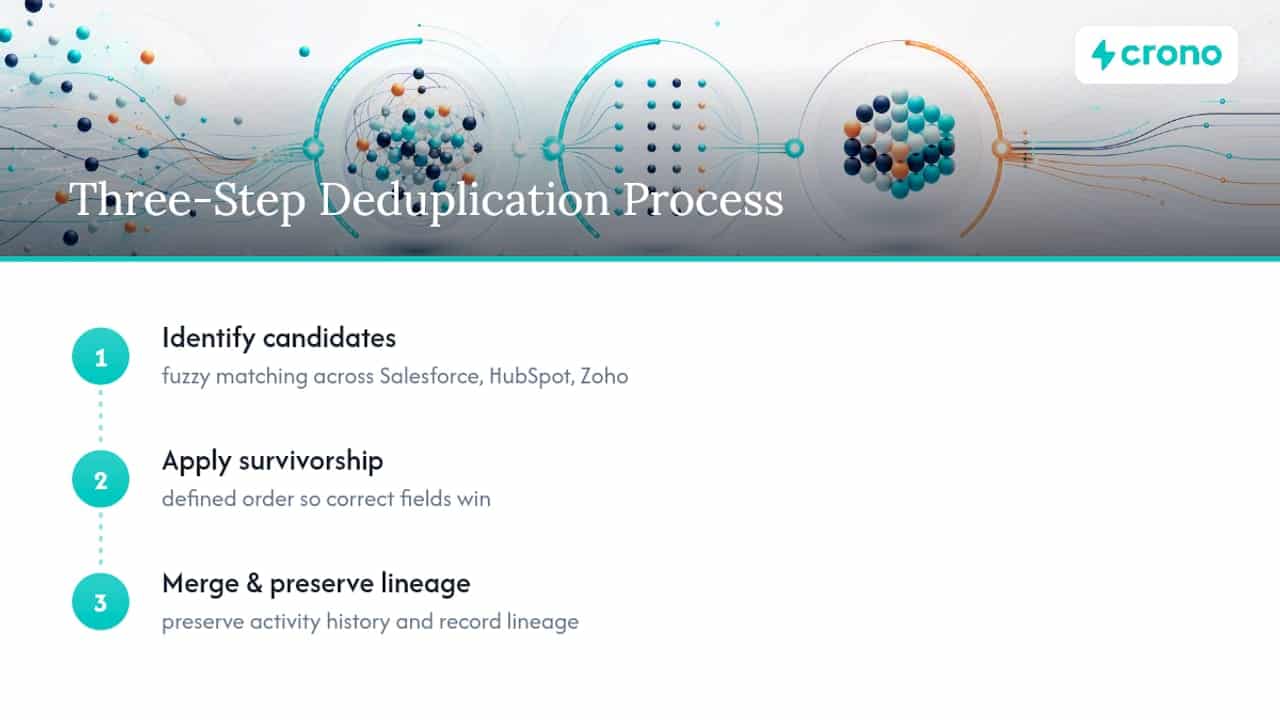
Crono’s own Three Step CRM Deduplication approach for Salesforce, HubSpot, and Zoho follows this same logic: identify, merge with a defined survivorship order, and preserve lineage so nobody loses a record’s activity trail in the process.
4. Enrich strategically. Once the database is clean, backfill only the fields that actually drive routing, scoring, or segmentation. Enriching a field nobody uses for decision making is a waste of enrichment credits and reviewer time. Prioritize industry, company size, and role seniority first, since those three fields typically feed the most routing and scoring logic.
5. Maintain continuously. This is the step most teams skip, and it is the one that determines whether steps one through four were worth doing at all. Automated validation on entry, a recurring enrichment cadence, and a monitoring dashboard that flags decay before it compounds are what keep a clean database clean.
What Daily, Weekly, and Monthly Hygiene Tasks Look Like
A framework only works if it turns into a calendar. Here is a cadence that scales from a ten person sales team to a two hundred person revenue org without much modification.
| Frequency | Task | Owner |
|---|---|---|
| Daily | Validate new records at entry; flag anomalies for review | System / rep |
| Weekly | Four field audit: owner, status, next step, contact verified | Data steward |
| Monthly | Refresh enrichment data; review routing rule accuracy | RevOps |
| Quarterly | Full deduplication pass; governance policy review | Data steward + RevOps lead |
The weekly four field audit deserves special attention because it is the cheapest, fastest habit on this list with the biggest payoff. Checking that every open opportunity has a correct owner, an accurate stage, a defined next step, and a verified contact takes minutes per rep but catches the exact errors that wreck forecast accuracy. Crono’s pipeline hygiene weekly audit template builds this check into a five minute weekly ritual instead of a dreaded end of quarter scramble.
Track these KPIs against the cadence, not just at random intervals:
- Completeness percentage by required field, measured weekly.
- Duplicate rate, measured at each quarterly dedupe pass and monthly spot check.
- Data decay percentage, measured quarterly against your original baseline.
- Pipeline variance versus forecast, measured monthly to catch drift before it hits the board deck.
Gartner’s guidance on data quality measurement reinforces the same principle: metrics that are not tied to a cadence tend to get measured once and forgotten. Build the calendar first, then let the KPIs follow it.
Who Should Own CRM Data Quality?
Hygiene fails most often not because nobody knows the rules, but because nobody is clearly on the hook for enforcing them. Governance does not need to be heavy to work. It needs to be specific about who does what.
A simple RACI split covers most revenue teams:
- Data steward — responsible for running audits, approving merge decisions, and flagging policy violations. Usually a RevOps analyst or manager.
- Data architect — accountable for field structure, integration mapping, and how data flows between systems. Usually a RevOps or sales ops lead.
- Data supplier — the reps and marketers entering and importing data day to day. Consulted on rule feasibility, informed of changes.
Policy documentation should cover four things at minimum: the data lifecycle (how long a record lives before archival), access controls (who can bulk edit or delete), decommissioning rules (what happens to a closed lost opportunity after two years), and the audit schedule itself.
NIST’s governance framing treats data quality as tied directly to AI risk management, not a side concern. If your sales team runs AI agents or automated scoring on top of CRM data, governance is not optional documentation. It is what keeps AI decisions grounded in reality. GSA’s data quality lifecycle model (assess, plan, execute, evaluate, adapt, educate) is a useful structure to borrow even for a team far smaller than a federal agency.
For teams between 10 and 200 reps, one dedicated steward with a clear weekly and quarterly calendar is usually enough. You do not need a data governance committee until you cross into enterprise scale.
Pro Tip: Write your survivorship and decommissioning rules down somewhere every rep can see them. An unwritten rule is a rule that gets reinvented differently by every person who merges a record.
What Should You Require From CRM Hygiene Tools?
Not every tool marketed for “data quality” actually does the hard part. Before you buy or build anything, know what to demand from each category.
- Validation tools should catch format errors at entry, not after the fact in a nightly batch job.
- Deduplication tools need configurable survivorship rules, not just a flat “keep the newest record” default.
- Enrichment tools should show source and confidence level per field, so you can tell verified data from a guess.
- Orchestration and sync tools need visible audit logs and rollback ability if a bad sync pushes bad data across systems.
Before adopting any tool, run it through a short evaluation checklist: does it preview field mapping before applying changes, does it support sandbox testing against a copy of your data, and can you roll back a batch operation if something goes wrong. Skipping sandbox testing is how a single bad sync rule corrupts thousands of records overnight.
Watch for three integration anti-patterns specifically: two way sync loops that keep overwriting the same field back and forth, integrations that overwrite a canonical field with a lower quality source, and timestamps that are inconsistent across connected systems, which breaks every survivorship rule that depends on “most recent” logic.
The buy versus build decision usually comes down to scale and complexity. If you are managing under a few thousand records with straightforward mapping, a lighter tool or manual process might suffice. Once you are running enrichment, deduplication, and outreach automation together across multiple integrated systems, an orchestration layer built to handle all three in sync becomes the more reliable path.
How Crono Approaches Deduplication and Weekly Audits
Crono’s own hygiene playbooks were built around the same two problems every RevOps team eventually runs into: duplicate records that keep coming back, and forecasts that drift because nobody is checking pipeline fields consistently.
The Three Step CRM Deduplication method for Salesforce, HubSpot, and Zoho identifies duplicate candidates through fuzzy matching, applies a defined survivorship order so the right data wins, and preserves activity history and lineage through the merge so nothing gets lost in the process. It is built for teams who need a repeatable process, not a one-time scramble before a board meeting.
The pipeline hygiene weekly audit focuses on four fields every open opportunity needs checked weekly: owner, status, next step, and whether the contact has been verified recently. That single habit, done consistently, is one of the fastest ways to improve forecast reliability without a major process overhaul.
Underneath both playbooks, Crono connects enrichment, workflow automation, and AI agents into the same execution layer that touches your CRM, so hygiene rules get enforced at the point where records are created and updated, not just corrected after the fact in a separate cleanup tool.
The Gap Between Hygiene Advice and What Actually Sticks
Most CRM data hygiene advice treats the problem as a training issue. Get reps to fill in fields correctly, run a workshop, publish a style guide. That approach fails constantly, and it fails for a specific reason: the errors that matter most rarely start with a rep typing something wrong. They start upstream, in a sync rule or a mapping decision nobody revisits after the initial CRM setup.
Fix the integration before you fix the habit. A single ungoverned sync loop will out produce your entire sales team’s manual entry errors combined, every week, indefinitely.
The other mistake worth calling out is over purging. Teams that get serious about hygiene sometimes swing too far and start deleting anything that looks stale, without preserving why a decision was made or what activity history led to it. That destroys the audit trail you will eventually need when a deal reopens or a compliance question comes up. Merge, archive, and document. Delete only when you are certain the record has no future value, and even then, keep the log of what you removed and why.
Start small. Pilot your hygiene framework on one segment or one pipeline stage, measure the completeness and duplicate rate improvement, and only then expand it into full automation across the CRM.
Ready to Stop Cleaning the Same Data Twice?
Manual dedupe sprints and quarterly spreadsheet scrubs treat the symptom, not the cause. Crono is built to enforce hygiene at the point where data actually breaks, inside your CRM sync, your enrichment step, and your outreach workflows, so validation and deduplication happen continuously instead of in a panic before the next board meeting.
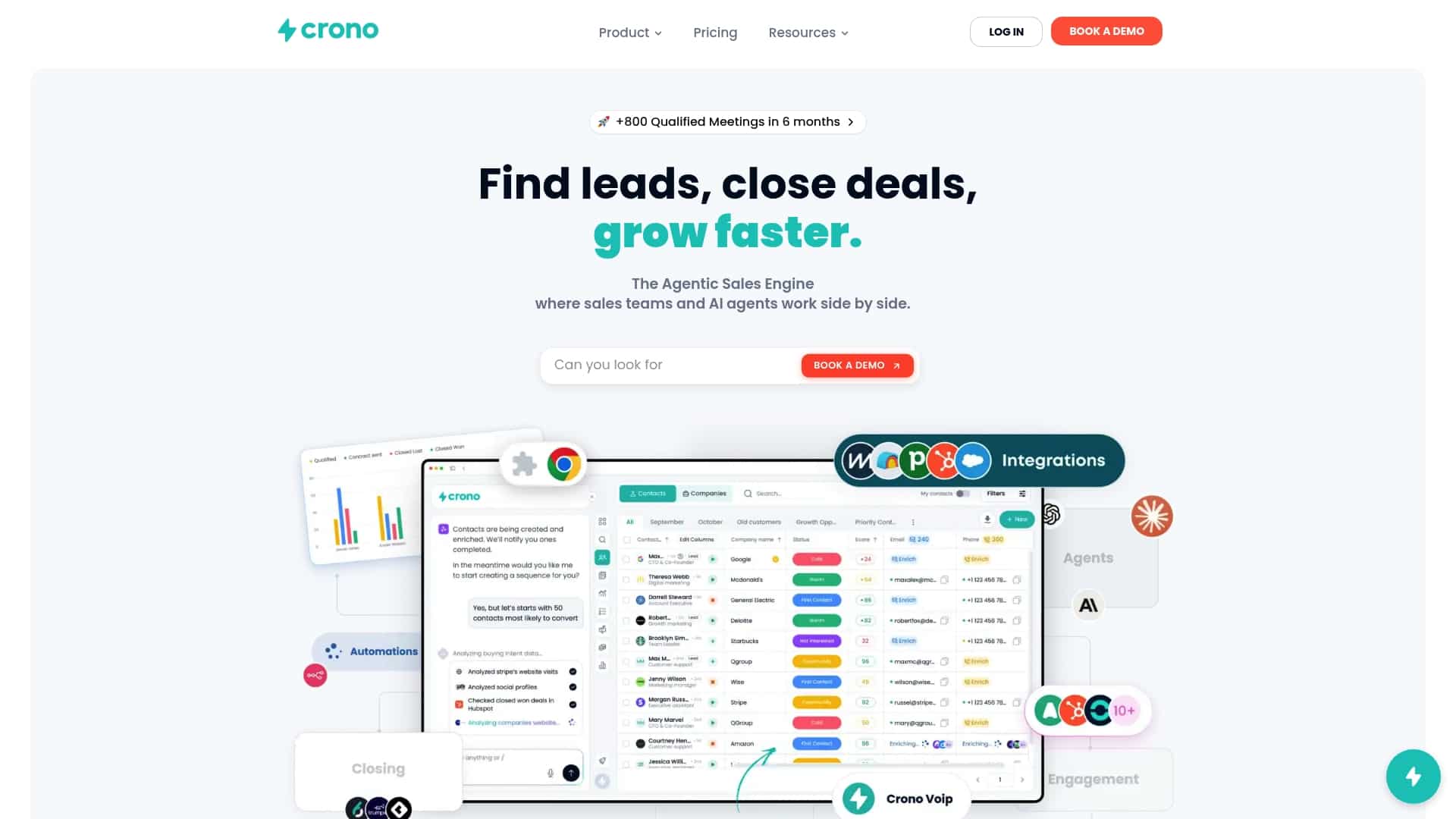
The platform connects your existing CRM to enrichment, workflow automation, and AI agents in one execution layer, which means a bad sync mapping gets caught before it creates its hundredth duplicate, not after. Teams running the Three Step CRM Deduplication playbook alongside Crono’s automation get both the one time cleanup and the ongoing enforcement that keeps it clean.
Plans start at $79 per month per seat on the Pro tier, or $119 for Ultra, with an Enterprise option available for larger revenue teams. If you would rather see the weekly audit and deduplication workflow in action first, request a demo through Crono’s platform overview and bring your dirtiest pipeline segment to test it against.
Sources
The frameworks and figures in this guide draw from governance standards, operational playbooks, and research on the actual cost of poor data quality. Worth bookmarking if you are building or defending a hygiene program internally:
- CRM Hygiene: The 5-Step Data Cleansing Process for Modern Business (ZoomInfo Operations)
- Data Governance and Management (DGM) Profile concept paper (NIST)
- CIO P 2142.1, Information and Data Quality Handbook (GSA)
- Only 3% of a Company’s Data Meets Basic Quality Standards (HBR)
FAQ
Is CRM Used for Data Cleaning?
A CRM stores and organizes customer data, but it does not clean itself. Data cleaning, deduplication, and enrichment require dedicated processes, rules, and often specialized tools layered on top of the CRM, like Crono’s deduplication playbook, because most CRMs will happily store a duplicate or malformed record without flagging it.
What Is Data Hygiene in CRM?
CRM data hygiene is the continuous practice of validating, standardizing, deduplicating, and updating customer records so they stay accurate over time. It differs from a one time cleansing project because hygiene is ongoing maintenance, not a single fix, and CRM data decays by roughly 34% per year without it.
What Is CRM in Data Management?
Within data management, a CRM functions as the system of record for customer and prospect information, feeding forecasting, segmentation, and outreach automation. Its value depends entirely on the quality of what gets entered and maintained inside it, which is why governance frameworks like GSA’s data quality handbook treat stewardship as a distinct role.
What Are the Four Pillars of CRM?
Definitions vary across sources, but a common version centers on sales management, marketing automation, customer service, and analytics or reporting. Data hygiene underpins all four, since inaccurate records weaken sales forecasting, misdirect marketing segmentation, slow service response, and distort analytics regardless of which pillar you look at.
How Often Should a Team Run a Full CRM Deduplication Pass?
A quarterly full deduplication pass paired with weekly spot checks on active pipeline records keeps duplicate rates from compounding. Crono’s pipeline hygiene weekly audit template covers the four fields, owner, status, next step, and contact verification, that catch the errors most likely to distort a forecast between quarterly passes.
