
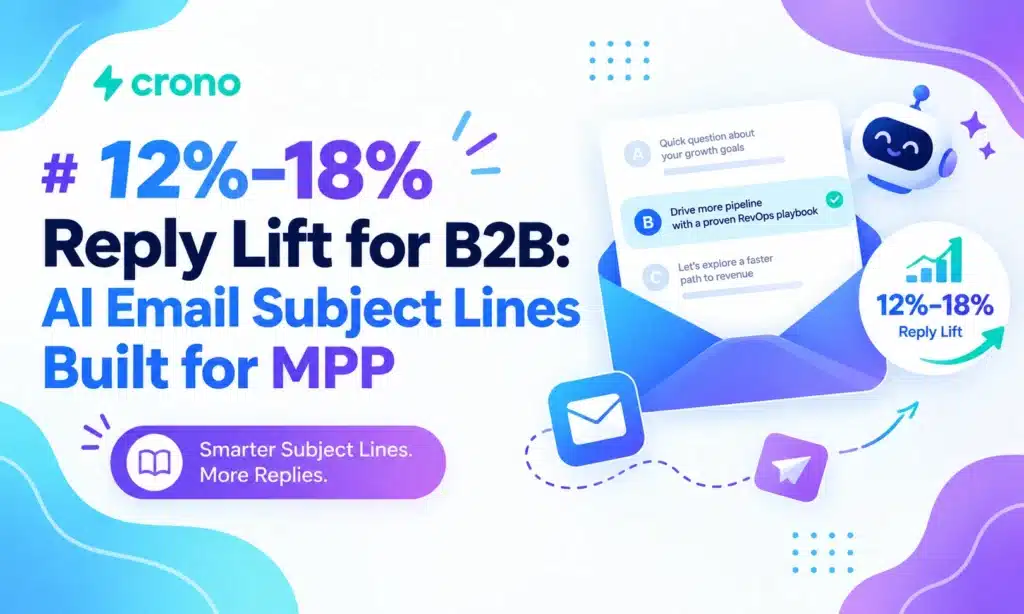
Yes, AI can generate high-converting subject-line drafts when paired with good prompts, accurate personalization data, and the right test metrics. The win comes from using AI for scale and ideation, then having a person edit the strongest variants before testing them on click and reply rates rather than raw opens.
TL;DR:
- Using AI for subject-line ideation is most effective when prompts specify audience role, recent trigger events, and campaign goals.
- Personalization that includes company, role, and industry details outperforms generic “Hi” or just the first name in open and reply rates.
- Test focus should shift from open rates to click and reply data, especially given Apple’s Mail Privacy Protection; use click-to-open and reply rates as primary metrics.
- Integrate AI tools directly into your email platform and CRM to enable bulk generation, testing, and performance tracking without workflow disruption.
- High-stakes or brand-sensitive campaigns benefit from human review and final approval of AI-generated subject lines to prevent overclaiming or spam risks.
Table of Contents
- What AI subject-line generators do and when to use them
- Evidence-backed subject-line best practices
- Prompt templates and a bulk workflow for better AI subject lines
- How to test subject lines after Mail Privacy Protection
- Crono’s practitioner checklist for productionalizing subject-line personalization
- Popular AI subject-line generators: pricing and features
- Connecting AI subject-line tools to your email platform
- How to choose the right AI tool for your business
- Common pitfalls and red flags to watch for
- When to favor AI-first workflows versus keeping humans in the loop
- Crono: moving from subject-line idea to production
- FAQ
- Sources
What AI subject-line generators do and when to use them
AI subject-line generators speed up ideation and let you personalize at a scale no human team could match alone. Feed one a list of 500 contacts with company names and job titles, and it drafts hundreds of tailored options in minutes. What it cannot do is replace account-level judgment: it doesn’t know that a prospect just had a rough product launch or that a certain phrase will land badly with a specific buyer persona.
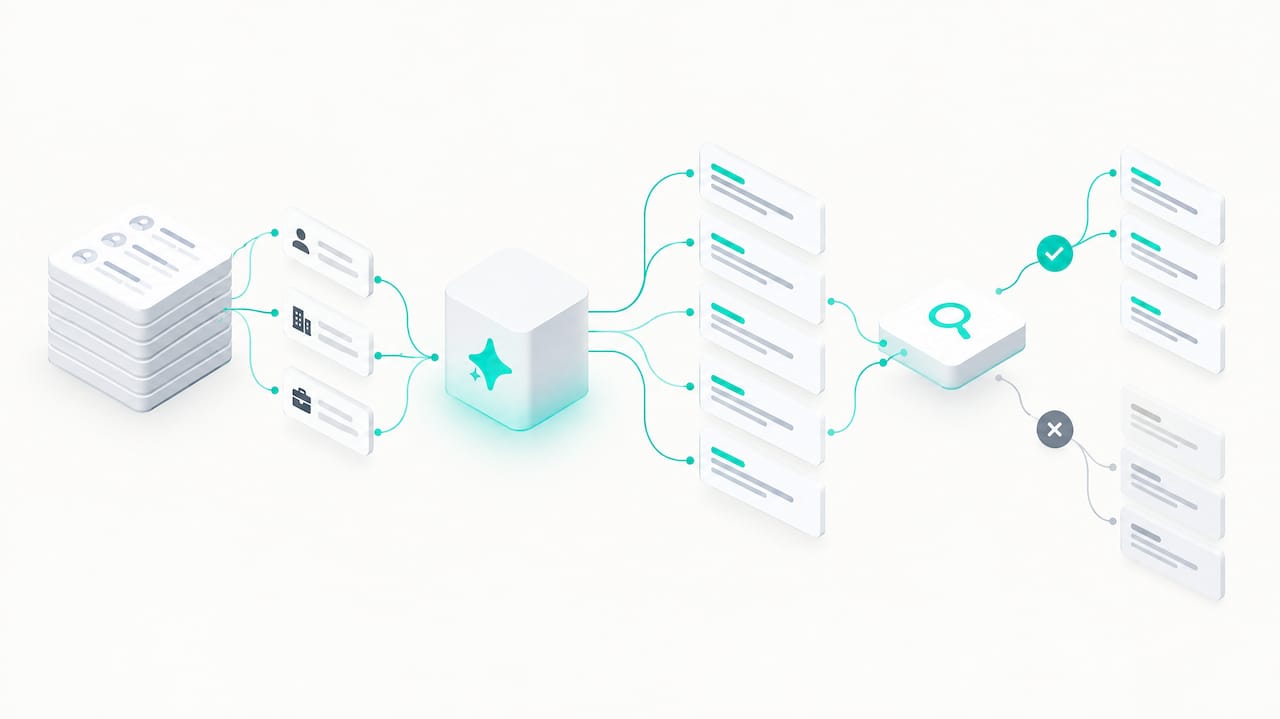
The quality of what you get out depends entirely on what you put in. Vague prompts produce generic, forgettable lines. Give the model your audience’s role, their recent trigger event, and your campaign’s actual goal, and the output improves sharply. AI amplifies whatever inputs you give it, good or bad.
That makes the decision about when to automate and when to add a human touch fairly practical:
- Automate for volume: high-volume sends, multi-step sequences, and generating several draft variants per campaign.
- Humanize for stakes: high-value outbound, executive-level outreach, and anything tied closely to brand reputation.
- Blend for most campaigns: let AI draft ten options, then have a person pick and polish the top two or three before they go live.
Evidence-backed subject-line best practices
Good prompting only gets you halfway there. The subject line itself needs to follow rules that hold up across large datasets of real sends, not just intuition.
- Personalize beyond the first name. Company name, role, and industry context tend to outperform a bare “Hi {FirstName}” because they signal relevance rather than a mail-merge trick.
- Watch your character count. Mobile inboxes truncate long subject lines, so a window of roughly 36 to 50 characters works for most cold campaigns, while short two to four word lines can work well on warm or familiar lists where recognition matters more than explanation.
- Stack at most two mechanics. Pairing curiosity with specificity (a hint plus a number or detail) tends to read as compelling. Stacking three techniques at once, like curiosity, urgency, and a emoji, starts to read as spam to both recipients and filters.
- Keep the promise honest. The subject line has to match what the body actually delivers. Mismatches don’t just hurt one campaign; they train recipients to stop opening anything from your domain.
A large-scale analysis of B2B sends found that personalization and short, question-format subject lines are among the highest-performing tactics in the category. Stripo’s 2026 benchmark report synthesizes multiple large datasets to reach that conclusion, which is worth keeping in mind before you assume a clever one-liner will beat a well-personalized, specific line.
Pro Tip: Draft your subject line after you write the email body, not before. It’s easier to preview a promise you’ve already made than to write copy to match a hook you invented first.
Truthfulness isn’t just good practice. The FTC’s CAN-SPAM compliance guide makes clear that a deceptive subject line is a legal problem, not just a deliverability one, since the subject line itself factors into whether a message is treated as commercial under the law.
Prompt templates and a bulk workflow for better AI subject lines
A generic prompt gets a generic result. The fix is giving the model structure: audience, goal, tone, and constraints, plus examples of what “good” looks like for your list.
A simple starting template looks like this: “Audience: [role, company size, segment]. Goal: [open, click, or reply]. Tone: [concise, professional, casual]. Constraints: [max 45 characters, no questions, include company name]. Generate 6 subject lines ranked by likely CTR.” Add a handful of your own best-performing past lines so the model mimics a style you know works.
For higher-stakes campaigns, layer in CRM fields, such as company, title, and a recent trigger event like a funding round or leadership change, along with your preferred mechanics and a banned-words list so the output avoids spammy phrasing automatically.
For teams sending at scale, a simple workflow turns this into a repeatable process; refer to the Marketing Automation Checklist: Step-by-Step Guide for SMBs to operationalize these automation steps efficiently.
- Seed a spreadsheet with one prompt per segment or campaign.
- Generate 10 to 20 candidate lines per seed.
- Run quick heuristic filters: character count, presence of a personalization token, and banned-word checks.
- Have a person edit the top five survivors for voice and accuracy.
- Pick two to four of those as your test variants.
Before anything ships, run one last automated pass checking for deceptive or exaggerated wording, since that final guardrail catches the kind of overclaiming prompts sometimes produce when pushed toward “curiosity” too aggressively.
How to test subject lines after Mail Privacy Protection
Testing subject lines used to be simple: send two versions, see which got opened more. That approach is far less reliable today.
Apple’s Mail Privacy Protection (MPP) pre-fetches images and inflates open counts for a large share of recipients on Apple Mail, according to Litmus’s MPP resource center, which recommends leaning on click and reply data instead of raw opens when judging subject-line performance.
In practice, that means shifting how you run and read every test:
- Treat click-through rate (CTR) and reply rate as your primary success metrics, not opens.
- Use click-to-open rate (CTOR) as a sanity check since it isolates engagement among people who did open, reducing MPP noise.
- Randomize your audience slices for A/B tests, keep every other variable identical, and run until you hit a sensible stopping point based on time elapsed or recipient count rather than cutting a test short on a lucky early result.
- Tag or segment Apple Mail clients where your platform allows it; where you can’t, weight your conclusions more heavily toward reply and click data and whatever downstream conversion you can track.
Keep a simple test log: the variant, the audience slice, the metric, and the business context behind each send. Patterns that hold up across several campaigns are far more trustworthy than a single test that looked good once.
Crono’s practitioner checklist for productionalizing subject-line personalization
Turning subject-line generation into a repeatable system comes down to a short checklist:
- Data hygiene first: keep company, role, and trigger-event fields clean before you personalize anything at scale.
- Govern your prompt library: version your best prompts and examples so quality doesn’t drift as different people on the team write them.
- Keep humans in the loop for high-value lists: automate routine personalization but require a human review step before sends to executive or strategic accounts.
- Set measurement and rollback thresholds: define in advance what a bad test result looks like so underperforming variants get pulled quickly.
Our own B2B subject-line research found that four to seven word subject lines tied to specific triggers can lift reply rates by 12% to 18%, which is a useful benchmark to test against your own data before scaling a template across a full sequence.
Popular AI subject-line generators: pricing and features
Most tools in this category fall into three rough buckets. Standalone subject-line generators focus narrowly on headline variations and usually price as a low-cost add-on or a free tier with limited daily generations. General-purpose AI writing assistants, the kind built for broader marketing copy, include subject-line generation as one feature among many and typically price per seat on a monthly basis. Sales engagement and sales execution platforms build subject-line personalization into a larger outreach workflow, pricing by seat or by usage credits rather than as a standalone feature.
The practical differences that matter most when comparing them: whether personalization pulls from real CRM and enrichment data or just a name field, whether the tool supports bulk generation for sequences versus one-off drafting, and whether pricing is predictable per seat or variable based on how many AI credits or generations you burn through in a given month.
Free tools are fine for occasional one-off campaigns where volume is low and the stakes of a weak line are small. Teams running continuous outbound at any real volume tend to outgrow free generators quickly, mostly because they lack bulk workflows, CRM-connected personalization, and any way to test systematically rather than copy-pasting one line at a time.
Connecting AI subject-line tools to your email platform
A subject-line generator that lives in a separate tab from your sending platform creates friction: you generate lines, copy them, paste them into your email tool, and repeat for every campaign. That friction is where most teams quietly stop testing.
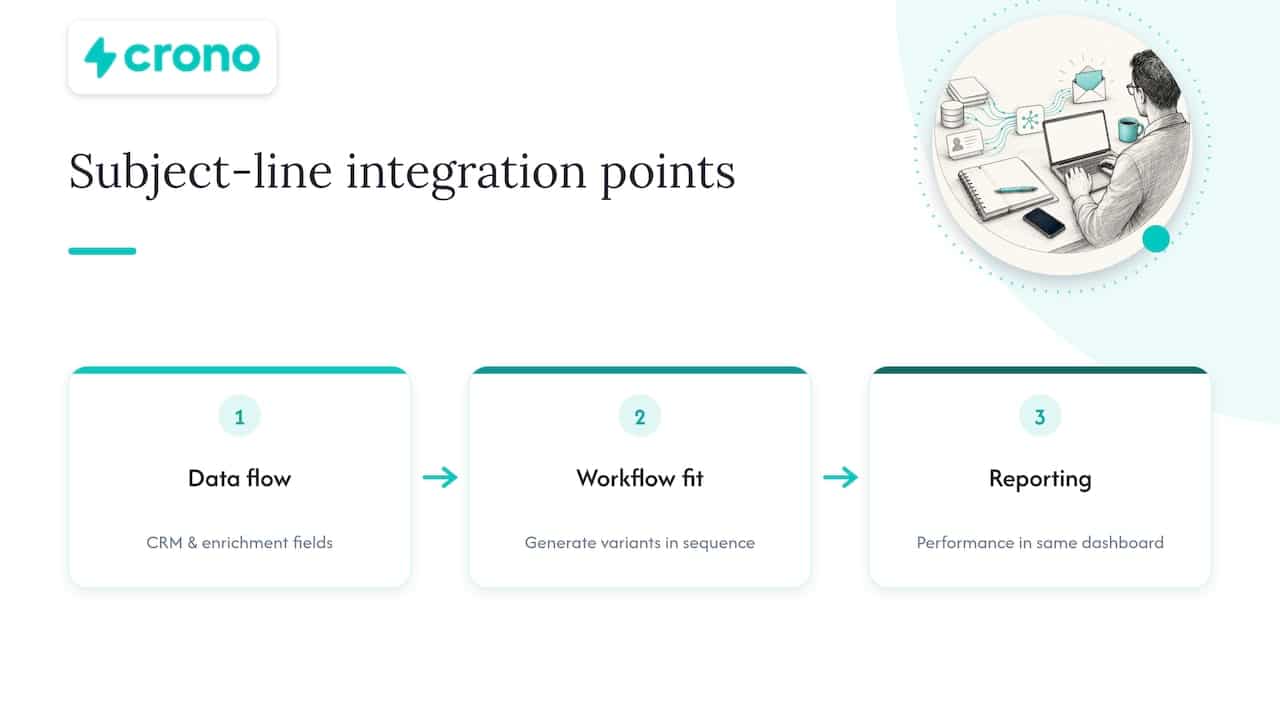
Integration matters most in three places. First, data flow: the generator needs access to the same CRM fields, like company, role, and recent activity, that your email platform already has, rather than requiring a separate data export. Second, workflow fit: a tool that plugs into your existing sequence builder lets you generate and test variants without leaving your normal send process. Third, reporting: your subject-line performance data should land in the same dashboard where you track opens, clicks, and replies, so you are not reconciling numbers across two systems by hand.
Platforms built specifically for B2B sales execution tend to handle this better than general marketing tools, since personalization data, multichannel sequencing, and reporting already live in one place rather than being bolted together after the fact.
How to choose the right AI tool for your business
Start with your actual sending volume and stakes, not the feature list. A team sending a few hundred emails a month to warm leads has very different needs than one running cold outbound sequences at scale.
A few questions cut through most of the noise:
- Does the tool personalize from real data fields (company, role, trigger events), or just a first name?
- Can it generate and test multiple variants in bulk, or only one line at a time?
- Does pricing scale predictably with your volume, or will costs surprise you as you grow?
- Does it integrate with the CRM and sending platform you already use, or will you be copying and pasting between tools?
Price alone is a poor filter. A free generator that produces generic lines costs you more in missed replies than a paid tool that’s actually tied to your data. Weigh the tool against what a meaningfully better reply rate is worth to your pipeline, not just its monthly fee.
Common pitfalls and red flags to watch for
A few patterns show up repeatedly when AI subject-line tools disappoint.
The most common is treating AI output as finished copy. Teams that skip human review ship lines that are technically fine but generic, or occasionally lines that overclaim in ways that edge toward CAN-SPAM problems under FTC guidance.
Another is optimizing for opens alone. A tool or team still chasing raw open-rate lifts is measuring against a number that Mail Privacy Protection has made unreliable, and will end up favoring curiosity-driven lines that get opened but don’t get replies.
Watch also for tools with no real personalization depth, meaning name-merge only with no company or role-level data, vague or opaque credit pricing that makes costs hard to predict at scale, and no bulk testing workflow, which forces manual, one-at-a-time experimentation that rarely gets sustained.
When to favor AI-first workflows versus keeping humans in the loop
For large-scale, recurring campaigns, an AI-first approach with human curation on the final picks produces the best return: you get the volume of ideas without losing quality control. For high-touch outbound or anything brand-critical, keep a human-led approval path and treat AI drafts as a starting point rather than a final answer.
The teams that get the most out of this invest early in two things: a prompt library that encodes what already works for their audience, and a measurement discipline strict enough to tell the difference between a line that gets opened and one that actually gets replies.
— Alex
Crono: moving from subject-line idea to production
Writing a great subject line is only half the job. Getting it to the right person, with the right data behind it, at the right moment in a sequence, is where most teams lose the thread. We built Crono to close that gap by pulling buying signals, contact data, and CRM context into one place so AI personalization has something real to work with.
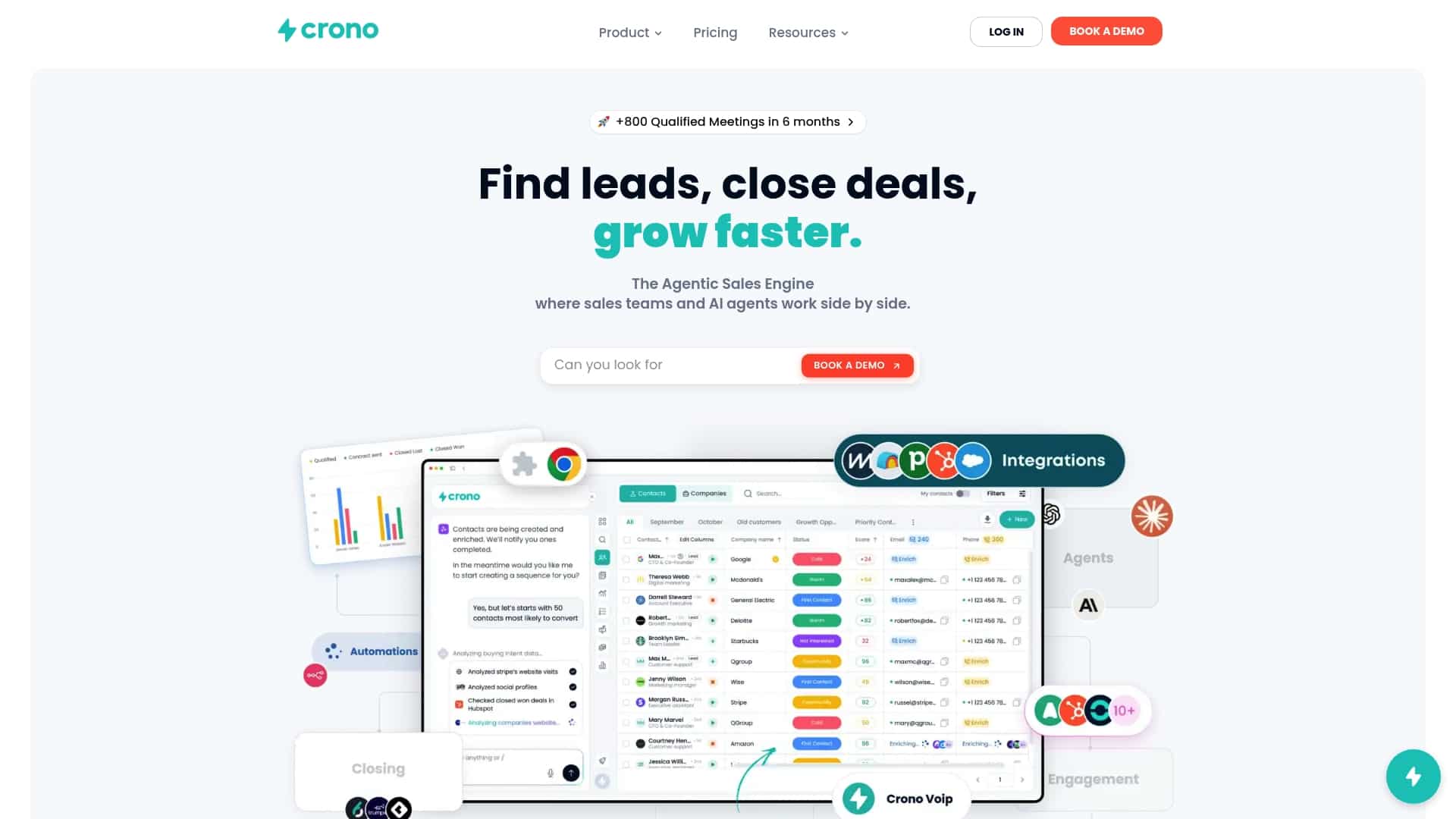
- Subject-line personalization pulls from centralized company, role, and trigger-event data instead of a bare name field.
- Multichannel follow-up (LinkedIn, email, calls) automation supports engagement that comes after a strong subject line earns the open.
- Teams can test and scale variants across sequences without rebuilding the workflow for every campaign.
If you want to see how this works for your own pipeline, check our pricing plans or explore the Agentic Sales Engine for AI-driven outreach at scale.
FAQ
What is a good title for an email?
A good subject line is specific, honest about what the email contains, and personalized with real context like company or role rather than just a first name. Shorter lines, often in the 36 to 50 character range, tend to survive mobile truncation better for cold outreach.
How can I generate email subject lines?
Use an AI tool with a structured prompt that specifies your audience, campaign goal, tone, and constraints like character limits, then generate several options and have a person edit the strongest ones. Feeding the model a few of your own best-performing past lines as examples improves the output noticeably.
What makes a good subject line?
Strong subject lines combine at most two mechanics, commonly curiosity and specificity, and always match what the email body actually delivers. Large B2B benchmark data shows personalization and concise, question-format lines consistently rank among the top performers.
What is the best free AI email writer?
There is no single tool that fits every team, since free generators vary widely in whether they personalize from real data or just a name field. For occasional, low-volume sends a free tool can work fine, but teams running continuous outreach typically outgrow them once they need bulk generation and CRM-connected personalization.
Sources
- Apple’s Mail Privacy Protection knowledge center – Litmus
- CAN-SPAM Act: A compliance guide for business | Federal Trade Commission
- B2B Email Open Rate Benchmarks 2026 — Research Report | Stripo
