
LinkedIn caps first-degree connections at 30,000, full stop. For weekly outreach, community-observed data points to roughly 100 to 200 connection requests before you risk a slowdown, though LinkedIn never publishes one universal weekly figure. Pending invites and withdrawal cooldowns matter just as much as raw volume. The safest rule: prioritize relevance and pace over speed.
TL;DR:
- Sending more than 100 to 200 connection requests weekly poses a risk of account restrictions, with the safe limit often falling around 15 to 20 invites per day.
- Pending invitations tend to trigger warnings at around 1,500 pending requests and generally hard stop near 3,000, with expires after six months and withdrawals taking roughly three weeks to re-invite the same person.
- Accounts with low acceptance rates or high outreach volumes are restricted faster, emphasizing targeted, personalized outreach over high-volume tactics.
- LinkedIn’s official connection cap is 30,000, and using Follow instead of Connect is recommended when only one-way visibility suffices.
- Maintaining a disciplined outreach cadence, avoiding automation that mimics mass sending, and withdrawing old, inactive invites are key to avoiding restrictions and keeping outreach effective.
Table of Contents
- LinkedIn Connection Limits: The Numbers That Matter
- What Does LinkedIn Actually Say About Invite Limits?
- Why Do Reported Connection Limits Vary So Much?
- How Do Pending Invitations and Expiry Actually Work?
- What Happens When LinkedIn Restricts Your Account?
- What Are the Best Practices to Avoid LinkedIn Restrictions?
- The Crono Perspective on LinkedIn Outreach Discipline
- Crono: Multichannel Outreach Without the Guesswork
- Sources
- FAQ
LinkedIn Connection Limits: The Numbers That Matter
Here’s the quick-reference version, before the nuance:
- 30,000 first-degree connections is LinkedIn’s hard ceiling, documented in its own Help Center.
- ~100 invites per week is the practical baseline most accounts stay under; established, trusted accounts sometimes reach 150 to 200, while new or previously flagged accounts should expect less.
- ~1,500 pending invites tends to trigger a warning, and community reporting puts the functional cap near 3,000 pending requests.
- Personalized notes are reported at 3 to 5 free per month on Basic accounts, with a character limit somewhere around 200 to 300 characters, though this detail varies depending on which LinkedIn help page you read.
Treat the weekly and note numbers as planning ranges, not guarantees. The 30,000 connection cap is the only figure LinkedIn states outright.
What Does LinkedIn Actually Say About Invite Limits?
LinkedIn’s own Help Center is thinner on specifics than most networking blogs suggest, but what it does say carries more weight than any third-party estimate. The company confirms that invitation limits exist specifically to protect the platform experience, and it doesn’t hide the fact that hitting one has consequences.
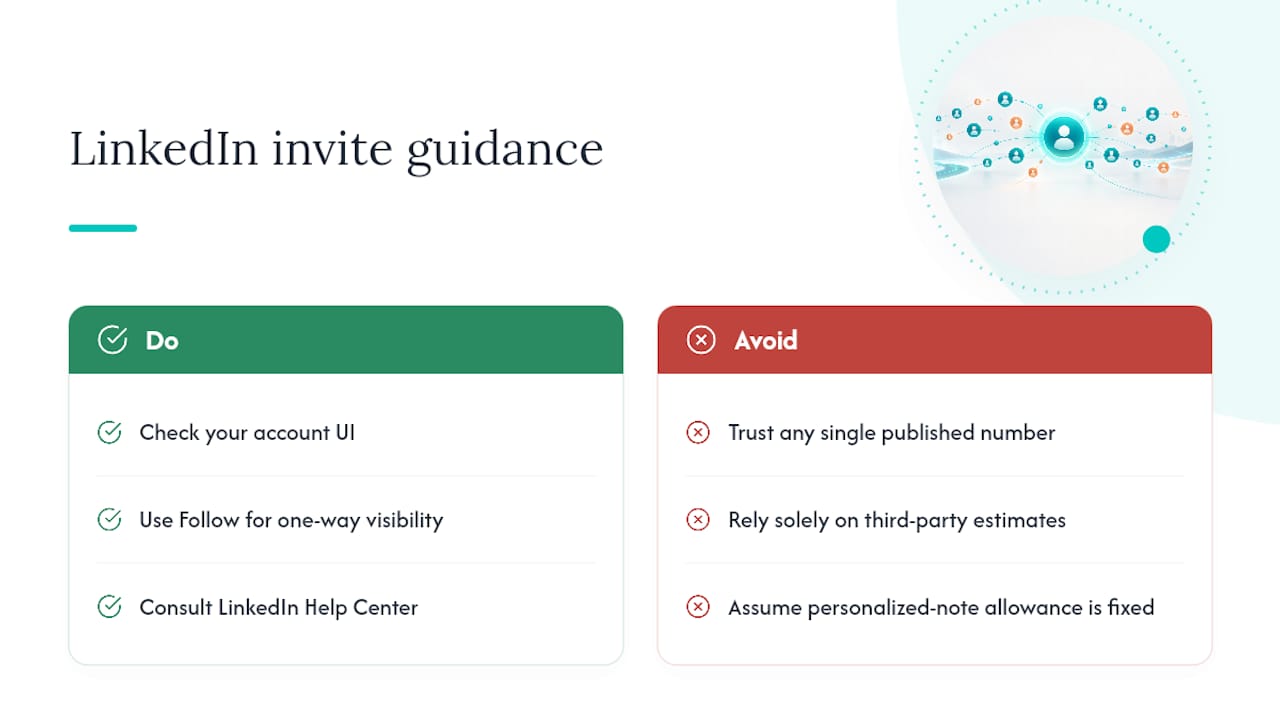
That’s LinkedIn’s own language from its invitation limit support page. Separately, LinkedIn’s network size limit page confirms the 30,000 connection cap and recommends using Follow instead of Connect when you just need one-way visibility into someone’s posts rather than a mutual relationship. Worth flagging: LinkedIn’s help pages are not perfectly consistent with each other, particularly on personalized-note allowances. When in doubt, check your own account’s UI rather than trusting any single published number, including this one.
Why Do Reported Connection Limits Vary So Much?
No two LinkedIn accounts get treated identically, which is exactly why third-party guides give ranges instead of fixed numbers. Your Social Selling Index, account age, profile completeness, and history of past behavior all factor into how much invite volume LinkedIn tolerates before it steps in.
Acceptance rate functions less like a vanity metric and more like a throttle. Accounts that send high volumes with low accept rates get restricted faster than accounts sending fewer, better-targeted invites.
Practical heuristics that hold up across most accounts:
- Send 15 to 20 invites per day rather than dumping 100 at once.
- Keep weekly volume proportional to your existing network. A common rule of thumb is roughly 3% of your current connections per week.
- Watch your acceptance rate closely; a string of ignored invites shrinks your safe sending volume even if you haven’t hit any stated cap.
None of these figures come from LinkedIn policy documents. They come from patterns community investigators have observed across thousands of accounts, which makes them useful guides but not guarantees.
How Do Pending Invitations and Expiry Actually Work?
Every invite you send sits in a queue, and that queue has its own limits separate from your weekly sending cap. Reports suggest LinkedIn issues a warning around 1,500 pending invitations and enforces something closer to a hard stop near 3,000. Until you clear that backlog, your ability to send new invites gets constrained.
Two mechanics catch people off guard:
- Expiry. Pending invitations expire automatically after six months if the recipient never responds.
- Withdrawal cooldown. Withdrawing an invite frees up a slot in your queue, but you can’t re-invite that same person for roughly three weeks afterward.
That second point matters more than people realize. Mass-withdrawing to “clean house” can quietly torch outreach to prospects you actually wanted to reach.
Pro Tip: Review your Sent tab monthly instead of letting it pile up for a year. Withdraw only invites older than 30 days that show no profile views or engagement, not your entire backlog at once.
What Happens When LinkedIn Restricts Your Account?
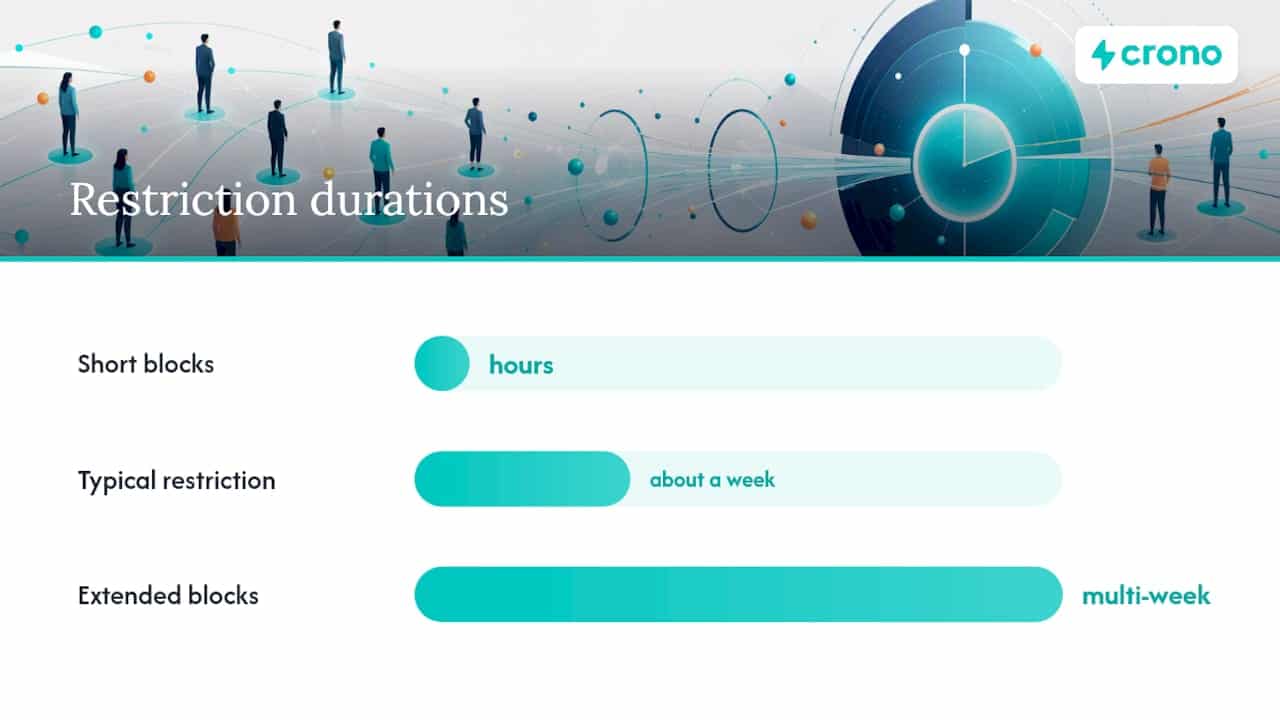
Restriction usually announces itself clearly: a modal pops up when you try to send an invite, or the Connect button simply stops responding. LinkedIn’s own guidance says these restrictions typically last about a week, though some users report shorter blocks measured in hours and others report multi-week restrictions after repeated flags.
If you hit a wall, the recovery playbook is straightforward:
- Stop sending invites immediately. Continuing to push through often extends the restriction rather than testing it.
- Withdraw a handful of your oldest, least-relevant pending invites rather than your whole queue.
- Check the LinkedIn Help Center for your specific restriction message, since wording sometimes hints at the cause.
- Wait out the rolling reset rather than forcing new activity.
One thing to never do: spin up a second account to keep prospecting while the first one cools down. LinkedIn treats that as a far more serious violation than a paused invite queue, and it risks permanent suspension rather than a temporary one.
What Are the Best Practices to Avoid LinkedIn Restrictions?
Staying under the radar isn’t about finding a magic number. It’s about behaving like a person building real relationships rather than a script harvesting contacts.
- Pace your sends. Spread invites across days and hours instead of firing off 50 in one sitting.
- Personalize when it counts. A short, specific note outperforms a generic one, and it directly improves your acceptance rate.
- Use Follow, not Connect, for one-way relationships. LinkedIn’s own guidance backs this: if you just want to see someone’s posts, Follow avoids using a connection slot entirely, and Follow has no cap.
- Save InMail for genuinely cold outreach where a connection request would feel presumptuous.
- Monitor your acceptance rate weekly. A dropping rate is your earliest warning sign, well before LinkedIn ever restricts you.
- Keep your pending queue lean. Withdraw selectively rather than letting hundreds of stale invites accumulate.
Pro Tip: Avoid automation tools that fire off bursts of invites in tight time windows or mimic human clicking patterns too precisely. LinkedIn’s detection systems are tuned to catch exactly that kind of behavior. A better approach is building a real outreach strategy around cadence and relevance instead of volume.
The Crono Perspective on LinkedIn Outreach Discipline
Invitation limits aren’t a technical inconvenience. They’re a signal about how sales teams should actually operate on LinkedIn. Teams chasing volume over relevance burn through their invite allowance fast and end up restricted right when a campaign needs momentum.
The better approach coordinates channels instead of leaning on one. Engage with a prospect’s content, follow key accounts, send a targeted invite once relevance is established, and reserve InMail for when a connection genuinely doesn’t fit. This is where automating LinkedIn outreach responsibly inside a CRM-connected workflow beats manual guesswork or blunt automation. Cadence rules that respect platform limits protect the channel for the whole team, not just one rep’s daily send count.
Crono: Multichannel Outreach Without the Guesswork
There are other ways to manage LinkedIn outreach: spreadsheets, standalone LinkedIn automation tools, or just manual discipline. Crono takes a different route by coordinating LinkedIn, email, and calls inside one execution layer that respects each channel’s own limits instead of treating LinkedIn like a numbers game.
Rather than blasting invites and hoping enforcement doesn’t catch up with you, Crono’s workflow automation paces outreach across channels based on signals, not raw volume, so your LinkedIn account stays healthy while your pipeline keeps moving. Teams that want AI agents handling enrichment and sequencing alongside human reps can start with the Agentic Sales Engine credit plans, while teams evaluating the full platform can compare the Pro and Ultra plans on the pricing page. If you’re managing outreach cadence across a team right now, book a demo and see how orchestration replaces manual invite tracking.
Sources
- Follow vs Connect / Network size limit | LinkedIn Help
- LinkedIn Limitations & restrictions: 2026 guide | ConnectSafely
- LinkedIn Connection Request Best Practices (2026 Playbook) | Taplio
- How To See Pending Connections on LinkedIn? 2026 | Evaboot
FAQ
Can You Have More Than 30,000 Connections on LinkedIn?
No. LinkedIn enforces a hard cap of 30,000 first-degree connections, and once you hit it, you can’t accept or send new connection requests until you remove some existing ones. Follow, however, has no such limit, which is why LinkedIn recommends it for one-way audience building.
How Do People Have 500+ Connections on LinkedIn?
Anyone with a few hundred connections has simply been networking steadily over time, often years, well within LinkedIn’s 30,000 cap. LinkedIn displays “500+” instead of an exact count once you cross that threshold, partly to de-emphasize connection count as a status symbol.
Does LinkedIn Show If You Have 1,000+ Connections?
LinkedIn caps the visible display at “500+” regardless of your actual connection count, so profiles never show a specific number past that point. Your actual count is only visible to you in your own network settings.
Is There a Daily Limit for LinkedIn Connection Requests?
LinkedIn doesn’t publish an official daily number, but practical guidance based on observed account behavior suggests staying around 15 to 20 invites per day to avoid tripping restrictions. New accounts and accounts with low acceptance rates should stay well under that.
