
A sales tool for RevOps is defined as software that unifies revenue operations by integrating data, automating workflows, and enabling collaboration across sales, marketing, and customer success within a single execution system. Revenue operations (RevOps) is the recognized industry term for the function that aligns these three teams around shared pipeline and revenue goals.
The right RevOps sales software does not just record activity. It enforces methodology, routes leads automatically, and surfaces deal risk before it costs you a quarter. This article explains how to build a deliberate tool stack, what features to prioritize, and how to get maximum return from every platform you deploy.
What are the essential components of a RevOps sales tool stack?
The best RevOps tools build a deliberate stack where each tool solves a distinct problem without overlap. Think of it as a layered architecture, not a collection of apps. Each layer has a job, and no two layers should do the same job.

| Layer | Role | Primary functions |
|---|---|---|
| CRM foundation | Central data store | Contact records, pipeline stages, activity logging |
| Revenue intelligence | Forecasting and deal health | AI-driven forecast accuracy, pipeline inspection |
| Conversation intelligence | Interaction capture | Call and email transcription, coaching signals |
| Sales engagement | Outbound execution | Multichannel cadences, sequencing analytics |
| Data operations | Data quality and enrichment | Contact enrichment, deduplication, routing |
| Analytics and reporting | Performance visibility | RevOps dashboards, attribution, trend analysis |
The CRM is the foundation every other layer feeds into. Revenue intelligence platforms sit on top of CRM data and reduce forecasting subjectivity. Conversation intelligence tools capture every rep interaction and update deal records automatically, creating a living system of record. Sales engagement platforms run multichannel cadences across email, phone, and LinkedIn. Data operations tools keep the underlying contact and account data clean and current. Analytics and reporting layers pull everything together for leadership visibility.
Overlapping engagement platforms create reconciliation burdens that drain RevOps bandwidth. The “one tool per layer” rule prevents this. When two platforms handle the same function, data splits across systems, and your team spends time fixing conflicts instead of closing deals.
- CRM foundation: Every other tool must write data back to this layer.
- Revenue intelligence: Prioritize platforms that analyze CRM activity and deal engagement natively.
- Conversation intelligence: Look for AI that updates deal records without manual input.
- Sales engagement: Choose one platform for sequencing. Running two creates duplicate outreach and broken attribution.
- Data operations: Automate enrichment at the point of record creation, not after the fact.
- Analytics: Build dashboards that pull from a single source, not from five exports.
Pro Tip: Map your current tools to these six layers before buying anything new. If two tools occupy the same layer, eliminate one before adding another.
How do integrated sales tools enhance collaboration and automation in RevOps?
The core problem RevOps teams face is fragmentation. Sales reps work in the CRM. Marketing works in automation platforms. Customer success works in support tools. When these systems do not share data in real time, every handoff creates gaps. RevOps tools must prioritize creating a unified source of truth, minimizing friction by allowing work to occur inside primary CRM interfaces.
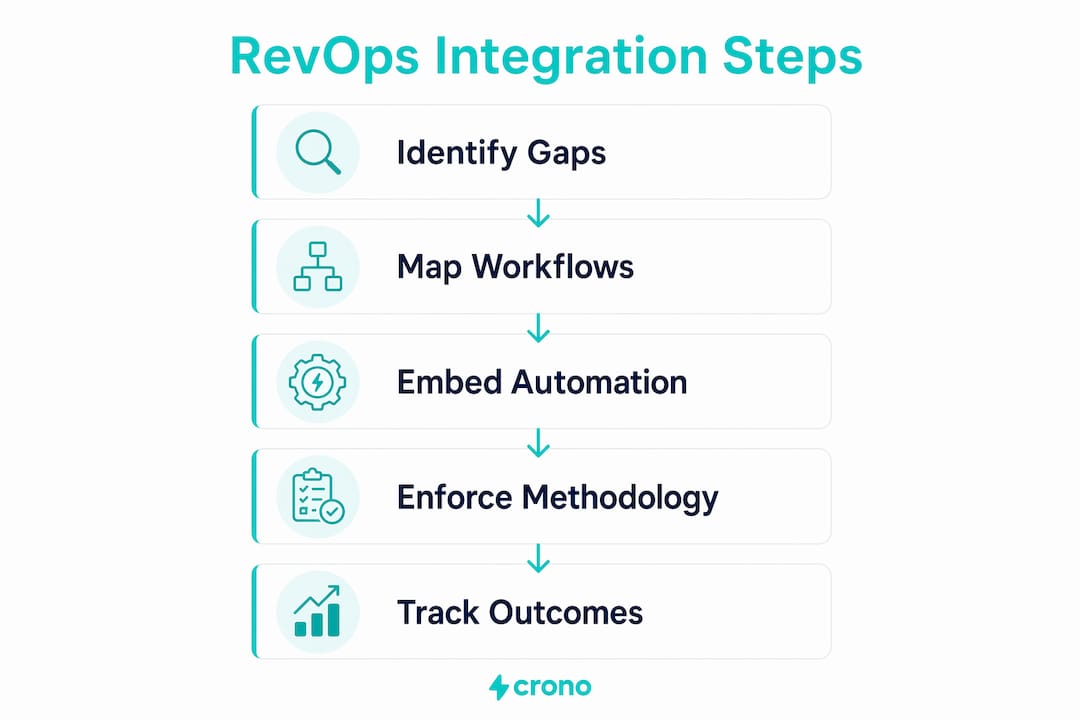
Embedding tools directly inside the CRM interface solves the adoption problem. Reps do not switch tabs or log into separate systems. They execute inside the environment they already use. This keeps activity data complete and accurate, which is the foundation of reliable forecasting.
Automation handles the work that kills rep productivity when done manually:
- Lead routing: AI-powered workflows assign inbound leads to the right rep based on territory, account size, or product line within seconds of form submission.
- Qualification gating: Stage gates inside the CRM block deal progression until required fields are complete. This enforces data discipline without a manager reviewing every record.
- In-app guidance: Embedded playbooks surface the right talk track or next step based on deal stage, so reps follow a consistent methodology without memorizing a handbook.
- Follow-up automation: Zapier routes leads, enriches data, and auto-generates follow-up tasks using AI-powered workflows, reducing the manual work between marketing and sales handoffs.
Embedding guided sales methodology and qualification gates directly into CRM workflows improves sales discipline and forecasting accuracy. This is the difference between a system of record and a system of execution. A system of record stores what happened. A system of execution shapes what happens next.
Pro Tip: Before deploying any new automation, document the exact workflow it replaces. If you cannot describe the manual process in five steps or fewer, the automation will be hard to maintain.
Consistent methodology enforcement also improves collaboration between sales and RevOps. When every rep follows the same stage definitions and data entry standards, RevOps can trust the pipeline data. That trust is what makes RevOps analytics tools worth the investment. Dirty data makes even the best analytics platform useless.
Which key features should RevOps professionals prioritize when selecting sales tools?
Feature selection determines whether your stack produces predictable revenue or just more dashboards. Prioritize features that directly affect forecast accuracy, pipeline visibility, and data quality.
-
AI-driven forecasting. Revenue orchestration platforms analyze CRM activity and deal engagement to reduce forecasting subjectivity. Clari analyzes CRM activity and deal engagement to surface risk before it becomes a missed quarter. Look for platforms that score deals based on engagement signals, not just rep-entered close dates.
-
Real-time data enrichment. Stale contact data breaks outreach sequences and skews territory models. Platforms like ZoomInfo offer 500M+ contacts and AI-enabled access through APIs and native integrations. Enrichment at the point of record creation keeps your CRM accurate without manual cleanup sprints.
-
Conversation analytics. Gong captures every interaction and uses AI to update deal records automatically, improving pipeline visibility. This matters for RevOps because coaching data and deal risk signals come from the same source. You get both without a separate tool.
-
Account prioritization. Not all accounts deserve equal rep attention. AI-powered scoring models rank accounts by buying signal strength, engagement history, and fit score. This focuses rep time on the deals most likely to close.
-
Pipeline inspection dashboards. RevOps needs visibility into deal velocity, stage conversion rates, and coverage ratios in real time. Dashboards that pull from a single CRM source give accurate readings. Dashboards that aggregate from multiple systems introduce lag and discrepancies.
-
Methodology enforcement. Viewing the RevOps stack as a system of execution rather than a system of record is critical. Tools must enforce methodologies directly in seller workflows to reduce subjectivity and increase predictability. Stage gating, required fields, and embedded playbooks are the mechanisms that make this real.
Avoid selecting tools based on feature lists alone. The question is not “does this tool have AI forecasting?” The question is “does this tool’s AI forecasting write results back to our CRM, or does it create a parallel record?” Parallel records are the source of most RevOps data integrity problems.
How can RevOps teams integrate sales tools within existing systems for maximum ROI?
Integration strategy determines whether your new tools add value or add complexity. Treating RevOps tools as structural parts of a single cohesive stack rather than additive applications avoids tool duplication, improves data integrity, and frees RevOps teams to focus on higher-value work.
Deployment best practices that minimize disruption:
- Start with CRM-native packages. Tools that install as native CRM packages require no separate login and write data directly to existing objects. Adoption rates are higher because the workflow change is minimal.
- Pilot with one team first. Deploy to a single sales pod before a full rollout. Measure data completeness and rep adoption for 30 days. Fix gaps before scaling.
- Monitor data integrity continuously. Set automated alerts for missing required fields, duplicate records, and stale deal stages. Do not wait for quarterly audits to find data problems.
- Automate the handoffs, not just the tasks. The highest-value automation connects systems at the handoff points: lead to opportunity, opportunity to renewal, renewal to expansion. These are where data gaps and delays cost the most revenue.
- Use AI to accelerate, not replace, judgment. AI-powered sales acceleration software surfaces the right accounts and next steps. Reps still make the calls and build the relationships. The AI removes the research and routing work that slows them down.
Building trust in your data is as important as the tools themselves. Teams that trust their CRM data make faster decisions. Teams that doubt it spend cycles verifying instead of selling. Data trust is a cultural outcome of consistent tool discipline, not a feature you buy.
Key Takeaways
The most effective sales tool for RevOps is one that enforces methodology and writes clean data back to a single CRM source, making forecasting reliable and team collaboration automatic.
| Point | Details |
|---|---|
| Layer your stack deliberately | Assign one tool per function category to prevent data conflicts and manual reconciliation. |
| Embed tools inside the CRM | CRM-native deployment drives adoption and keeps activity data complete and accurate. |
| Prioritize execution over recording | Choose tools that enforce deal progression and methodology, not just tools that log activity. |
| Automate at the handoff points | Lead routing, qualification gating, and renewal triggers are where automation delivers the highest ROI. |
| Monitor data integrity continuously | Set automated alerts for missing fields and duplicate records rather than relying on quarterly audits. |
Why most RevOps stacks fail before they start
The most common mistake I see RevOps teams make is buying tools to solve symptoms instead of building a stack to support a methodology. A team adds a conversation intelligence platform because deals are slipping late. They add a data enrichment tool because outreach is bouncing. They add a forecasting platform because leadership does not trust the pipeline. Each purchase makes sense in isolation. Together, they create a fragmented system where data lives in five places and nobody trusts any of them.
The shift that actually works is deciding on your sales methodology first. What does a qualified deal look like at each stage? What data must exist before a deal advances? What does a healthy pipeline coverage ratio look like for your business? Once you have those answers, you select tools that enforce those standards inside the CRM. The tools become the mechanism for the methodology, not a substitute for it.
I have also seen teams underestimate the cost of tool sprawl on rep behavior. When reps have to log into three systems to complete one activity, they log into none of them. They do the work and skip the documentation. RevOps then has no data to work with. The solution is not more training. The solution is fewer tools, embedded deeper. One platform that handles AI-powered sales coaching and execution inside the CRM beats three separate platforms every time.
The teams that build predictable revenue in 2026 are not the ones with the most tools. They are the ones with the fewest tools that do the most work inside a single, trusted system.
How Crono fits into your RevOps execution stack
Crono is built as the sales execution layer for modern B2B revenue teams. It connects directly to your existing CRM rather than replacing it, so your data stays in one place and your reps stay in one interface.
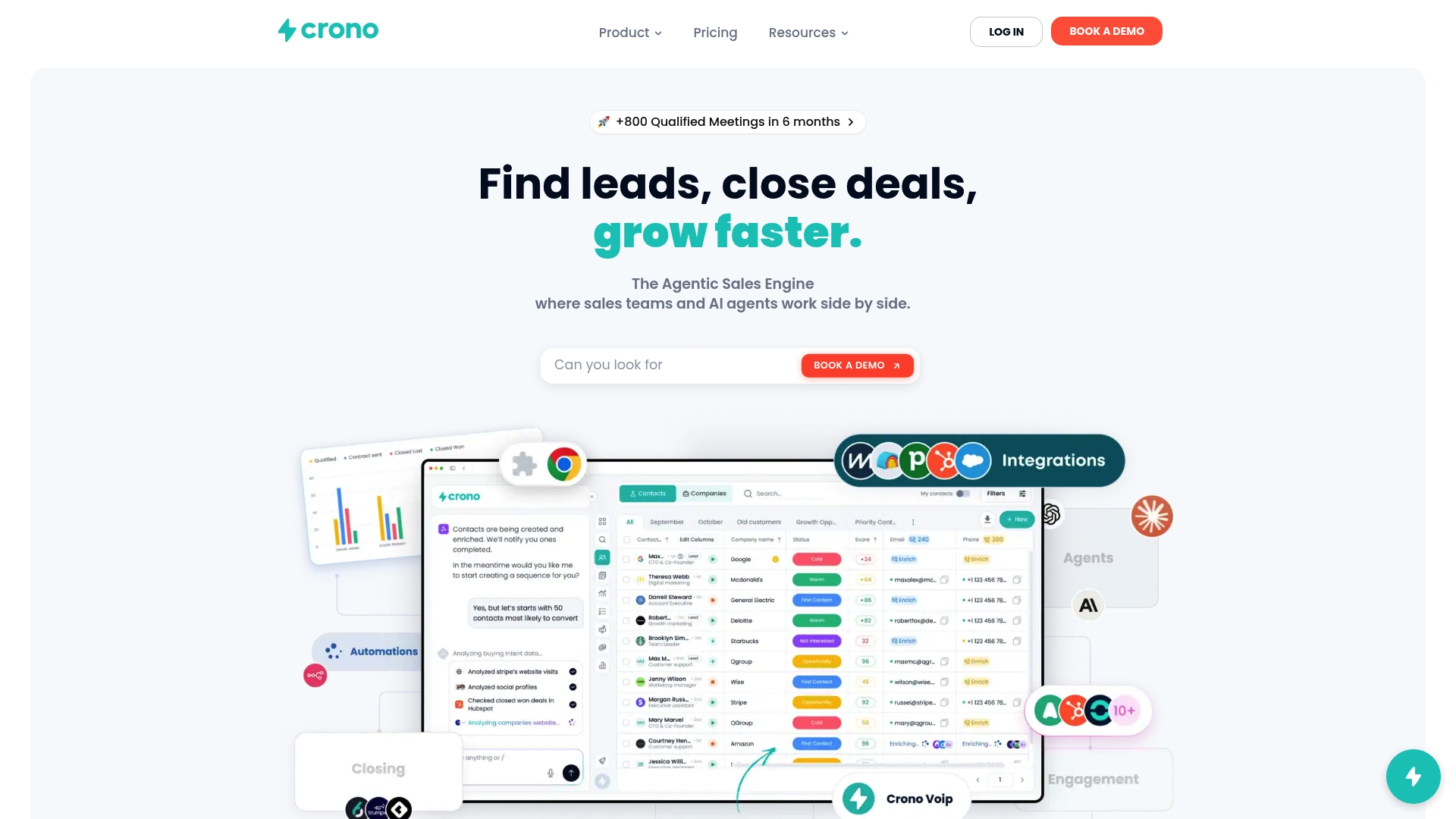
Crono combines buying signal detection, data enrichment, multichannel engagement, and AI agents into a single platform that sits inside your existing workflow. RevOps teams use it to automate lead routing, enforce qualification standards, and run outbound sequences without adding another login to the rep’s day. The B2B sales techniques built into Crono’s execution layer are designed to convert pipeline into predictable revenue, not just track it. If you want to see how Crono fits your current stack, explore the platform and request a demo.
FAQ
What is a sales tool for RevOps?
A sales tool for RevOps is software that aligns sales, marketing, and customer success around shared revenue goals by integrating data, automating workflows, and enforcing sales methodology within a unified system.
How many tools does a RevOps stack typically need?
A well-structured RevOps stack covers six functional layers: CRM, revenue intelligence, conversation intelligence, sales engagement, data operations, and analytics. One tool per layer is the standard best practice to avoid data conflicts.
Why does CRM integration matter for RevOps tools?
Tools that embed inside the CRM drive higher rep adoption and keep activity data complete. When reps work in a single interface, data quality improves automatically, which makes forecasting and pipeline inspection reliable.
What features matter most in RevOps management tools?
AI-driven forecasting, real-time data enrichment, conversation analytics, and methodology enforcement through stage gating are the features that most directly improve forecast accuracy and pipeline health for RevOps teams.
How do you avoid tool sprawl in a RevOps stack?
Apply the one-tool-per-layer rule and audit your current stack before adding any new platform. If two tools occupy the same functional layer, eliminate one before purchasing another to prevent data fragmentation and reconciliation overhead.
