
A cold call cadence is the planned sequence of calls, voicemails, emails and social touches a rep runs against one prospect, with a set gap between each step. For most B2B outbound teams, a good starting point is 10 to 14 touches over about three weeks, with calls making up roughly a third of them and arriving mostly in the middle of the sequence. Below is a full framework you can copy, the timing logic behind it, the US rules to respect, and the metrics that tell you when to change it.
TL;DR
- A cold call cadence combines calls with email, voicemail and social touches. Calls alone leave too many prospects unreached, and email alone gives up the fastest way to start a conversation.
- Start with 10 to 14 touches over 21 days. Put about 30% to 40% of touches on the phone, weighted toward days 4 to 14.
- Space touches so each channel supports the others: a voicemail followed by a same-day email, then a call on a different day and at a different time.
- Treat engagement as a signal. An email open, a click or a site visit should move a prospect to the front of the call queue.
- Judge the cadence on connect rate, conversations per 100 dials, meetings booked per account and step-level results, not on activity volume.
Table of Contents
- What a cold call cadence is (and what it is not)
- How many touches and how many calls
- A 21-day cold call cadence you can copy
- Spacing calls and combining channels
- When to call: windows and days
- What to do on each call attempt
- Make the cadence respond to buying signals
- Perspective: a cadence is only as good as its execution
- Metrics that show whether the cadence works
- US calling rules to build into the cadence
- Run the cadence without the manual work
- Run your cadence in Crono
- FAQ
- Sources
What a cold call cadence is (and what it is not)
A cadence is a timeline. It says which touch happens on which day, through which channel, and what the rep does when the prospect responds or stays silent. A script covers what you say on one call. A cadence covers the whole run of contact.
This distinction matters because most cold calls do not connect. Reps who treat each dial as a stand-alone event give up, or they redial the same number at the same hour every day. A cadence fixes that by making persistence systematic.
Outbound programs in general are built around proactively identifying contacts at target companies and engaging them, and cold calling usually sits alongside email and other touchpoints such as social or video. If you need the call itself, our cold call scripts for booking meetings cover openers, objections and the ask.
How many touches and how many calls
The common range for B2B outbound is 10 to 14 touches across three to four weeks. Some practitioners run slightly tighter, around 8 to 12 touchpoints over 17 to 21 days. The difference is small. What matters is that the sequence is long enough to catch a prospect on a better day, and short enough that your message still feels relevant.
On the call share, one US practitioner playbook says that for most B2B SaaS engagements, 30% to 40% of touches should be calls, weighted toward the middle of the sequence. That fits how outbound tends to work: email opens the door quietly, calls arrive once the prospect has seen your name, and the final steps wrap up the sequence.
Treat these as starting benchmarks from practitioners, not laws. Your own data, by segment, will override them within a few hundred dials.
A quick sizing rule
With 12 touches and a 35% call share, you get four call attempts per prospect. That is enough to try different days and time windows without turning the sequence into harassment. If your list is small and high-value, run fewer touches with more research per touch. If your list is large and your offer is broad, you can run the full 12 to 14.
A 21-day cold call cadence you can copy
This is our suggested starting framework for a mid-market B2B sequence. It interleaves channels so the prospect sees you in several places, which is the core idea in Pete Kazanjy’s Founding Sales handbook: alternating calls, email and voicemail creates repeated chances to connect while letting the rep adapt to engagement.
| Day | Channel | What the rep does |
|---|---|---|
| 1 | Short, specific first email tied to a trigger or role-based problem | |
| 1 | Call | Dial within hours of the email; leave no voicemail on the first attempt |
| 3 | Connection request with no pitch, plus a profile view | |
| 4 | Call | Second attempt in a different time window; voicemail plus a same-day email that references it |
| 7 | New angle: a customer outcome, a short question or a relevant data point | |
| 8 | Call | Third attempt; no voicemail unless this is your third dial |
| 10 | Comment on a post or send a brief message | |
| 12 | Call | Fourth attempt with voicemail and a follow-up email |
| 15 | Short value email with one clear ask | |
| 17 | Call | Last attempt at a bookend hour for senior titles |
| 21 | Break-up email: close the loop politely and offer a way back |
That is 11 touches, four of them calls (about 36%), and the calls fall mostly between days 4 and 17. Adjust the count to your segment, then test.
For a wider look at spacing, including how long to wait between steps and when to stop, see our cadence timing playbook for RevOps.
Spacing calls and combining channels
A few rules keep the sequence from feeling like noise.
- Pair voicemails with email. One playbook recommends a voicemail with a same-day email that references it. The email gives the prospect something to click and the voicemail gives the email a human face.
- Do not leave a voicemail on every dial. The same source suggests leaving a voicemail every third dial. Constant voicemails train prospects to ignore you.
- Vary the time of day. If your first attempt was at 10:30, your second should not be at 10:30.
- Do not stack everything on one day. A day with an email, a call and a LinkedIn message can work on day 1. After that, give each touch room.
- Change the angle. Each touch should add something: a new reason, a different stakeholder pain, or a shorter ask.
The Founding Sales handbook gives an example that starts with an email and a call on day one, a second call on day two, and a call with voicemail on day three. That is a tighter opening than ours and suits teams with a small, hand-picked list and fast follow-up capacity.
When to call: windows and days
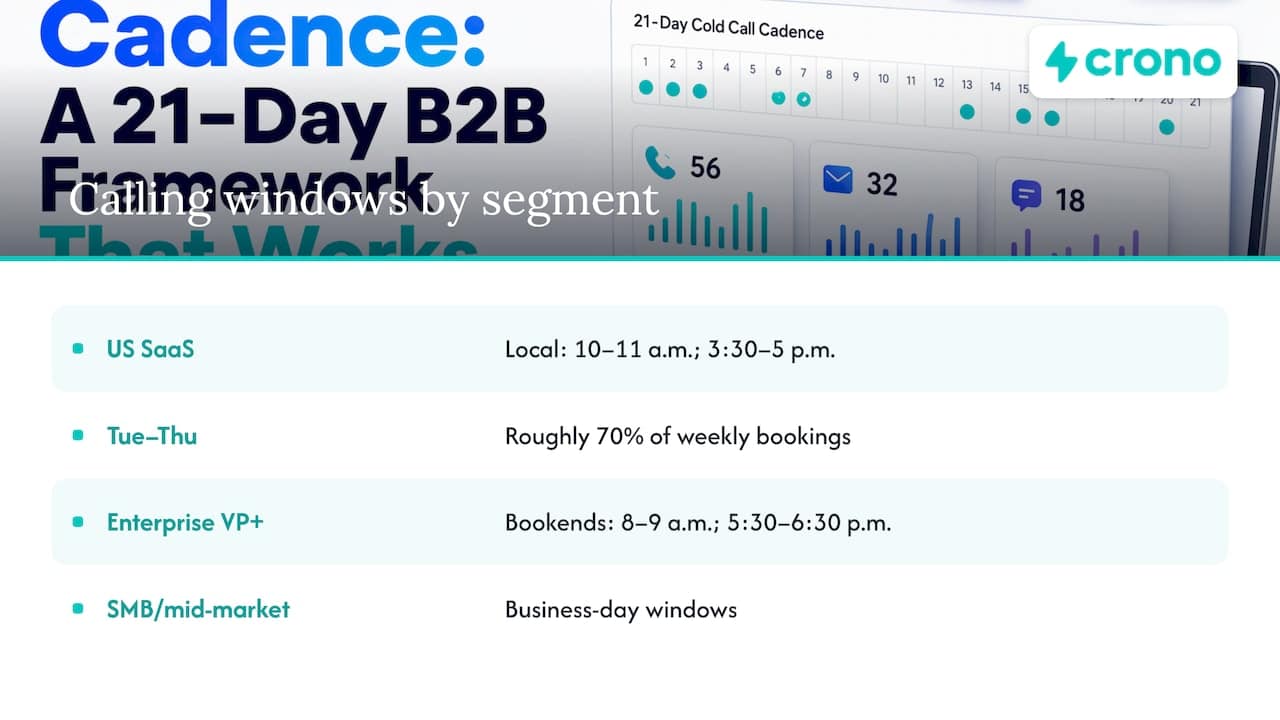
Timing advice varies by source, so use it as a test plan. In B2B SaaS, one US practitioner analysis reports that local 10 to 11 a.m. and 3:30 to 5 p.m. are the highest-connect windows, and that Tuesday through Thursday produce roughly 70% of weekly bookings.
Seniority changes the picture. The same playbook argues that VP-level and above buyers in enterprise deals are better reached at bookend hours, such as 8 to 9 a.m. and 5:30 to 6:30 p.m. local time, when their calendars are less guarded by assistants. SMB and mid-market contacts fit the business-day windows.
The practical move is to segment your list by seniority and time zone, then schedule dials accordingly. A single “best time” for the whole team is the weakest option, because one team’s list almost always contains several buyer types.
What to do on each call attempt
Each dial in the cadence has a job. Do not run the same pitch four times.
- Attempt 1: Confirm the right person and earn a short conversation. If you get voicemail, hang up and let the first email do the work.
- Attempt 2: Reference the email or the trigger. Leave a voicemail and send the follow-up email the same day.
- Attempt 3: Lead with a different problem or proof point. Try a different time window.
- Attempt 4: Make it clear this is the last call and ask for a pointer to the right person if you have the wrong one.
How long calls should run
Calls that end in a booked meeting tend to run three to five minutes, according to an analysis of 10,000 cold calls. That analysis breaks the call down as roughly 30 seconds for the opening and permission, 30 seconds for credibility, two to three minutes for discovery, 30 seconds for value positioning and 30 seconds for booking. The point for managers: a call that books a meeting is a conversation, not a pitch. Coach reps to ask questions early. Another playbook suggests coaching voicemails to about 93 seconds at most in total call-handling time for the attempt, which is a useful reminder to keep each dial tight.
If you are building coaching around this, our guide to AI tools for sales coaching shows how leaders review calls at scale.
Make the cadence respond to buying signals
A fixed calendar is a starting point, not a rule. Prospects tell you when to speed up.
The Founding Sales handbook recommends using contextual signals such as an email open or click to reprioritize a prospect for an immediate call or follow-up email, because that person may already be thinking about the problem. You can also break out of the cadence and contact them right away.
Signals worth acting on include:
- Repeated email opens or a link click
- A visit to your pricing or product page
- A job change, funding event or new hire in the buyer’s team
- A reply that is not a clear yes or no, such as “not now” or “talk to my colleague”
When a signal fires, move the account to the top of the next dial block, personalize the opener to the signal, and pause automated emails so the prospect does not get a template on top of a live conversation. The same logic applies at account level: when several people at one company engage, the cadence should coordinate outreach rather than run in parallel. The ideas in this piece on turning contact signals into sales orchestration are a useful frame for that coordination.
Perspective: a cadence is only as good as its execution
We see the same pattern in most outbound teams. The cadence on paper is fine: 12 touches, four calls, a sensible rhythm. The problem is execution. Reps work from five tabs, signals sit in one tool while tasks sit in another, and the call list is stale by Wednesday.
That is why we built Crono as a sales execution layer rather than another point tool. It connects your CRM and sales tools so buying signals, enrichment, outreach across LinkedIn, email and calls, and pipeline tracking sit in one workflow. Humans and AI agents work in the same sequence: agents handle research, enrichment and repetitive steps, and reps spend their time on the conversations.
Our view is that a cold call cadence should be driven by signals and prioritization, not by a calendar alone. When the next best action is clear and the data behind it is current, your team makes more of the right calls at the right time.
Alex
Metrics that show whether the cadence works
Activity counts tell you reps are busy. These metrics tell you whether the cadence is working. The benchmarks below are not sourced industry norms, so build your own baseline over a few weeks and compare against it.
| Metric | How to calculate | What it tells you |
|---|---|---|
| Connect rate | Live conversations ÷ dials | Whether your data, timing and number quality are right |
| Conversations per 100 dials | Meaningful conversations ÷ dials × 100 | How efficiently reps convert dials into talk time |
| Conversation-to-meeting rate | Meetings booked ÷ conversations | Call quality: opener, discovery and ask |
| Meetings per account | Meetings ÷ accounts enrolled | Whether the whole sequence, not one touch, is working |
| Step-level response | Replies or connects by cadence step | Which touches to cut, move or rewrite |
| Time to first touch | Hours from signal or enrollment to first contact | Speed to lead on engaged prospects |
| Opt-out and complaint rate | Opt-outs ÷ contacts reached | Whether volume or message is hurting your reputation |
How to improve it
- Find the weak step. Pull step-level data. If call 3 connects at half the rate of call 2, change its timing or retire it.
- Fix data before copy. A low connect rate often means bad numbers or wrong contacts. Enrichment and deduplication come first; see our guide to data enrichment best practices.
- Test one variable at a time. Time window, voicemail script or channel order, one per test, with enough contacts in each arm.
- Segment results. Compare by title, company size and time zone. An average hides your best segment.
- Review calls weekly. Listen to booked and lost calls side by side, then update the talk track.
US calling rules to build into the cadence
Compliance belongs in the design of the sequence, not in a footnote. This is general information, not legal advice; have your counsel review your calling program.
- B2B calls are largely outside the national Do Not Call rules, with exceptions. The FTC’s guidance on the Telemarketing Sales Rule says it exempts business-to-business calls unless they involve retail sales of nondurable office or cleaning supplies or solicit sales or charitable contributions from employees. Check that your calls truly fit that exemption.
- Identify yourself. For telemarketing calls to residential subscribers, FCC rules require the caller and entity to be identified and a contact phone number or address provided. Do-not-call requests must be honored within 30 days under that rule text.
- Mind mobile and small-business numbers. Sole proprietors and founders often answer on personal phones. Route numbers that may be residential or personal through your legal team’s guidance before dialing.
- Log opt-outs in one place. Your cadence should stop every channel when someone asks to be removed, not just the one they replied to.
- Check state rules. Some states set their own calling hours and registry rules, so confirm with counsel before you dial in a new state.
Build a suppression step into the cadence: before every call block, the list is checked against your internal do-not-contact list.
Run the cadence without the manual work
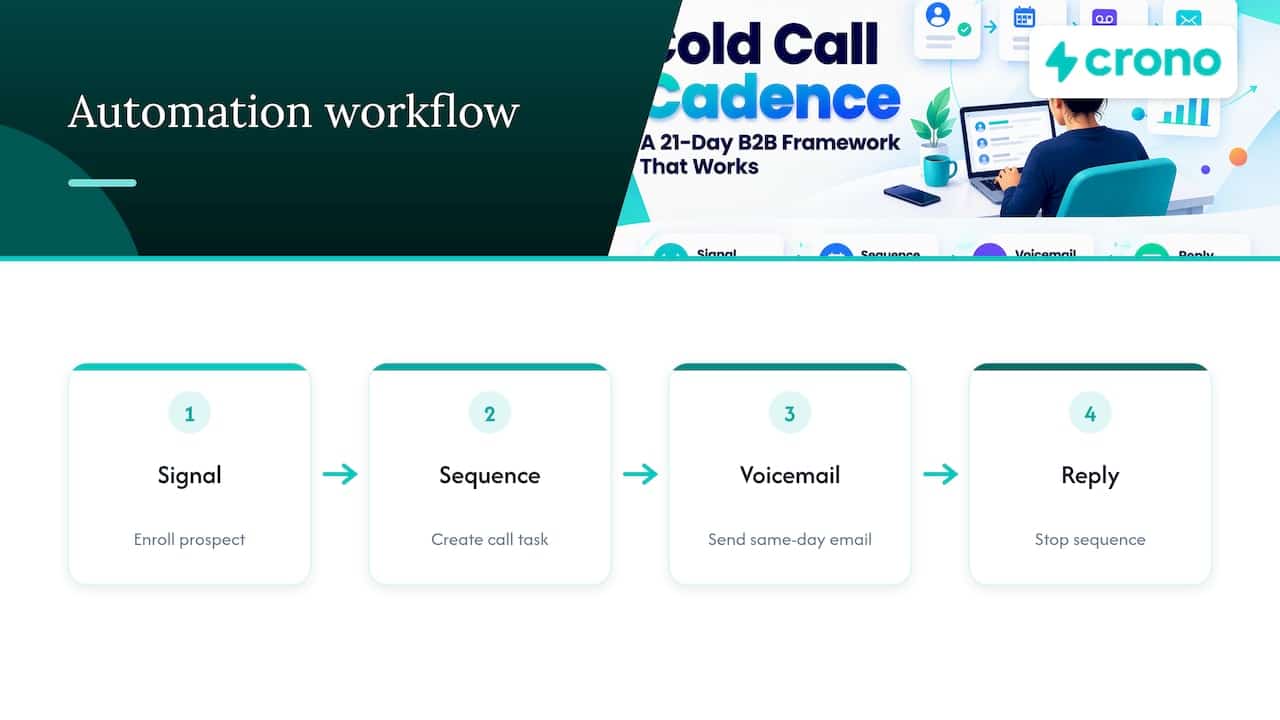
A 12-touch sequence across 200 accounts is 2,400 touches, and keeping all of it in order by hand is where most cadences break. Workflow automation can enroll prospects on a signal, create call tasks at the right step, send the same-day email after a voicemail, and stop the sequence on a reply. Our guide to sales workflow automation templates shows how to start with one workflow, and the scalable outbound prospecting process describes the surrounding system for mid-market teams.
Run your cadence in Crono
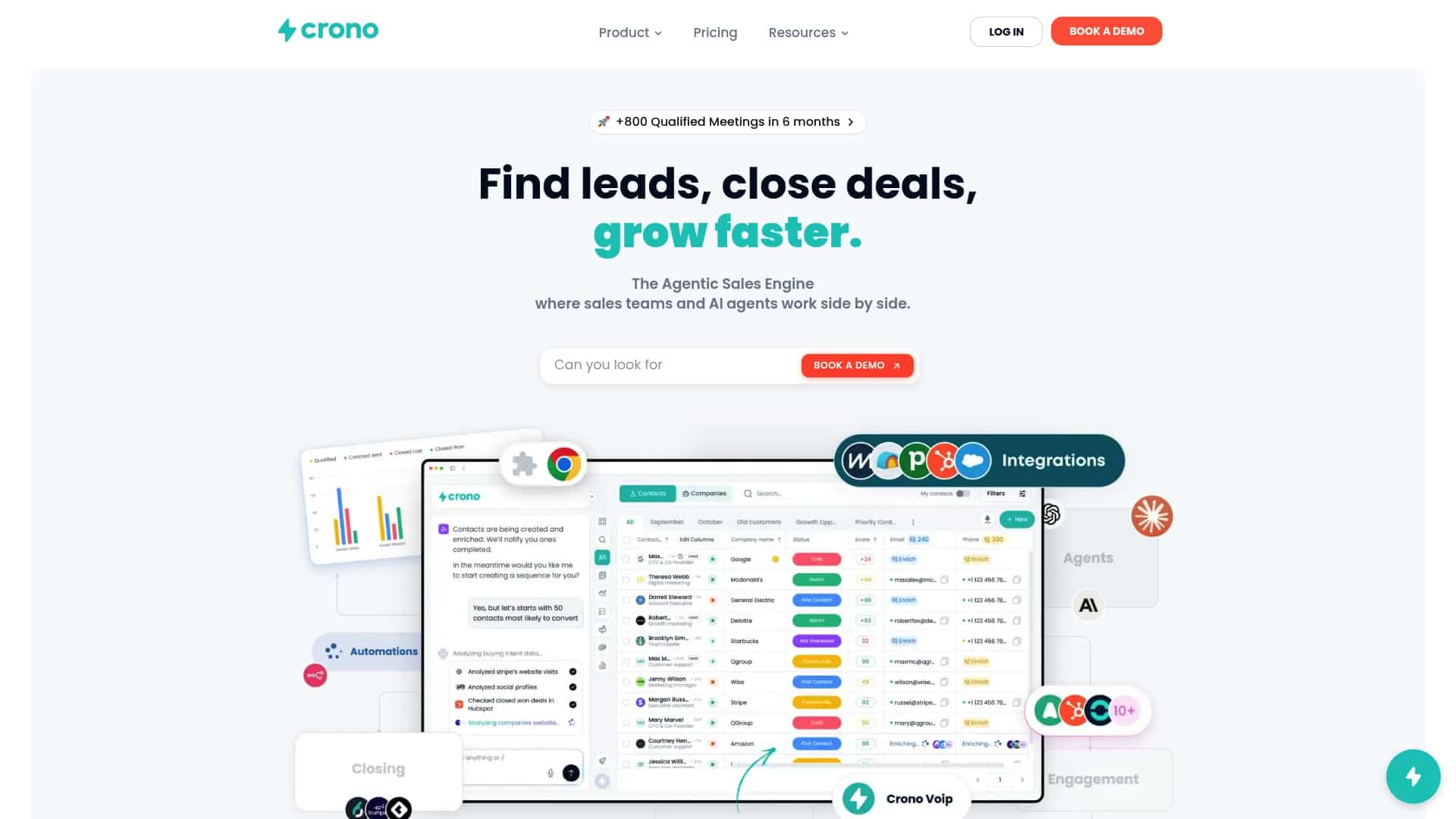
Crono connects your CRM and sales tools into one execution platform, combining buying signals, data enrichment, workflow automation, AI agents and multichannel outreach across LinkedIn, email and calls. Plans are priced per user: Pro starts at €79 per month per seat and Ultra at €119 per month per seat, with Enterprise available on request. If you want AI agents to handle research and repetitive steps, the Agentic Sales Engine starts at €99 per month for 10,000 credits. See Crono pricing or explore the Agentic Sales Engine.
If you are still deciding how AI agents fit your team, read our guide on deploying AI sales agents in B2B sales.
FAQ
How many times should you call a prospect in a cold call cadence?
Four call attempts is a sound starting point inside a 10 to 14 touch sequence, spread over about three weeks. Vary the day and time of each attempt, and leave a voicemail on roughly every third dial. High-value accounts may justify more research per call rather than more calls.
How many days should a cold call cadence last?
Most B2B outbound sequences run three to four weeks, and tighter ones run 17 to 21 days. Shorter cadences keep the message fresh, and longer ones suit complex, multi-stakeholder deals. Test both against your own meeting-booked data.
Should a cadence start with a call or an email?
Either works, and the choice depends on your data. If you have a verified direct dial and a clear trigger, start with an email and a call on day one. If you only have a general number or low-confidence contact data, start with email and LinkedIn and bring calls in from day four.
What is the best time to make cold calls?
One US practitioner analysis points to local 10 to 11 a.m. and 3:30 to 5 p.m. for B2B SaaS, with Tuesday through Thursday producing most bookings. Senior executives may be easier to reach early in the morning or late in the afternoon. Test windows by segment.
Do Do Not Call rules apply to B2B cold calls?
The FTC’s Telemarketing Sales Rule exempts most business-to-business calls, with exceptions such as retail sales of nondurable office or cleaning supplies. Other federal and state rules, and residential or personal numbers, can still apply. Ask your legal counsel to review your program.
Sources
- Cold Calling Tips 2026: Practitioner’s Playbook
- We Analyzed 10,000 Cold Calls: What Actually Works
- Prospecting Cadence, Founding Sales handbook
- B2B Outbound: Building Predictable Growth
- Complying with the Telemarketing Sales Rule (FTC)
- FCC rule 64.1200 text
- B2B ABM Orchestration: Six Elements to Turn Contact Signals Into Sales
