
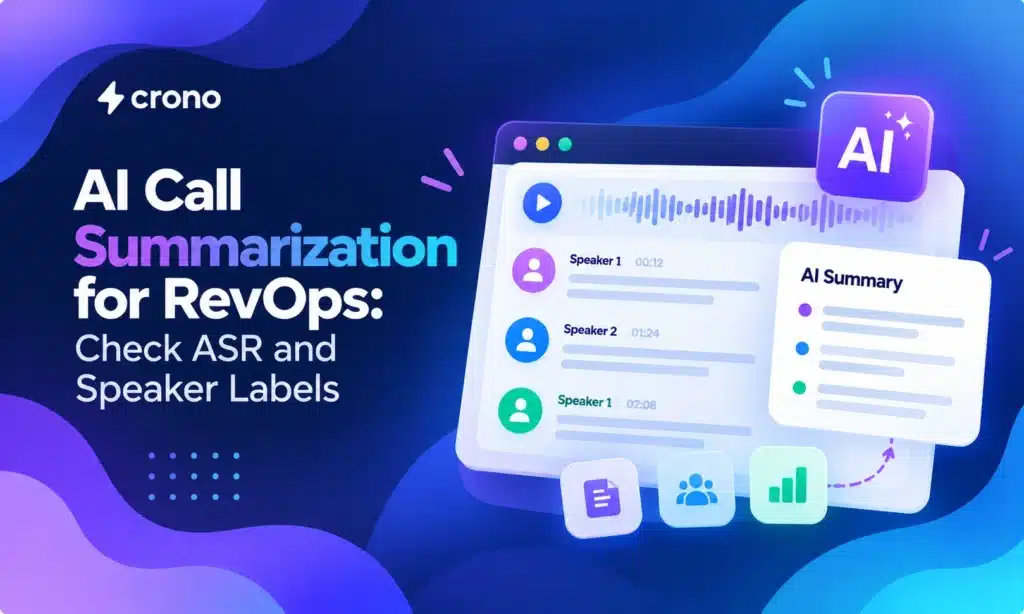
Call summarization AI turns recordings or live calls into concise summaries, extracted action items, and CRM-ready updates. Sales reps, contact-center agents, QA reviewers, and RevOps teams all benefit. The practical payoff is less after-call documentation and more consistent handoffs between people. The catch is fidelity, so every deployment needs a verification step and a clear way to measure accuracy.
TL;DR:
- Test vendors on the same ten real calls, including difficult recordings, and score transcription, speaker labels, action items, and required CRM fields.
- Research across 20 language models and 2,500 real call transcripts found systematic omissions, so review high stakes summaries against transcripts.
- Draft summaries after calls and let agents correct them before CRM updates; hold CRM syncing in shadow mode until accuracy thresholds are met.
- Evaluate every call language separately, test code switching and translation, and require native speaker scoring; keep human review enabled where accuracy lags.
- Record consent with timestamps, apply the stricter jurisdictional rule when callers are in different places, and treat summaries as working notes, not legal records.
Table of Contents
- What do AI call summaries actually produce?
- How does call summarization work under the hood?
- Which features should you check before choosing a tool?
- How do you deploy summaries without breaking your process?
- How reliable are LLM summaries, and what bias should you expect?
- What does a step-by-step pilot look like?
- How do you handle multi-language call summarization?
- Should your team pilot now? Our view
- How we help you act on call context
- FAQ
- Sources
What do AI call summaries actually produce?
Most tools generate a handful of outputs from each conversation. You can mix and match them by role:
- A one-paragraph summary of what happened and why the call mattered
- Bullet takeaways covering pain points, objections, and decisions
- Action items with owners and due dates
- Sentiment and intent tags for QA and coaching
- Suggested next steps ready to drop into a task or sequence
A discovery call template might capture pain, budget, timeline, and decision makers. A demo template focuses on features that landed, open objections, and the agreed next meeting. A support resolution template records the issue, the fix, and any promised follow-up.
These outputs improve pipeline hygiene, speed up handoffs, and surface coaching topics. They also feed automated follow-ups. For the coaching side, see our guide to AI tools for sales coaching.
How does call summarization work under the hood?
The pipeline has several stages. Audio is captured from a recording or a live call. Automatic speech recognition (ASR) converts it to text. Speaker diarization labels who said what. Finally, a large language model (LLM) condenses the labeled transcript into a summary.
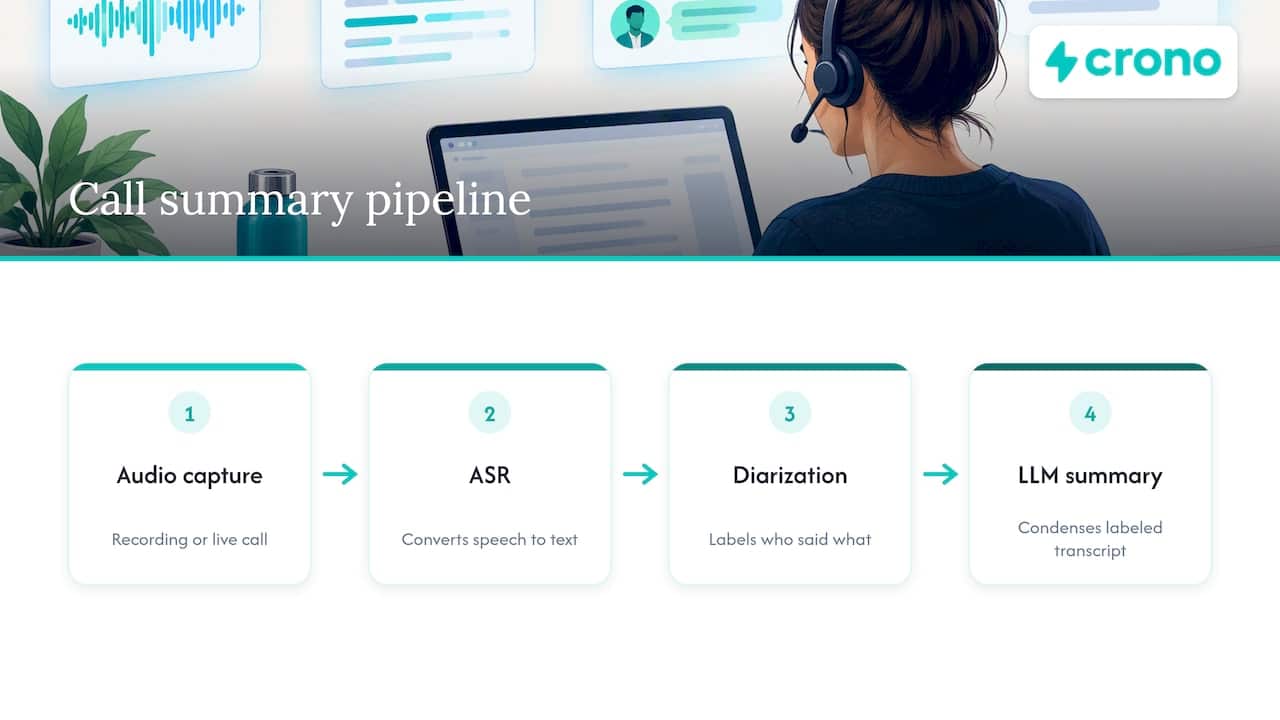
Each stage can introduce errors. A misheard product name in ASR becomes a wrong fact in the summary. A diarization slip attributes a customer’s objection to your rep. Test these stages separately, not just the final output.
The summarization method matters too. Extractive summarization pulls sentences straight from the transcript. It is conservative and literal, but it reads choppy and can miss the point. Abstractive summarization writes new prose, which is far more readable and compact. It can also omit details or state things nobody said.
Compression is a tradeoff as well. The shorter the summary, the more likely it drops something your CRM fields need. Latency adds another variable: a post-call summary can take its time, while a live view must be fast and may sacrifice depth. Decide which matters more for each call type before you compare tools.
Which features should you check before choosing a tool?
Use this checklist in demos and pilots:
- Transcription and diarization: accuracy on your real calls, accents included, and reliable speaker labels
- Language support: every language your customers actually speak
- Action-item extraction: items with owners and dates, not vague notes
- CRM field mapping: summaries that populate the right fields through customizable templates
- Integrations: native connectors, API or webhooks, controlled CRM write-back, and audit trails
- Latency and pricing: real-time versus post-call processing, per-minute versus bundled pricing, and throttling controls
- Security and review: data retention settings, access logs, and a human-in-the-loop review step
Some platforms already bake this into service workflows. ServiceNow, for example, documents a call summarization skill that summarizes calls between live agents and callers when an interaction ends.
Pro Tip: Run every vendor on the same ten real calls, including your messiest ones, and score them against the CRM fields you actually need filled.
How do you deploy summaries without breaking your process?
Several patterns cover most teams. Start with the one that matches your risk tolerance:
- Post-call auto-draft with agent verification. The AI drafts a summary, and the rep spends about 60 seconds correcting it before CRM sync. One workflow blueprint recommends this human check so errors do not become permanent records.
- Shadow mode for pilots. Generate summaries but hold back CRM write-back until accuracy thresholds are met. Reps keep their usual notes in the meantime.
- Real-time coach view plus a separate post-call record. Supervisors see live highlights, while operations get a clean, verified record afterward.
- Compliance guardrails for all three. Capture consent, default to the stricter jurisdiction when parties sit in different places, and log consent with timestamps for audits. Recording rules vary widely, as the overview of telephone call recording laws shows. Treat AI summaries as working notes, not legally definitive records.
Once verified summaries flow, route their tasks into CRM automation so follow-ups happen on their own.
How reliable are LLM summaries, and what bias should you expect?
Independent research gives buyers a reason to stay cautious. The BlindSpot study examined contact center summaries and found systemic operational biases: LLM-generated summaries can omit or underrepresent parts of a conversation, even when they read smoothly.
Researchers found systematic operational biases across 20 LLMs on 2,500 real call transcripts, and showed that targeted prompts and larger models measurably improve coverage and reduce fidelity gaps. A fluent summary is not proof of a complete one.
Mitigation has a price. Prompts that force fuller coverage tend to produce longer summaries, so you trade some conciseness for fidelity. The controls that work in practice are straightforward:
- Sample summaries regularly and score them against transcripts, using an LLM as a judge to scale the review
- Tune prompts for the details your team cannot afford to lose, such as commitments, objections, and pricing
- Set human review thresholds for high-stakes calls
- Audit on a schedule, not only at launch
What does a step-by-step pilot look like?
A focused pilot of a few weeks tells you more than a long vendor evaluation:
- Scope it. Pick target call types, expected volume, and named stakeholders, including one owner.
- Set success metrics. Track minutes saved per call, coverage of required CRM fields, and accuracy of action items.
- Run a shadow A/B trial. Compare AI drafts to human notes, and log false positives and false negatives.
- Set acceptance thresholds. Decide in advance what accuracy earns CRM write-back and what triggers escalation to human review.
- Scale deliberately. Tune prompts and templates, add teams, and automate follow-up sequences only after thresholds hold.
Pro Tip: Ask two reviewers to score the same sample of summaries. If they disagree often, your acceptance criteria are too vague to trust.
If a pilot is about proving ROI to leadership, this partner article on AI productivity results offers useful framing for measuring gains.
How do you handle multi-language call summarization?
Multilingual calls stress every stage of the pipeline. ASR accuracy often varies by language, and accents or regional dialects can widen the gap inside a single language. A transcript that is slightly off in Spanish or German can turn into a summary that is confidently wrong.
Code-switching is a common trap. Customers mix languages mid-sentence, and many systems pick one language per call and mishandle the rest. Product names, acronyms, and industry terms also get mangled when the model has no glossary to lean on.
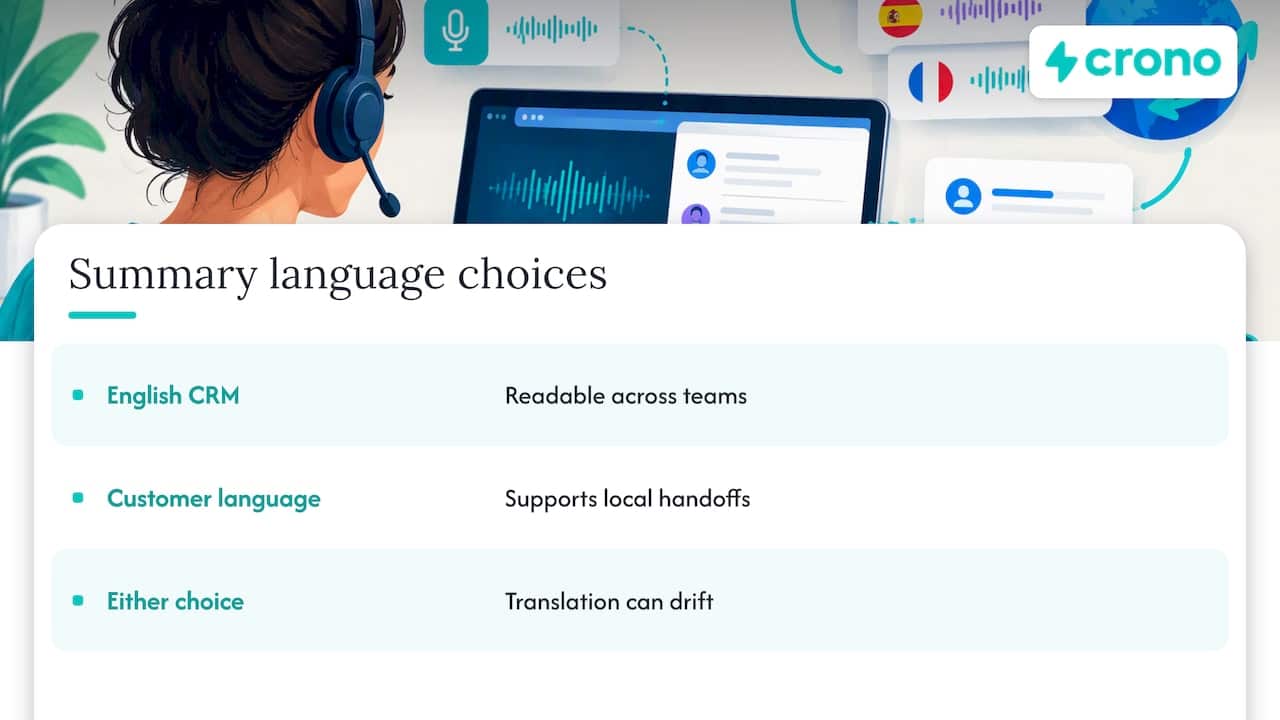
Decide upfront which language the summary should be written in. Many teams want English summaries in the CRM regardless of the call language, so everyone can read them. Others need the summary in the customer’s language for local handoffs. Either choice adds a translation step where meaning can drift, so test it explicitly.
Evaluate each language separately. Do not assume that strong English results carry over. Build a small test set per language, have a native speaker score summaries against transcripts, and set per-language thresholds for CRM write-back. For languages where accuracy lags, keep human review on by default. Also confirm that your consent and retention rules hold wherever those callers are located, since recording laws differ by jurisdiction.
Should your team pilot now? Our view
Pilot when you can measure the problem: high call volume, patchy CRM notes, or slow handoffs, plus one person who owns the result. In that situation you can expect consistent call context in the CRM, less after-call work, and richer QA data for coaching. If nobody owns it, the tool will become shelfware. Start small, verify everything, and let the data decide.
— Alex
How we help you act on call context
We built Crono to connect your CRM, automation, and AI workflows so call context turns into executed follow-ups. Here is what that means for a team running a pilot:
- Captured context stays tied to the right account and contact in your CRM
- Follow-up tasks and sequences run from that context without manual copying
- People and AI agents work in the same workflow, with your team staying in control
You can compare plans on our pricing page, or see how our agentic automation hub handles credit-based execution. For planning, our guide to deploying AI sales agents walks through pilots step by step. Ready to see it in your stack? Check our pricing and request a demo.
FAQ
What is call summarization AI?
Call summarization AI converts a recorded or live call into a short summary, action items, and CRM-ready notes. It typically transcribes the audio, labels speakers, and then condenses the text with a language model.
Can I trust AI call summaries without review?
Not for high-stakes calls. Research on contact center summaries found that LLM summaries can systematically omit parts of conversations. A quick human check before CRM sync keeps errors from becoming permanent records.
How do AI call summaries reach my CRM?
Tools may use native connectors, APIs, or webhooks to write summaries and tasks to CRM fields. Controlled write-back and audit trails let you decide what syncs automatically and what waits for approval.
Do I need consent to summarize calls with AI?
Consent requirements depend on the jurisdiction and the way the call is handled. Rules vary by jurisdiction, so default to the stricter standard and log consent for audits. Check with legal counsel for your specific markets.
Sources
- 2508.13124 Spot the BlindSpots: Systematic Identification and Quantification of Fine-Grained LLM Biases in Contact Center Summaries
- Post-Call Summary & CRM Update: AI + Software Workflow Blueprint (2026) | ITQlick
- Summarize a call
